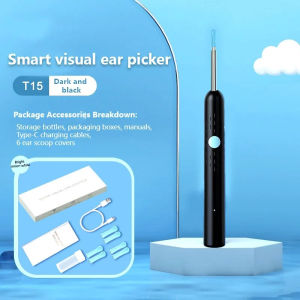
KIMP Wireless WiFi Ear Cleaner Intelligent Ear Pick with Camera Visual Ear Scoop Baby Ear Cleaner Wireless Ear Cleaner Visual ear spoon Ear Wax Cleaner 1080P HD Earpick Endoscope
Find B Pro smart ear pick - - Easy to insert into a small ear hole. With - With a 6-axis gravity sensor, it rotates freely and accurately. It has a design that can be used by both children and adults. The ear pick spoon is made of Silica Gel metal cover. Endoscope - HD 900W Automatic connection and ready to use when opening the lid. Download - Download an app--Soulear The - Baby can use it. The ear spoon is only 0.35 cm. Specifications: Model Name: Smart ear pick Model: FIND B Pro Color: White, Black Material: Aluminum alloy + PC Lens pixel: 900W Lens diameter: 3.8MM In-ear diameter: 4.4MM Optimal focal length: 1.4-2 cm. Battery: 240mAh Battery life: about 60 minutes Gyroscope: 6-axis directional gyroscope Supported systems: Android 4.2 and above and IOS 9.0 and above Waterproof level: IP65
Package includes: 1 x Smart ear pick 3 x Extra 6 x Spare parts heads 1 x Type-C charging cable 1 x Manual
Find B smart ear pick Easy to insert into a small ear hole. With - With a 3-axis gravity sensor, it rotates freely and accurately. It has a design that can be used by both children and adults. The ear pick spoon is made of Silica Gel metal cover. Endoscope - HD 500W - - Automatic connection and ready to use when opening the lid. Download - Download an app - Soulear Specifications: Model Name: Smart ear pick Model: FIND B Color: White, Black Material: ABS + PC Lens pixel: 500W Lens diameter: 4.0MM In-ear diameter: 5.0MM Optimal focal length: 1.4-2 cm. Battery: 24mAh Battery life: about 90 minutes Gyroscope: 3-axis directional gyroscope Supported systems: Android 4.2 and above and IOS 9.0 and above Waterproof level: IP65
1.Scan the QR code to download the app. 2.Press and hold the power button to launch the smart ear pick. 3.Mobile phone connection device WiFi "Soulexrxxxx" (Please note that the connection device of the WiFi product is not a WiFi connection router) 4.Open the APP to enter the ear pick (After connecting to WiF, open the APP and click "Connected"). 5.After opening the window app, the following pop-up window will appear, please press the following gesture to select

KIMP Mall
Review
You May Also Like

Masely Pill Box Portable Sealed Storage Box Dopamine Colors Travel Storage Box 1Pc

Bee Venom Plus Joint Relief Cream Original For Arthritis Venom Pain Relief Joint Care Cream 60g
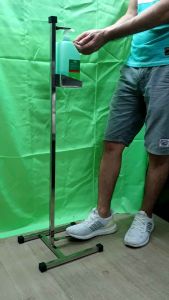
Alchohol Dispenser Footpress(Handsfree)

Water-Resistant Oxford Cloth First Aid Bag Travel Medical Organizer Pouch B27

【Hot Sale】Eelhoe Varicose Vein Repair Cream Effective Convenient Plant Extracts Varicose Vein Repair Cream Relieve Pain Legs for Postpartum Obese People(50g)

HUANGSU | Warm Wool Knee Support For Elderly People Joint Protection
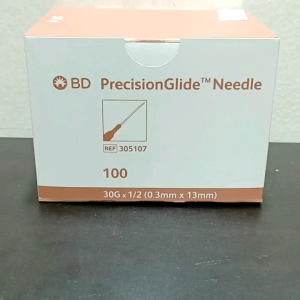
BD PrecisionGlide Needle G30 x ½"

Medical First Aid Splint Waterproof Fracture Splint Portable Wrist Arm Sprains Corrector Outdoor

【Local shipping】 SC1 KW1 2-in-1 Measuring Tools Wrench SS001 SS002 SC20 KW5 Tooth Measuring Tools

Summer Thin Thermal Knee Protector For Air Conditioned Environment Seamless Design

Lungboost Milk 400g| health and wellness supplements| Lung Health support|400g