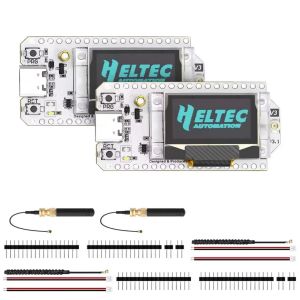
Heltec V3/V4 WiFi LoRa 32 868MHz Development Board With Dual Antenna Meshtastic Bluetooth For Meshcore Arduino PlatformIO
If you don't know how to flash, please watch the following videoNote: Version 4.3Please ensure your board enters Bootloader mode before flashing. Here’s how:Connect the USB-C cable, then hold down the PRG button, press the RST button once, and release the PRG button. After that, flash the firmware. Once the flashing is complete, remember to restart the device.Hardware version 4.3 requires new firmware.If you are using Heltec’s development framework, please update the board package and LoRa library to the latest via GitHub.Meshtastic, please use firmware version 2.7.20 or above. Please note: “Meshtastic UI” is for use with the touchscreen. For ordinary OLED screens, please do not select it.MeshCore, please use firmware version 1.15.0 or above. SpecificationsParametersDescriptionMCUESP32-S3R2 (Xtensa®32-bit lx7 dual core processor)LoRa ChipSX1262FrequencyHigh-power version: 863-928MHzLow-power version: 433, 470-510, 863-928MHzMax. TX PowerHigh-power version: 28 ±1 dBmLow-power version: 21 ±1 dBmMax. Receiving sensitivity-137dBm@SF12 BW=125KHzWi-Fi802.11 b/g/n, up to 150MbpsBluetoothBluetooth (LE), Bluetooth 5, Bluetooth MeshHardware Resource7ADC1 + 2ADC2;7Touch;3UART;2I2C;2SPI; etc.Memory384KB ROM; 512KB SRAM; 16KB RTC SRAM; 2MB PSRAM; 16MB FlashInterfaceType-C USB;1.252 Pin lithium battery interface;1.252 Pin Solar interface;1.258 Pin interface;LoRa ANT(IPEX1.0);2.4G ANT(IPEX1.0)Battery applicable3.3-4.4V lithium batteryOperating Temperature-20 ~ 70 ℃Dimensions51.7 * 25.4 10.7mmLayoutPin MapFAQ1.“LoRa Error”It does not indicate device damage. Please disregard this phenomenon. The LORA ERROR occurs because it is running the factory default LORA testing program and cannot find another device running the same program.2.Failed to flash firmware or upload code.Enter BootLoader mode: Connect the USB-C cable, hold down the PRG button, press the RST button once, then release the PRG button.Replace a USB data cable.Change the port on the computer.3.Firmware for V4.3.Hardware version 4.3 requires new firmware.Schematic of V4.3, please consult customer serviceIf you are using Heltec’s development framework, please update the board package and LoRa library to the latest via GitHub.Meshtastic, please use firmware version 2.7.20 or above.MeshCore, please use firmware version 1.15.0 or above.4.Enable or Disable LNA.Note: The following content only applies to hardware V4.3 and aboveMeshtastic 2.7.20: On the device, use the PRG button to navigate to “System” → “LoRa”, where you can choose to enable or disable LNA.MeshCore 1.15.0: LNA is enabled by default and cannot be modified. You can download the firmware from this link, which has LNA disabled by default: The link cannot be displayed. Please consult customer serviceWith the firmware from this link, LNA can be toggled via button long press: The link cannot be displayed. Please consult customer service We have submitted a PR. In the near future, firmware will also support toggling LNA via command line or button.5.The screen does not display.Please note: “Meshtastic UI” is for use with the touchscreen. For ordinary OLED screens, please do not Select it.

hengtongzhuan
Review

You May Also Like
Jungle Leopard | RGB Light Sync 12cm Computer Case Fan
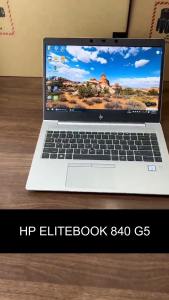
【HP Laptop】HP ELITEBOOK 840G5,14 inch,Intel Core i7 processor,Intel UHD Graphics,HDMI,USB 3.0,WIFI
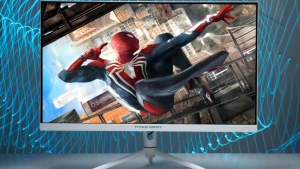
Titan Army P27A2S 27 Inch Monitor QHD 2560*1440 Resolution 240Hz Refresh Rate With 1ms Response Time VA Flat RGB Lighting Monitor
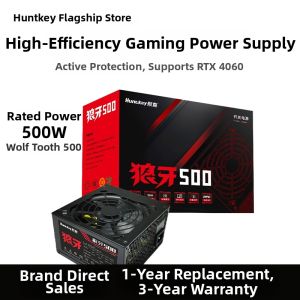
HUNTKEY | Gaming PC Compatible Power Supply with Back Cable Management
2X Ultra Clear/Anti-Glare/Anti Blue-Ray Screen Protector For HP Victus Gaming 15.6 inch Gaming Laptop 15-fa0008TX 15-fb0009AX
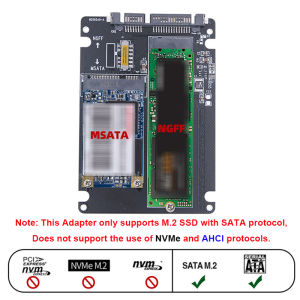
M.2 NGFF SSD MSATA Protocol To Serial Port External Built-In Hard Disk Box Msata To Sata 3 3.0 Dual Disk Switching With Switch
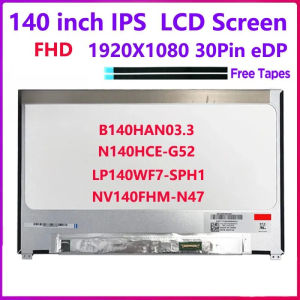
14 inch IPS Laptop LCD Screen N140HCE-G52 LP140WF7-SPH1 B140HAN03.3 NV140FHM N47 NV140FHM-N47 Non-Touch Display Panel
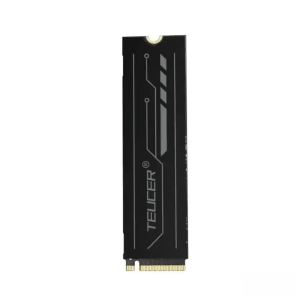
TEUCER Graphene Copper Foil M.2 SSD Heatsink NVMe NGFF 2280 Graphene Cooler SSD Radiator for Laptop PC PS5 2280 Drive 2-Pack
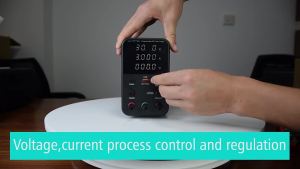
Adjustable Laboratory Power Supply 30V 10A 4-Digit Display DC Switching Power Supply USB/Type-C Fast Charging
120mm GEN4 RS White Fan ARGB Infinite Mirror Lighting 3-Pin Sync 800-1800RPM PWM Perfect for Cases & Radiators
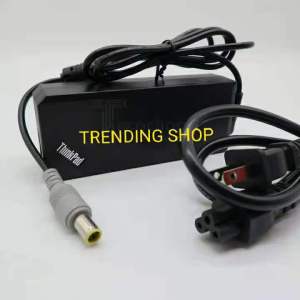
Lenovo Laptop Charger 20V 4.5A (pin 8.0 mm )For Lenovo ThinkPad laptops