


AJIUYU | Magic Keyboard Case for iPad Pro 12.9 3rd 4th 5th 6th Gen Air 13 Inch M4 M3 M2 Smart Pogo Pin Direct Connection Multi-Touch
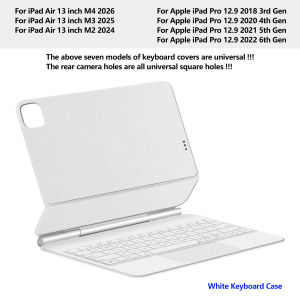
【The main video is for reference only.】For iPad Air 13 / Pro 12.9 Magic KeyboardMagnetic separation, backlight, Multi-touch TrackPad、Smart Pogo Pin connection、Reverse ChargeInstallation method: First, you need to confirm whether your machine model is correct, then open the iPad tablet (note that the iPad not be turned off, otherwise the keyboard cannot be connected), align it with the Pogo Pin contact, connect it magnetically, and see the green indicator light, indicating that it can be used directly. If the connection is unstable, it is recommended that the buyer remove it and reinstall it. It is best to pinch the contact position during installation!!!This Magic Keyboard connects and powers itself through the three smart connectors on the back of the iPad, requiring no Bluetooth pairing and no charging for operation.Product Description:1.No data cable connection or Bluetooth pairing anymore to enjoy connect-and-go convenience! With a PIN connector design, you can instantly connect the tablet to the keyboard by installing the tablet on the keyboard instead of extra Bluetooth pairing, which ensures a more stable and convenient transmission, providing a more stable and responsive typing experience.2.You don't need to charge the keyboard without a built-in battery. When the tablet and keyboard are connected, the keyboard immediately gets power from the tablet and turns on, reducing the charging frequency for both of them. When the tablet runs out of battery, you can connect the keyboard to a power source, and then the tablet will be charged by the pass-through current.Product parameters:Connection method: Magnetic Pogopin contact connectionCharging interface: Type-c (rechargeable, upgradable)Number of buttons: 64/84Normal/PD fast charging: 5V/2A; 9V/2A (supports overvoltage protection)Green indicator light: working statusWhite indicator light: Capslock capital lockPower on current: ≤ 85mA (including backlight)Standby current: ≤ 6mASleep current: ≤ 0.3mAShutdown current: 0Single finger tapping current: ≤ 10mATouchpad current: 15mABacklight current: 50mA low; 60mA medium; 70mA highBacklight: Colorful backlight with three levels of adjustmentMaximum supported voltage: 9VMiaokong gesture function: supportsQuick multimedia function: SupportsQuick language switching function for input method: SupportsSupported system versions: iPadOS 17.0 and above1. Connection method: Pogo Pin direct connection (no Bluetooth required)2. The four corners of the touchpad need to be pressed to use3.The center position of the touchpad cannot be touched or pressed, only the 4 corners support itHow To Verify Your Tablet Model1.Turn iPad tablet to the back find your specific model,Par exemple: A ****2.Find the "Settings"--Click the "About"--Find the "Model"3.Please select the correct model number for your tablet purchase after viewing it.This style of keyboard cover is compatible with these 7 models. Please confirm your machine model before purchasing to avoid purchasing errors!Compatible models and codes:For iPad Air 13 inch M4 2026 (A3461、 A3462、 A3464)For iPad Air 13 inch M3 2025 (A3268、 A3269 、A3271)For iPad Air 13 inch M2 2024 (A2898、A2899、A2900)For Apple iPad Pro 12.9 2018 3rd Generation (A1876、 A2014、 A1895、 A1983)For Apple iPad Pro 12.9 2020 4th Generation (A2069 、A2232、 A2229 、A2233)For Apple iPad Pro 12.9 2021 5th Generation (A2378 、A2379、 A2461、 A2462)For Apple iPad Pro 12.9 2022 6th Generation ( A2436 、A2764 、A2437 、A2766)Note: Tablet and stylus are not included in the packaging!![ Note:Only the corresponding machine model can be magnetically attracted. If your machine is not of the following model, please do not purchase it!!! ]Note: The camera hole of the keyboard cover is a square hole. If you mind, please do not purchase it ~This keyboard cover is compatible with the 7 models mentioned above. If your machine is not the model mentioned above, it will not be compatible. Please check your machine model before purchasingAttention PleaseEnglish versionkeyboard : There are English letters on the keyboard only.Multi-language versionkeyboard : English letters and carved language letters together ..【[For example, if you choose Russian, the keyboard will display English and Russian letters. Please note that the same letters will not be engraved repeatedly]】(Due to the difference in the number of keyboard keys compared to a normal office keyboard, some special character engraving positions are the same, which is a normal phenomenon)The keyboard Core defaults to English, and the characters engraved on the keyboard are only a Surface display.so in some countries, even if the input method is switched, the special symbols do not necessarily match the keyboard function layout(You can hold down the Shift combination).If you mind, please do not purchase!!.Note: Duet to the material of the white keyboard, the engraved letters are dark gray!!!Hebrew, Russian, Arabic, Korean: Steps to switch input methods:【1】After connecting the keyboard, open iPad Settings - General - Keyboard - Keyboard - Add New Keyboard (add the language you need)【2】After adding the language, switch input methods: simply click the (Globe Key) button (select the language you need)【3】For detailed instructions, please read the user manual. If you have any questions, you can contact "Online Services" for consultation .The steps for switching languages in the following special countries:

Prime Supply_Play Life
Review

You May Also Like
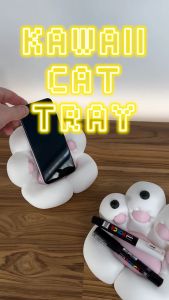
SLYCELAB Cat Paw Tray Multifunctional 3D Printed Phone Holder Cute Kawaii Desktop Organizer
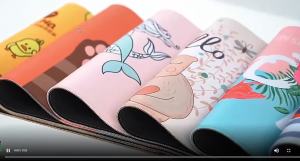
Potdemiel | M-Mr.Bean Cartoon Rubber Small Thickened Mouse Pad Gaming Keyboard Table Mat Office Supplies Room Decor for PC Mouse Carpet

HAISENLE | Protective Shockproof Scratch-Resistant DJI Action Camera Carry Case
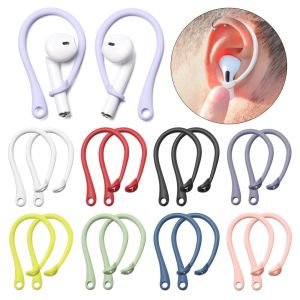
PLLEWY Accessories Sports Protector Protective Ear Hook Earphone Holders Secure Fit Hooks Silicone Anti-lost Earhooks
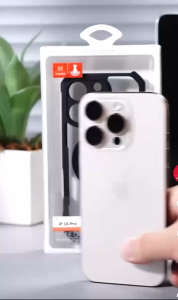
XUNDD Beatle MAGNET 3 IN 1 W/ ROTATING Stand Airbag Case FOR TECNO POVA 7 ULTRA POVA 7
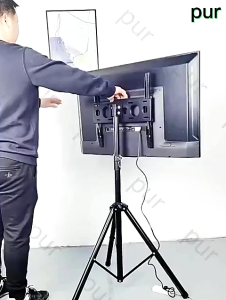
JUANS HOME TV stand Floor stand vertical swivel touch live vertical mobile TV stand load capacity 50KG
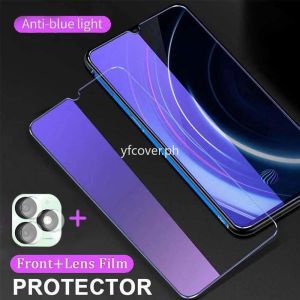
Itel A50 Tempered Glass For Itel RS4 P55 5G 4G P55 Plus P55+ 4G P55T P55 T A70 S24 S23 Anti Blue Light Ray 2 in 1 Protective Glass Film Screen Protector
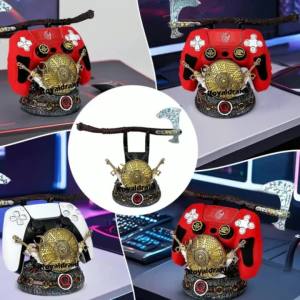
Controller Storage Bracket God War Game Controller Stand for PS4/PS5/Switch Universal Desktop Display Stand Mobile Phone Holder
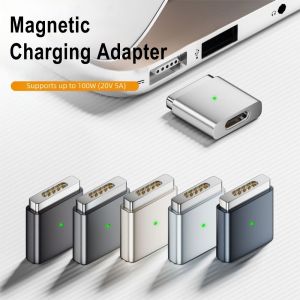
FXUP PD 100W USB Type-C to Safe 2 Converter Indicator Light Quick Charge USB-C Cable Adapter Professional Aluminum Alloy ic Charging Adapter for MacBook Pro 15 inch A1398 A1424 MC976 ME294
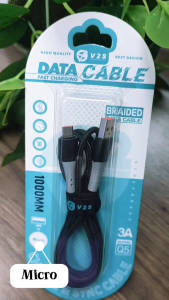
V2S Q5 3A POWER OUTPUT SUPER FAST USB CORD & 1 METER BRAIDED CABLE

2X Ultra Clear/Anti-Glare/Anti Blue-Ray Screen Protector Guard For TUF Gaming A15 (2024) FA507UI FA507UV 15.6" Laptop 16:9