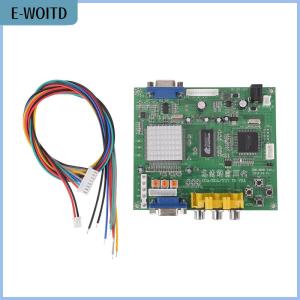
【E-WOITD】 zhoutt Arcade Game RGB CGA EGA YUV to VGA HD Video Converter Board HD9800 GBS8200
br Features: br br Latest official GBS8200 HD-Converter Board. br Supports CGA EGA VGA YUV Component Signal Input br Supports VGA Output (640 x 480, 800 x 600, 1024 x 768, 1360 x 768) br CGA EGA VGA signal auto scan (15KHz, 24KHz, 31KHz) br YUV Component signal auto scan (480i, 576i, 720i, 1080i, 480p, 576p, 720p, 1080p) br On Screen Display (English and Chinese) br Supports image position control image zoom control br True digital 24-bit A D converter for true 16.7-million color conversion. br Supports ALL types of VGA monitors (CRT, LCD, PDP, Projector, etc) br br Specifications: br br Input Power: 5VDC + - 0.5v (2A) br Input signal: br CGA EGA br 14.5kHz - 16.5kHz br 23.5kHz - 25.5kHz br 30.5kHz - 32.5kHz br RGBHV: 30.5kHz - 32.5kHz br VGA: 30.5kHz - 32.5kHz br Ypbpr: 480p,576p,720p,1080p br Ycbcr: 480i,576i,720i,1080i br Output signal: VGA:640x480,800x600,1024x768,1360x768 br User controls: br Input Switch, Image Zoom, Image Position, br Output Resolution ,RGB gain adjust. br br ¡MENU¡± open OSD menu, and enter. br ¡UP¡± up and increase. br ¡DOWN AUTO¡± down and reduce. br Press this key: auto scan CGA EGA signal br Press this key over 5 second and release: reset system br (this operation is invalid when you open OSD menu) br ¡SW¡± switch input signal Ypbpr RGBS RGBHV. br (this operation is invalid when you open OSD menu) br ¡Clamp sp¡± ¡Clamp¡± please don¡¯t adjust this button, except the monitor has black item or picture discoloration. br For more functions control, please look at OSD to operate. br No signal on you monitor br Please check the input and output cables, make sure all cables are connected. And make sure power is on. br The monitor says ¡No signal¡± br Please press ¡SW¡± to switch input signal. br Input not supports br When your monitor displays ¡input not supports¡±, maybe you need change to low resolution. br Please press ¡DOWN AUTO¡± over 5 second and release. Reset resolution to 800x600. br Image not full on you screen br Please enter menu to adjust image position and zoom. br Image shake or freeze br Please press ¡DOWN AUTO¡±, system will auto scan input signal and restore image. br Have black item on screen, or all screen too black, or picture discoloration br Please adjust ¡Clamp sp¡± and ¡Clamp st¡±, please keep ¡Clamp st¡± less than ¡Clamp sp¡±. br We suggest ¡Clamp st¡± SET ¡03¡± , ¡Clamp sp¡± SET ¡04¡±. br Image color not right br Please adjust RGB VR. br Color:Green br Size:117x100x20 mm br Cable length: 50cm br br Package included: br br 1pc x Converter board GBS8200 br 1pc x 2P power supply wire br 1pc x 8P signal wire br br br

E-WOITD WowTech
Review

You May Also Like
DIY Mini Hand Crank Generator DIY Science Experiment Kit & Education Model Toy For Children Gift Toy Project
600W Switching Power Supply Adjustable DC 12V 24V 36V 48V 60V 72V Transformers AC 110V 220V SMPS For LED Stirp Industrial Power
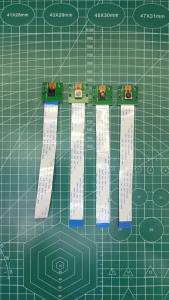
Camera Module OV5647 for Raspberry Pi 3 Model B+ 3B 4B HD 5MP 1080P AF 65 120 Degrees Auto Focus Webcam Video
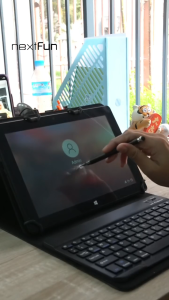
Nextfun Intel Atom X5 Z8350 processor Wind10 laptop computer 8GB+128GB office laptop computer
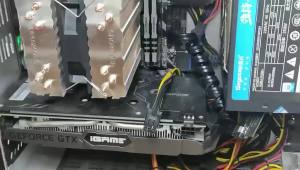
Graphics Card Power Supply Adapter Elbow 180° GPU PSU Steering Connector PCI-E 6Pin 8Pin Rotating Wiring Artifact Solution
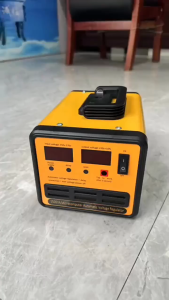
3000W Automatic Voltage Regulator AVR Power Supply Surge Protection SVR-3000VA/2500VA/2000VA/1500VA/1000VA/500VA Servo Type AVR Time Delay High Quality AVR Power Supply Unit for Computer TV Home Theater Telephone Fax Gaming
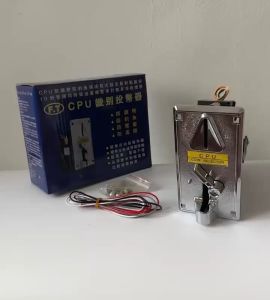
HD916.SHOP FT comparative CPU coin slot coin slot ( CPU coin slot ) CPU upgrade brand new
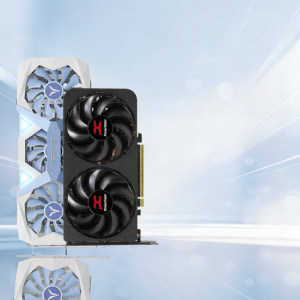
AMD | Gaming and Streaming Video Editing Desktop Graphics Card
Jungle Leopard Meteor 120 ARGB CPU Fan Wireless Building Block Fan Splicing 3D Transparent Window Design
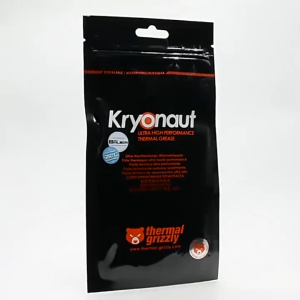
Thermal Grizzly Kryonaut Thermal Grease 1g/5.5g High Performance Thermal Paste For Cooling All Processors 12.5W/m.k Computer CPU GPU
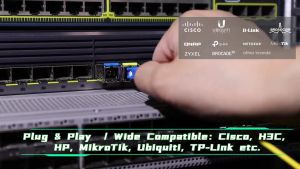
ZoeRax 1 Pair 1.25/2.5/10G Gigabit SFP Optical Module SC 10G Single-Mode Fiber Compatible with 1310nm/1550nm for 20KM MikroTik Cisco Ethernet Switches