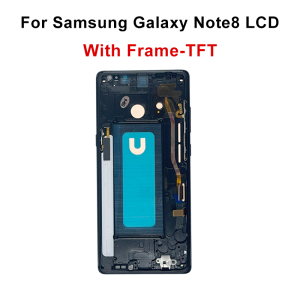
TFT For Samsung Note8 N950F N950U N950W LCD Display Touch Screen Digitizer Assembly For Samsung Note 8 Display Screen With Frame
TFT For Samsung Note8 N950F N950U N950W LCD Display Touch Screen Digitizer Assembly For Samsung Note 8 Display Screen With Frame1.This item is compatible with: For Samsung Galaxy Note8 Display Model: SM-N950F, SM-N950U, SM-N9500, SM-N950U1, SM-N950N, SM-N950W, SC-01K, SM-N950FDPackage List1 X Display Screen Assembly1 X Full Set of Professional Installation ToolsNo Frame Assembly VS With Frame Assembly1.No Frame ScreenOnly integrated touch and display panel without middle frame. You need to transfer your original phone middle frame manually. Complicated disassembly steps required, not recommended for DIY beginners.2.With Frame ScreenTouch screen, display panel and matched middle frame are pre-assembled integrally. Support direct plug-and-play replacement, greatly saving installation time and difficulty.Important Pre-Purchase TipThis is an aftermarket replacement screen instead of original official part. Slight differences on brightness, color rendering and screen texture may exist. Please place your order carefully if you are sensitive to minor visual differences.Pre-installation RemindersAll screens pass strict full-function factory inspection before shipment, with shockproof foam package for safe transportation. Each screen is attached with an exclusive MS identification label to realize full product traceability.Mandatory Pre-installation Bare Test Rules (Must Read)Please follow the unified test rules strictly before formal glued installation:1. Keep labels and film intact: Never tear off the original protective film and MS labels during the whole test process. Mobile screens are delicate precision parts. Please finish loose cable test before formal bonding installation.2. Standard Test Steps: Only connect the screen flex cable to phone motherboard loosely. DO NOT buckle the screen into middle frame or apply any glue. Power on the phone to fully test brightness, touch sensitivity, color uniformity, screen lines, dead pixels and fingerprint function. Proceed to formal installation only if all functions work perfectly.3.Damage Warning:Never squeeze, press heavily or bend the screen flex cable and chip area. Improper operation will cause permanent and irreversible screen damage.Assembly Procedures1. Before proceeding with the official assembly, the display cable must be tested in isolation; assembly without prior testing is strictly prohibited.2. Before performing any disassembly, be sure to remove the phone’s battery to prevent short circuits that could damage components.3. Do not pull, twist, or bend the display cable with force.4. Confirm that all display functions are operating normally before fully reassembling the phone.Damage Prevention WarningNever squeeze, apply heavy pressure or bend the flex cable and chip area of the screen. Improper extrusion will cause permanent and irreversible damage to the screen.Additional RecommendationsIf you have no experience disassembling and repairing devices, we recommend taking it to a professional repair shop to have the screen replaced to avoid accidental damage caused by attempting to repair it yourself.

Prime Supply_Play Life
Review

You May Also Like
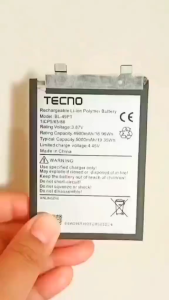
Original AAA 49PT Battery For Tecno POVA 5 Pro 5G
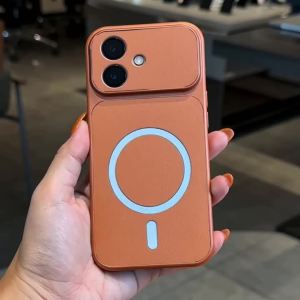
FEADSHIP Case for VIVO V30 PRO 5G 2024 V30 5G phone casing Softcase Silicone shockproof Cover new design aesthetic magnetic cute Orange for girls KNBS01
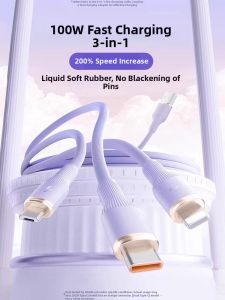
Bosie | Super Fast Charging 3 in 1 Cable Multi-functional Liquid Softness 100W
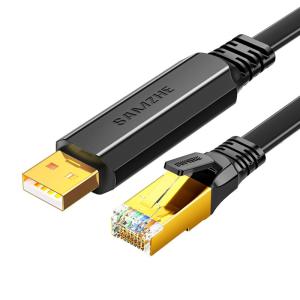
Samzhe | USB to Console Adapter Line No Driver Required
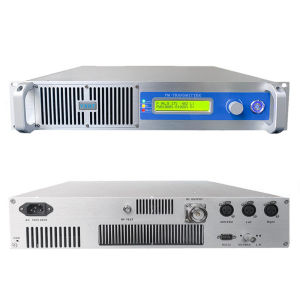
(Total price 79800PHP)YXHT NEW light-weight 350W FM Broadcast Transmitter for Radio Station

BONINGYU | Desk Clip Small Quiet Fan
DANYCASE Stylus Pen 3 in 1 Universal Pencil for ios Android Mobile Phone iPad Xiaomi Samsung Huawei No Charging Tablet Accessories

Flower Pattern For Magsafe Transparent Case For iPhone 15 17 16 13 11 12 14 Pro Max 17 Air Magnetic Wireless Charging Soft Cover

LPO Cellphone LCD 6.53 inches Compatible with Vivo Y50 1935 V1965A with Digitizer Replacement Fully Assembly
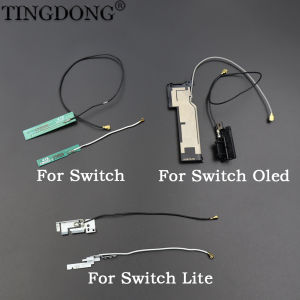
Wireless WIFI Antenna Signal Bluetooth Flex Cable Repair Replacement Spare Parts For Switch NS Lite/Oled
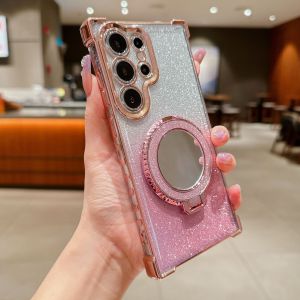
For Samsung Galaxy A57 A56 A55 A54 A53 A52 A51 A37 A36 A35 A34 A33 A32 A23 A24 A25 A26 A12 A13 A14 A15 A16 A17 A03 A04 A05 s A06 A07 A73 4G 5G Luxury Magsafe Wireless Charging Glitter Phone Case Plating Mirror Airbag Bracket Cover Casing