Magnetic Phone Grip with Bluetooth Remote Foldable Handheld Stabilizer for Live Vlog Anti-Shake Holder for iPhone Samsung
【COD】All the listed products are supported by cash on delivery;【Shipment & Delivery】All the orders will be shipped out within 24 hours from Manila. Generally, it takes 1-2 days to arrive NCR and 2-5 days to arrive provinces.【Service】Timely warm reply and positive attitude ,quickly solve the problem for every customer【Warranty】We offer 3 months warranty for all of our products. Any quality problem happens during this period can be replaced or refunded.★Features★1.Magnetic Design:The magnetic design of this holder provides a strong and secure grip, keeping your phone in place without the need for additional clamps or straps.2. Ergonomic Grip Handle:Featuring a comfortable ergonomic grip handle, this mobile phone holder offers a secure and comfortable hold, reducing hand fatigue during long usage.3. Lightweight:Its lightweight design makes it easy to carry around, perfect for on-the-go use or travel.4. Universal Compatibility:This magnetic phone holder is designed to be universally compatible, suitable for both Phone 12-17 and Android devices, ensuring a broad user base.★Specifications★Name:Phone Camera Shoot Hand GripColor: As Picture ShowMaterial:ABSSize:12.58.23.8cm/4.923.221.49inUsage duration: Based on 3 hours of use per week and 100 photos taken per hour, it can be used for approximately 10 months (this data comes from our laboratory tests).Power supply: CR1632 button cell battery (replaceable by the user)★Description★Steps for using Bluetooth remote controlStep 1: On your phone, click "Settings" - "Bluetooth" in sequence, and turn on the Bluetooth function.Step 2: Press the power button (for about 2 seconds) until the indicator light flashes, indicating successful power-on.Step 3: When a Bluetooth device named "selfie" is detected on your phone, click and select pairing. The indicator light will turn off after the connection is successful.Step 4: Open the camera app and press the capture button to take photos or videos. Press the lens switch button to flip between the front and rear cameras, and slide the button left and right to adjust the zoom of the rear camera.Friendly reminder: If you cannot use your Apple phone normally after successful connection, please open your phone settings > Accessibility > Zoom > turn on★Package Included★1 × Phone Camera Shoot Hand GripNotes>>>Please choose the prefered color from the available variations and proceed to order based on the main picture(1st picture)...thank you.Due to the difference between different monitors, the picture may not reflect the actual color of the item. We guarantee the style is the same as shown in the pictures.If you have any doubt , please feel free to contact with us .

G Mart

Review

You May Also Like

🚚【Local Express Delivery】🚚 Full Automatic washing Machine Shock Absorber Clutch Accessories Pulley Ratchet Reducer Tension Spring appliance parts
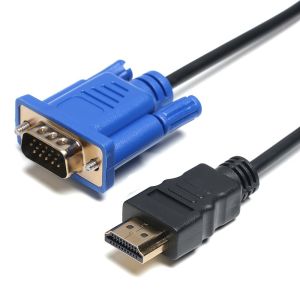
LONGB 1-5m Top Quality 1080P Video Connector AV Adapter Cord Male to Male HD-Compatible To VGA Converter Display Output
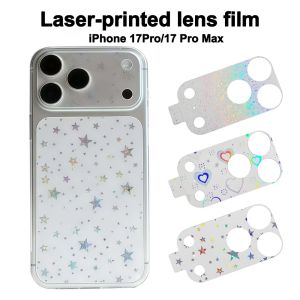
NOBLEE Full Cover Lens Protective Film Anti-Shatter HD Clear Lens Films Clear Camera Protector for iPhone 17 Pro Max 17Pro Phone Accessories
1PCS European 2 Pin to UK 3 Pin Plug Adaptor Euro EU Travel Mains Adapter

NANMEN Pink Phone Charms Pendant Kawaii Y2K Peach Car Key Ring Fashion For iPhone Camera Sweet Girl Keychain

Replacement Parts for IC-45 & WS-45L & XI-60 Pressure LPG Burner Gas Stove
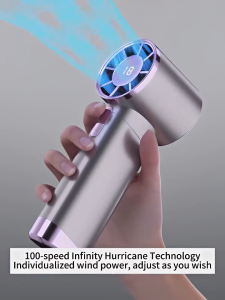
Portable Turbo Mini Fan 1-100 Speeds LED Display Adjustable Cooling Fan Stand Handheld Small Fan rechargable USB mini desk fan
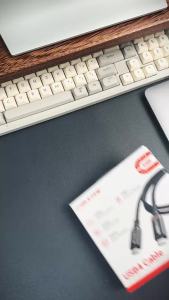
Cabletime | CABLETIME 240W USB4 Cable 8K 60Hz USB C to USB C Cable Adapter 40Gbps Type C to C Cable Power Cable for Laptop Macbook iPad

Tulco Screen Opener MC 350ML
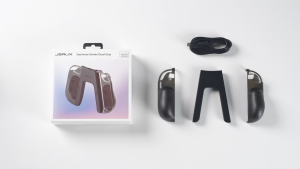
JSAUX JoyVerse Dual Grip for Nintendo Switch 2 Joy-Con (Black) GP0401
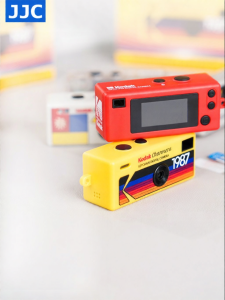
JJC | Low Reflection High Clarity Anti-explosion Shockproof Screen Protector AR Film