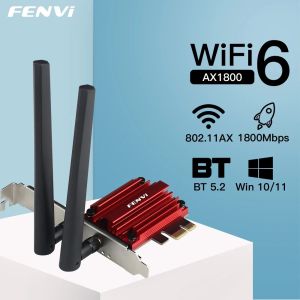
Fenvi | FENVI WiFi 6 1800Mbps Adapter PCI Express Wireless Adapter BT 5.2 Dual Band 802.11AX/AC MT7921 Wi-Fi Network Card Windows 10/11
• High-Speed Wi-Fi :Experience seamless internet connectivity with FENVI's WiFi 6 adapter, offering a transmission rate of 1000Mbps and lan transmission rate of 1000M Ethernet.• Dual Band Support :Enjoy uninterrupted wireless communication with the device's dual band support, covering frequencies of 2.4G and 5G.• PCI Express Connection :The adapter's PCI Express connection ensures fast and efficient data transfer between your device and the network.• Desktop Compatibility :Designed for desktop use, this wireless adapter provides a convenient and practical solution for your internet needs.• Internal Type :As an internal type of adapter, it seamlessly integrates with your device's system, providing a hassle-free user experience.• Robust Wireless Protocol :With its robust 802.11ac wireless protocol, this adapter ensures stable and reliable wireless connection.FENVI WIFI 6 1800Mbps Wifi Network Adapter Bluetooth5.2 Dual Band 2.4GHz 802. 11AX PCI-E Wireless Network Card Adapter WindowsModel: FV-AX1800Chipset: MTK mt7921Standards:IEEE 802.11a/b/g/n/ac/AXWiFi 6 and BT5.2 Interface:PCI-E-X1/X4/X8/X16Frequency Range:WiFi: 2.4GHz, 5.8GHz;Antenna:2*6 dBiTransmission Rate:2.4G up to 574Mbps, 5.8G up to 1200MbpsOperating System:Microsoft Windows10/Windows11Compatibility With: Almost computer with PCI Express (PCI-E 1X/4X/16X slot) Interfaces,Not Fit IBM/Lenovo/HP Version Desktop;Driver download: You can download the driver on fenvi website(PCE-AX1800S Driver)then restart your pc and test.Q1: Does it work on AMD chipset motherboard?A: NO,please contact Customer Service for help.Q2: Does it support Linux system?A: Sorry, dear. currently we only provide Win 10 and Win 11 driver, no Linux service.Q3: Does it support WiFi and Bluetooth function?A: Yes, both support. But please pay attention to that the drivers for WiFi and Bluetooth are separate and you need to install two drivers.Q4: The bluetooth doesn't work, what should I do?A: Please connect the 9-pin USB cable (black) included in the package to the 9-pin USB 2.0 interface on the motherboard. The white end connects to the pcie network card adapter socket. Then install the bluetooth driver.Q5:how to download driver file?A:please click the FENVI Official web and download the driver: https://www.fenvi.com/drive.html?keyword=PCE-AX1800Sthen install the driver and restart your pc and test it.

Prime Supply_Play Life
Review

You May Also Like
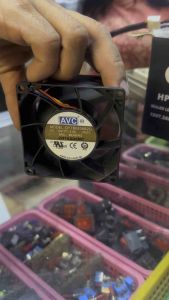
Super High Speed 80mm Blower DC Cooling Fan AVC 12v 4.5a Box Fan High RPM Airflow Industrial Grade
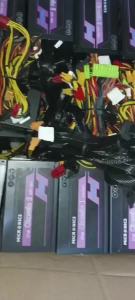
500W550W600W650W and 700W FSP/ZALMAN /MICRONICS/SUPERFLOWER with 80plus PREMIUM GAMING PSU.
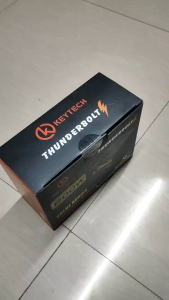
KEYTECH THUNDERBOLT 800Watts Semi rated big fan power supply
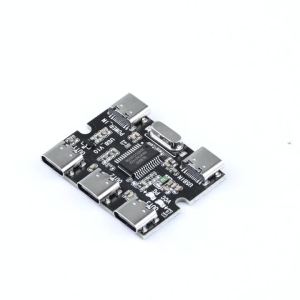
USB Expansion Board Hub 1 Input 3 Output Expansion Module for Raspberry Pi 4/5 Generation USB HUB 1 to 3 Power Splitter Type-C
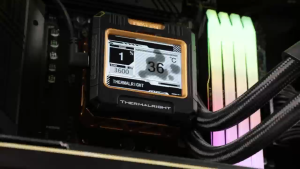
Thermalright Frozen Warframe 240 ARGB White TL-P12W-S CPU Liquid Cooler
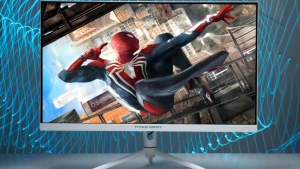
Titan Army P27A2S 27 Inch Monitor QHD 2560*1440 Resolution 240Hz Refresh Rate With 1ms Response Time VA Flat RGB Lighting Monitor

Need. HY510 YJ-G190 Grey Thermal Paste for CPU GPU Cooler Cooling Heatsink Paste 25g 10g
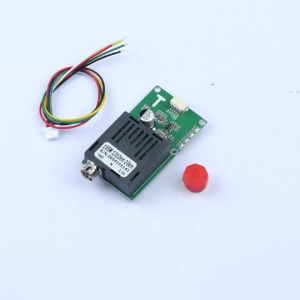
GAQQEE | Sky/Earth TTL Optical Transceiver Modules 20 Km/40 Km/60 km TTL-to-Fibre Optic Conversion Modules Suitable for Drones
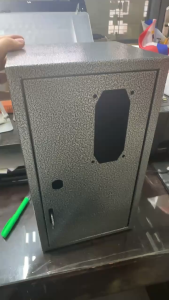
ALLAN Pisowifi Metal Box Vendo Box Carwash Box Pisonet Box Water Vendo Box

LANLIPU | Curved Edgeless Gaming & Office Monitor 165Hz
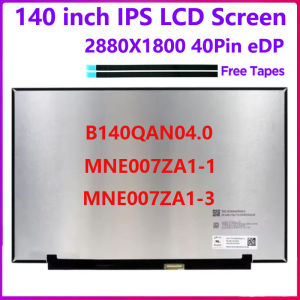
Laptop LCD Screen B140QAN04.0 MNE007ZA1-1 MNE007ZA1-3 14INCH For Lenovo Ideapad 5 Pro-14ITL6 Pro-14ACN6 Display Panel Matrix