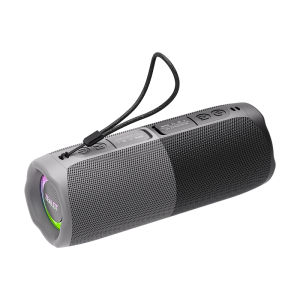
Zealot | Zealot-M5 Magnetic Bluetooth Speaker 2-in-1 Power on Couplet Mini Speaker Macaron Color Dual Channel RGB Light Bluetooth 5.4 Spe
Dual Channel RGB LightEnhance your listening experience with vibrant dual channel RGB lights that sync to your music.Stereo Sound ModeImmerse yourself in rich, clear sound with the speaker's stereo sound mode, delivering an audiophile-grade experience.Bluetooth 5.4 ConnectivityExperience seamless audio streaming with Bluetooth 5.4, ensuring stable connections and faster pairing.Waterproof FeatureEnjoy your favorite tunes in any weather with the speaker's waterproof feature, ideal for outdoor activities.Portable DesignThe compact and lightweight design makes the ZEALOT-M5 perfect for on-the-go music enjoyment.Product Features:Battery capacity: 1800mAhBluetooth version: 5.4Speakers: 10W * 2 pcsTransmission distance: 10mFrequency response: 20Hz-20KHzSignal-to-noise ratio: ≥85dBOperating voltage: 3.7VDistortion: Charging voltage: DC 5VCharging interface: TYPE-CTF card playback: 10 hoursStandby time: ≥30 daysCharging time: 3.5 hoursS1ZE:9cm x 9cm x 21cmWeight:0.92kgPackaging List:1x ZEALOT M5 bluetooth speaker 1x Charging cable 1x User manualBRAND INTRODUCTIONZealot Digital Technology Co., Ltd., established in August 2010, is a high-tech enterprise that has been committed to the field of digital products for a long time, integrating R&D,production, sales and service. The company takes market demand as the starting point, seeks innovation, promotes development, and achieves customer needs with the awareness of sincere cooperation and the service concept of improving the quality of life of the public. The products are popular in the digital audio-visual market with their advanced technology, first-class quality, exquisite and fashionable appearance, and considerate after-sales service.FAQ1, What should I do if I can't turn on my computer?After receiving the speaker, please charge it first, and then it can usually turn on normally.2, What should I do if I can't charge the battery?Sometimes the battery may be in a state of waiting to be activated due to low temperature and other conditions. Usually, after continuous charging for 1 hour, the charging status will return to normal.3, What should I do if the sound cannot be output?Usually it's a formatting issue when playing music. Please adjust the music format to MP3.4, What should I do if I can't connect or pair with Bluetooth?Please disconnect other Bluetooth devices on your phone first, and then search for devices to connect.5, What should I do if there is no sound after Bluetooth connection?Please check if the speaker volume and phone volume have been adjusted to the lowest level. If there is no problem with the volume, please check if music is playing on the phone.6, What should I do if I can't adjust the volume?Please check if the volume of the speaker is already at its maximum. If both the phone and speaker are at their maximum volume, it is impossible to adjust it.7, What should I do if I can't connect the microphone?At present, only S32 and S53 models have built-in microphone function, while other models do not have built-in microphone. If you really need it, please choose the model with microphone.8, What should I do if my SD card is not recognized?Usually it's a format issue with the storage card. The storage card needs to be adjusted to FAT32, and music usually needs to be adjusted to MP3 format so that it can be recognized properly.9, How to connect to TV?Usually, it can be connected to a TV through an AUX data cable.10, How to set the standalone working mode?As long as the mode you choose works properly, it usually does not actively switch modes, such as MP3 mode. If you cannot read music continuously, it will automatically switch to a mode that can be used normally.

Prime Supply_Play Life
Review

You May Also Like
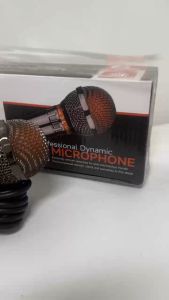
Putin shop Professional Vocal Dynamic Wired Microphone JBL 10S for Karaoke and Stage Performance
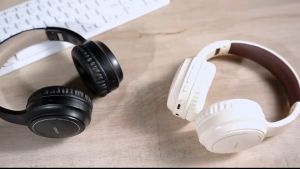
XUNDD D001 Wireless Bluetooth Headphones ANC Active Noise Canceling 8 hours Usage
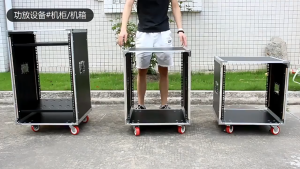
12U/16U Flight Case Power Amplifier Rack Mixing Console Empty Cabinet Touring Case With Door Casters
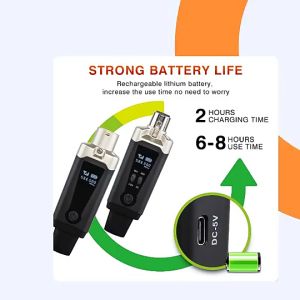
GPUB by XTUGA SM01 UHF Wireless Microphone System Rechargeable XLR Converter Audio Transmission
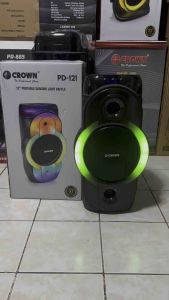
Crown PD-121 12" 500watts Portable Dancing Light Speaker Rechargeable
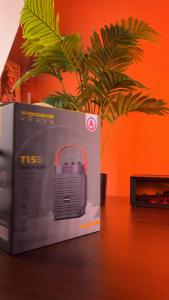
W-KING T15S 20W Portable Bluetooth Speaker Handheld Outdoor Speaker With Two Mic,Multipoint Bass Enhanced 360 Sound
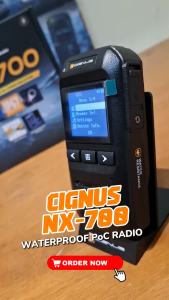
*FREE DATA FOR 1 YEAR* Cignus NX700 Waterproof PoC Two-way Radio NX-700
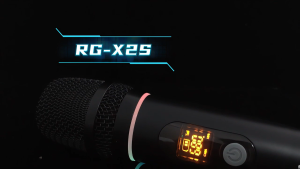
RAYHAYES RGB Wireless Microphone UHF Channels Professional Karaoke Microphone for Videoke Performance
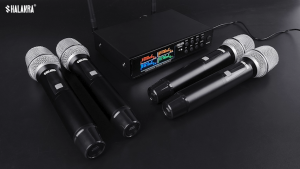
SHALANRA WS640 Wireless Conference Microphone System True Diversity UHF Headset Lapel and Handheld Mic
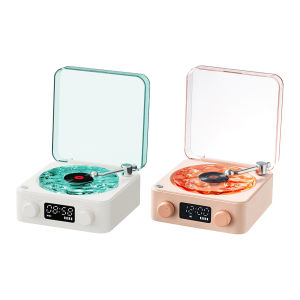
LovSpor❤ Retro Turntable Speaker with White Noise Mini Record Player Style Speaker for Bedroom Party
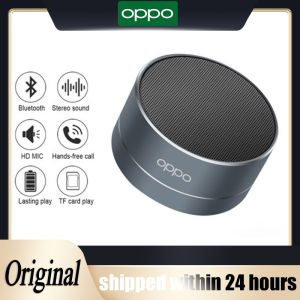
♥Limit Free Shipping♥OPPO A10 Wireless Bluetooth Speaker Small Steel Cannon Subwoofer Portable Mini Gift Card Bluetooth SpeakerColor