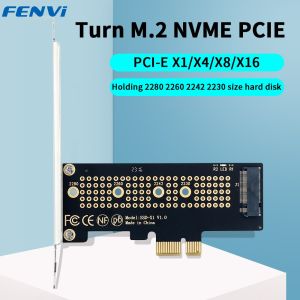
Fenvi | FENVI M.2 NVME to PCIe 4.0 Adapter With Aluminum SSD Heatsink 64Gbps M.2 SSD Gen4 PCIe 4.0 X1 X4 X8 X16 Expansion Card For PC
• High-Speed Transfer :The FENVI M.2 NVME to PCIe 4.0 Adapter ensures high-speed data transfer, enhancing the overall performance of your PC.• Versatile Compatibility :Designed for versatility, this adapter is compatible with M.2 SSD Gen4 PCIe 4.0 X1 X4 X8 X16 Expansion Cards.• Integrated Heatsink :Equipped with an integrated aluminum SSD heatsink, it helps in keeping the system cool, thus extending the lifespan of your hardware.• Add-on Feature :As an add-on card, it offers convenience and flexibility, allowing you to expand the storage capacity of your PC.• Easy Installation :With its user-friendly design, this adapter can be easily installed, making it a hassle-free addition to your PC.FENVI M.2 NVME to PCIe 4.0 3.0 Adapter With Aluminum SSD Heatsink 64Gbps M.2 SSD Gen4 PCIe 4.0 X1 X4 X8 X16 Expansion Card for Desktop1.WiththisM.2NVMeSSDPCI-E4.0X1Adapter,youcouldaddaNVMESSDonyourmotherboardwithoutM.2slot.2.WiththechannelofPCI-E4.0X1,thespeedwillbeenhancedupto16Gbps,1600+MB/srandomReadand1600+MB/sWrite(Max),improvedcomputerperformance,backwardcompatiblewithPCIe1.02.03.03.NoCapacityLimitation:Support2T/4TcapacityM.2PCIe(NVMe/AHCI)SSD,Support2230/2242/2260/2280size4.NodriverrequiredforWin10Win11,plugandplay,supportsallm.2NVMeSSD5.ThisproductisPCIEX43.0orPCIEX83.0orPCIEX163.0slotinsertedintothemotherboard,thatis,thegraphicscardslotofthemotherboard,donotincorrectlyinsertthePCIslot,theslotmayburnthemotherboard,adaptercardandyoursolid-stateharddisk!6.Windows7can'trecognizeNVMEprotocolsolid-stateharddisk!OScompatibility:PlugandplayinWindows11/10/8/Linux/MacOS.(Noted:Windows7donothavenativeNVMedriver,socannotsupportM.2PCIeSSD)Note: 1.This product cannot be connected to the PCl interface, otherwise it will damage your express card, SSD and motherboard! ! !2.Plug & Play If Native Support NVMeIf the bios support NVMe, it could recognize the NVMe directly, no need for any operation.3.Update via USB Drive for Earlier MotherboardsSearch the latest bios driver which could support NVMe and use a USB drive to update it.Normally, the motherboard will recognize the SSD after you updated the latest bios

Prime Supply_Play Life
You May Also Like
iCx INTEL CORE I3 10100 PROCESSOR
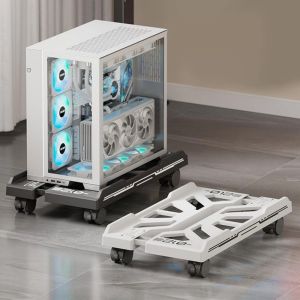
BONGORY Mobile CPU Holder with Caster Wheels Scalable CPU Tower Holder Universal Adjustable CPU Stand Home/Gaming/Office
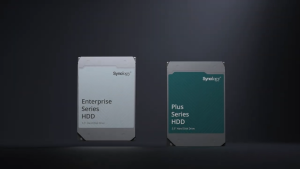
Synology HAT3310 12TB Plus Series SATA III 3.5" Internal NAS HDD with 3 years Local Warranty
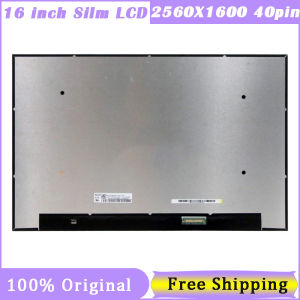
16 Inch LCD Screen NE160QDM-NY1 NE160QDM-NY3 MNG007DA1-E MNG007DA1-8 MNG007DA1-6 165HZ 2560X1600 QHD 40Pin EDP 72NTSC 100%SRGB
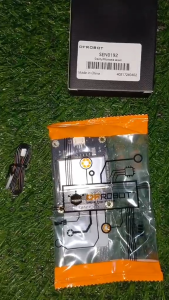
Circuitrocks Microwave Digital Sensor Motion Detection for Arduino Raspberry Pi ESP32 STEM Robotics

YGT 1255 RGB PC Fan 120mm 3 IN 1 Kit Silent ARGB Computer Case Fan With Hub Control Remote

HY410/510/610 30g Silicon Thermal Paste Heat Transfer Lubricant CPU GPU Chipset Notebook Computer Refrigeration Injector
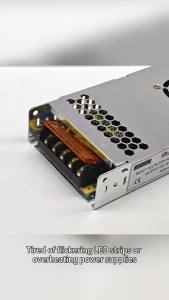
AC to DC 5V 60A 300W Switching Power Supply 170-250V Input Aluminium Ultra-thin with Cooling Fan for LED OLED LCD Display Screen

Synology SY-HAS5300-12TB Hard Drive 3.5" Internal - SAS (12Gb/s SAS) with 5 years Local Warranty

Skyworth H27G30Q Gaming Monitor 27" QHD 2K 180Hz 1ms Fast IPS Monitor For PC/F27G32Q Pro 27 inch 220Hz 1ms Fast IPS
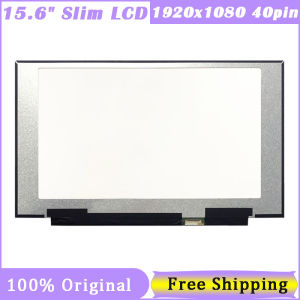
15.6" LCD Screen For MSI GS65 Series LQ156M1JW03 LQ156M1JW09 NE156FHM-NZ1 LQ156M1JW08 LQ156M1JW16 1920*1080 40Pin