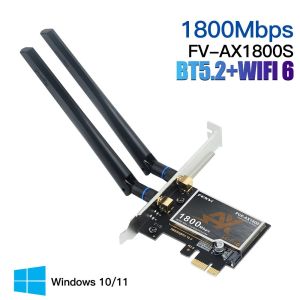
Fenvi | FENVI WiFi 6 PCIe Adapter 1800Mbps AX1800 Wireless Desktop PCIe Adapter BT5.2 802.11AX Dual Band 2.4G/5G WiFi Card For Win10/11
• High-Speed WiFi 6 Connectivity :Experience fast and reliable wireless connectivity with FENVI WiFi 6 PCIe Adapter, supporting 1800Mbps transmission rate on dual bands 2.4G/5G.• PCIe Adapter Socket:The device is designed to fit into a PCI-E adapter socket, making it easy to install and use on your desktop computer.• Integrated BT5.2 Technology :Equipped with BT5.2 technology, this wireless adapter ensures seamless connectivity between your devices and enhanced audio-visual experience.• Gigabit Ethernet Support :With Gigabit Ethernet support, this adapter guarantees high-speed data transfer and improved network performance.• 802.11AC Protocol :The 802.11AC wireless protocol ensures compatibility with a wide range of devices, enhancing the versatility of this adapter.• Dedicated Brand Support :As a product of Fenvi, a trusted brand name in the industry, you can rely on the quality and performance of this WiFi adapter.FENVI WiFi 6 PCIe Adapter 1800Mbps AX1800 Wireless Desktop PCIe Adapter Bluetooth 5.2 802.11AX Dual Band 2.4G/5G WiFi Card For Windows 10/11-64 bitModel:FV-AX1800SChipset:MT7921Standards:IEEE 802.11a/b/g/n/ac/ax WiFi 6 and BT5.2 Interface:PCI-E-X1/X4/X8/X16Frequency Range:WiFi: 2.4GHz, 5.8GHz;Antenna:2*6 dBiTransmission Rate:2.4G up to 574Mbps, 5.8G up to 1200MbpsOperating System:Microsoft Windows10(64bit)/Windows11(64bit)download driver:https://www.fenvi.com/drive.html?keyword=PCE-AX1800SQ1: Does it work on AMD chipset motherboard?A: NO,please contact Customer Service for help.Q2: Does it support Linux system?A: Sorry, dear. currently we only provide Win 10 and Win 11 driver, no Linux service.Q3: Does it support WiFi and Bluetooth function?A: Yes, both support. But please pay attention to that the drivers for WiFi and Bluetooth are separate and you need to install two drivers.Q4: The bluetooth doesn't work, what should I do?A: Please connect the 9-pin USB cable (black) included in the package to the 9-pin USB 2.0 interface on the motherboard. The white end connects to the pcie network card adapter socket. Then install the bluetooth driver.Q5:how to download driver file?A:please click the FENVI Official web and download the driver: https://www.fenvi.com/drive.html?keyword=PCE-AX1800Sthen install the driver and restart your pc and test it.

Prime Supply_Play Life
Review
You May Also Like
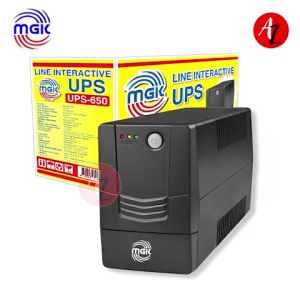
MGK UPS: Reliable Power Anytime Anywhere
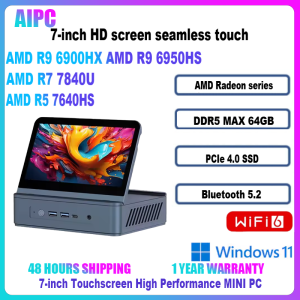
Sibolan AMD Ryzen 5 7640HS/R7 7840U/R9 6900HX/R9 6950HS DDR5 PCIe WiFi6 BT5.2 7 inch Screen Touch MINI PC

Bundle Board Processor AMD Ryzen 3 2200G R3 3200G R5 3400G R5 5500 R5 5500Gt R5 5600Gt R7 5700G MSI A520m Pro MoBo

LPO Gaming Unit AMD Ryzen 5 4600G 3.7Ghz A520-A Pro AM4 Socket Motherboard 16GB DDR4 256GB M.2 SSD DK361 Case FSP HV Pro 80Plus Bronze FSP650-51AAC 650W Non-Modular PSU (Game Ready Unit)

YoPo HY510 YJ-G190 Grey Thermal Paste for CPU GPU Cooler Cooling Heatsink Paste 25g 10g
HGFRTEE Portable Monitor 15.6 Inch 144HZ IPS Ultra High Refresh Rate Professional Gaming Portable Monitor Laptop Monitor with USB 3.1 HDMI for Laptop Mobile PC Mac PS5 Xbox
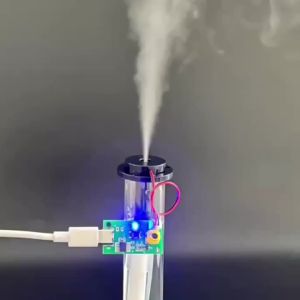
DC 5V Ultrasonic Atomizer Humidifier Module Single Spray Fog Volume Adjustable 3 Levels Type C for Home And Office
YGT SLIM FHD Game Display Wide LED Monitor With AC Power Card and HDMI Cable included

monitor io data 17inch led monitor square

OMNIA O156IPC 15.6" PORTABLE MONITOR 60HZ IPS 1920X1080 FHD HDMI MINI TYPE C AUDIO OUT W/ BUILT IN SPEAKER
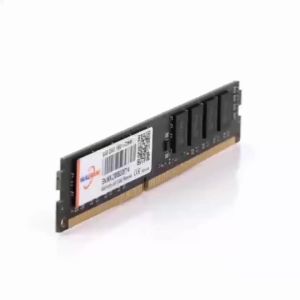
Walram | Walram Memoria RAM DDR4 2666MHz 8GB Desktop RAM DDR3 1600MHz 4GB 1.5V 1.2V DDR4 8GB Udimm DIMM Internal Computer Memory For PC