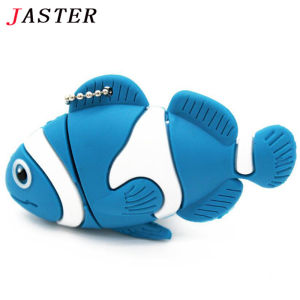
jaster | Cute Cartoon Animal Fish USB Flash Drive Memory Stick Pen Drive Pendrive 4GB 8GB 16GB 32GB 64GB U Disk
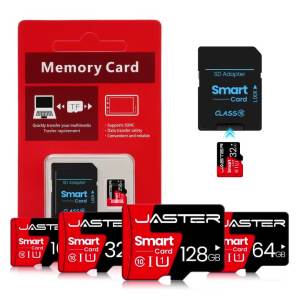
FLASH MEMORY CAPACITY DESCRIPTION:The amount of memory marked on the storage device. The capacity recognized on the device used will vary. This is calculation difference between manufacturer and your PC. The specific memory conversion can refer to the following table.ABOUT REAL CAPACITY:4GB=3.6GB-3.9GB8GB=7.4GB-7.8GB16GB=14.2GB-15GB32GB=28GB-30GB64GB=58GB-60GBFeatures:● Read Speed: 10MB -18MB/second● Write Speed: 5MB -8MB/second● USB 2.0 interface with higher speed and higher stability● Portable, lightweight, high-quality metal protects the connector●Environment Temperature: -40°C - +70°C●Storage Temperature: -50°C - +80°C●USB Service Voltage: 4.5V-5.5V●Storage Lifetime: More than 5 years●Use A-class chip, can be erased repeatedly for 100,0000 times●Operating System: Win98/ME/2000/XP/ Vista/win7 /win8, Mac OS 9.X/Linux2.4 or above●USB connection:support Hot plug & Play.●Easy to read and read in high speed ,No need drive/power supply only plug in.The 64GB USB Flash Drive I bought shows that the actual capacity is only 58GB on the computer, is it normal?Answer: It is normal. Because the capacity after production of flash memory products is usually calculated as 1MB=1000KB,1G=1000MB, but the operating system uses binary arithmetic; 1MB=1024KB,1GB=1024MB, so there is a certain diffe rence between the displayed capacity and the standard capacity of flash memory products.So the 64GB USB Flash Drive does not actually reach 64GB, most of them are about 58GB. This is within the normal range.About reading and writing speedAnswer: The read and write speed of the USB Flash Drive is related to the USB interface of the computer, the size of the copied file, the format of the USB Flash Drive, and the computer operating system. The reading and writing speed will be different under different usage conditions, which is a normal phenomenon of USB Flash Drive usage.Storage Format DescriptionAnswer: The default format of the storage device is FAT32. Most devices that use memory cards (cameras, recorders, etc.) only support the FAT32 format. If you need NTFS or exFAT format, you need to convert the format on your computer or other devices.About heating phenomenon of USB Flash DriveAnswer: It is normal for the USB Flash Drive to heat up. When the USB Flash Drive is powered on, it will transmit and read data, resulting in emitting heat of the electronic components in the USB Flash Drive, and the chip will generate heat according to factors such as the time it is powered on, the frequency of read and write operations, and the speed of reading and writing. Because metal has good thermal conductivity and heat dissipation, it is normal for the metal USB Flash Drive to heat up, and it is not a quality problem. The USB Flash Drive chip can withstand a high temperature of 85°C. Please rest assured that the product will not be damaged due to heat, and you don’t have to worry about it.About copying folders is slower than copying single filesAnswer: When copying a single file, the system only needs to create one index. When copying a large number of fragmented folders, each file needs to be indexed, so it will take a relatively long time. And if multiple tasks are performed at the same time, it will also increase the load on the computer, resulting in congestion and slowdown.Instructions for copying files larger than 4GBAnswer: In order to be better compatible with the operating system, the default file system of the USB Flash Drive is FAT32, and the maximum unit file is 4GB. If you need to store a single file exceeding 4GB, it is recommended to reset the file system in the following way:1. Connect the storage product to the computer;2. Right-click the partition and select Format;3. Select the exFAT format in the file system option;4. Just click "Start" and "finish."

Prime Supply_Play Life
Review

You May Also Like
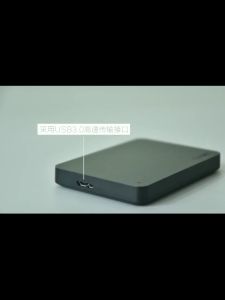
Toshiba External Hard Drives USB 3.0 2TB 1TB External Hard Disk PORTABLE 2.5" Hard drive HDD
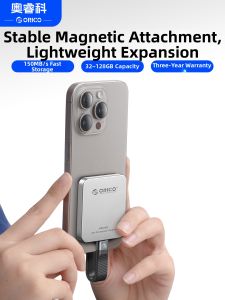
ORICO | Apple Compatible Portable Magnetic External SSD 128GB Fast Storage for iPhone iPad with 150MB/s Speed and 3 Year Warranty
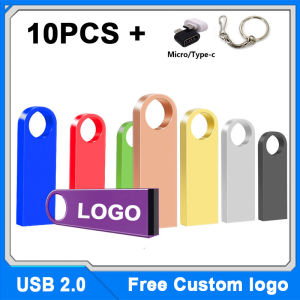
10PCS Free Custom Logo Metal Pen Drive Flash Disk For Publicity Gift TypeC and Chain USB Stick 512MB 4GB 8GB 32GB 64GB 128GB2026
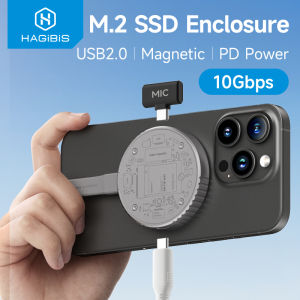
Hagibis M.2 2230 NVMe SSD Enclosure With PD 100W For iPhone 16/15 Pro USB C 3.2 Gen2 Type-C 10Gbps to NVMe PCI-E Adapter Aluminum External SSD Case For MacBook iPad Pro HUAWE Mate60 Pro Samsung Galaxy S24
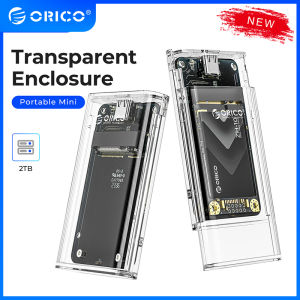
ORICO Mini mSATA SSD Enclosure Transparent Type C to Type C 5Gbps High-speed HDD Case for Laptop Desktop Windows/Linux/Mac(TC10)

deli | Mini Portable High-speed 8G USB Drive
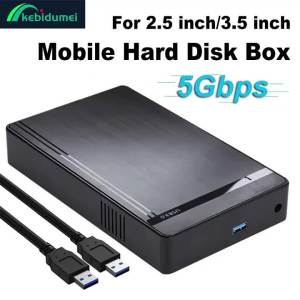
KEBIDU | Kebidumei 2.5 3.5 inch HDD Case SATA To USB 3.0 Hard Drive Enclosure Tool-Free External HDD Box Adapter For Laptop Desktop PC
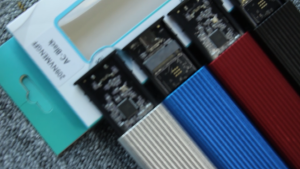
Dual Protocol M.2 NVME NGFF SSD to USB 3.1 Case 10Gbps M2 NVMe Case M2 NVMe PCIE/NGFF SATA SSD Box with OTG Adapter for M.2 SSD
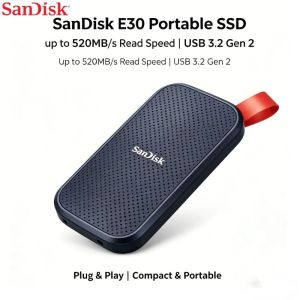
SanDisk Portable SSD E30 USB 3.2 Gen 2 1TB 2TB 4TB 6TB 520MB s Shock Vibration Resistant External Solid State Drive
(Best Seller) CorelDRAW Graphics Suite 22 USB SOFTWARE Installer – Plug & Install | FULL VERSION | Perpetual | No CD Drive Needed | Windows Compatible | Fast & Easy Setup | No Internet Required | COMES IN A USB FLASDRIVE | USB | FLASHDRIVE
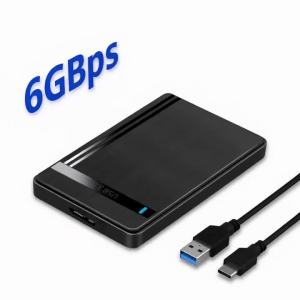
Kebidumei Type-C External Hard Drive Case SATA to USB3.1 HDD Enclosure for 2.5 HDD SSD 5Gbps Speed Support UASP for PC Laptop