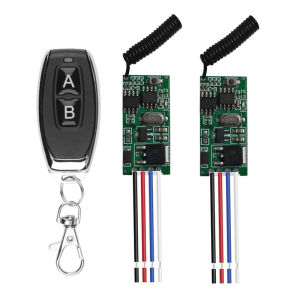
kebidumei | 433mhz DC 3.6V 5V 9V12V 24V Mini Relay Wireless RF Remote Control Universal Switch Micro Receiver Transmitter Use for Led
Working voltage: DC 3.6V~24VMaximum load: 2AStatic current: Working frequency: 433MHzReception sensitivity:Mini size support coding format 1527 learning codeInput: DC 3.6V ~ DC 24VOutput: DC 3.6V ~ DC 24VModulation mode:ASK (superheterodyne)Number of stored remote controls: ≤ 5Working mode: Momentary, Toggle, Latching ModeLearning style: Learning ButtonWorking temperature: -20 degrees 80 degrees.Clear the code: (clear the code before switching modes)Press the learn code button 8 times, and the LED will go out. The LED flashes 5 times, and the OK is cleared.(If you need to change the working mode of the same remote controller, please clear the code before learning.)Learn to check the code:1. Clear codePress the learning key on the module eight times continuously, and the indicator light will flash six times quickly.Then put it out. Clear the code successfully. All the remote controls that can be controlled before are invalid.2, inching modeClick the learn button once, and the LED will be on after flashing once. Press the button that the remote controller wants to control.Press the key, and the LED light flashes three times, and the learning is successful.3. Self-locking modePress the Learn button twice, and the LED will be on after flashing once. Press the button that the remote controller wants to control.Press the key, and the LED light flashes three times, and the learning is successful.4. Interlock modePress the Learn button for 3 times, and the LED will be on after flashing once. Press the button that the remote controller wants to control.Press the key, and the LED light flashes three times, and the learning is successful.5, inching delay modeClick the Learn button for 4 times, and the LED will be on after flashing for 4 times. Press the button that the remote controller wants to control.Press the key, the LED light flashes three times, and the learning point is delayed for 5 seconds. Press the learning button for 5 times, and the LED will always turn on after flashing for 5 times. Press the button that the remote controller wants to control, and the LED will flash for 3 times, and the learning inching will be delayed for 10 seconds. Press the learning button for 6 times, and the LED will always turn on after flashing for 6 times. Press the button that the remote controller wants to control, and the LED will flash for 3 times, and the learning inching delay will be 15 seconds. Press the learning button for 7 times, and the LED will always turn on after flashing for 7 times. Press the button that the remote controller wants to control, and the LED will flash for 3 times, and the learning inching delay will be 20 seconds.

Prime Supply_Play Life
Review

You May Also Like

Potdemiel | Aurea Case Matte Bumper For Magsafe Case For iPhone 18 17 16 15 14 Plus 13 Pro Max Shockproof Hard PC Dark Blue Contour Cover
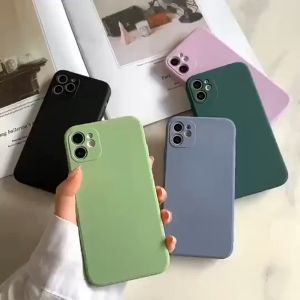
PRO CAM SILICON CASE INFINIX HOT 12 PLAY 10I 11S NFC 12I 9 11 2022 NOTE 10 PRO
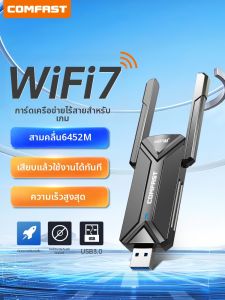
Comfast | Driver-Free USB Wireless Network Card
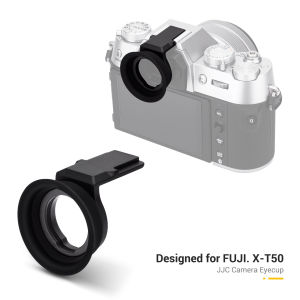
JJC Fuji X-T50 Camera Eyecup Silicone Viewfinder Eyepiece For Fujifilm XT50
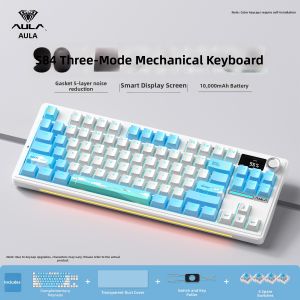
AULA | Three-mode Mechanical Keyboard for Gaming and Office Hot-swappable Keys with Knob

XUNDD Axe Series Full Tempered Glass Premium Screen Protector SAMSUNG TAB S9 ULTRA S9 PLUS

Mini Phone Umbrella Universal Mobile Sunshade Desk Holder with Suction Cup Motorcycle Bike Anti-Glare Stand for iPhone Xiaomi
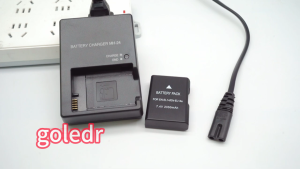
Nikon battery EN-EL14 EL14a for D3100 D3200 D3300 D3400 D5100 D5200 D5500 D5300 P7000 P7100

XIAHU Star Print Fan Dust Cover Full Wrap Stretch Fabric Electric Fan Protective Cover High Quality Dust Proof Stand Fan Cover Tower Fan
XUNDD Beatle Series Shockproof Case VIVO V70 V70 FE

WLVYH with Lens Cover Protective Case Built-in Cold Shoe Quick Release Camera Cage High Quality Aluminum Alloy Metal Frame for Insta360 X5 Action Camera Accessories