


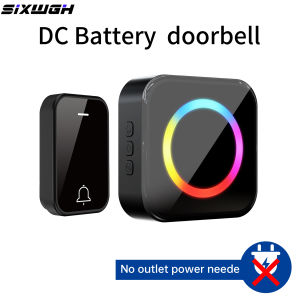
Battery Powered Doorbell DC Wireless Doorbell Long-Distance Home Doorbell,63 ringtones to choose from
DC Wireless doorbell Battery powered doorbell, household doorbell, portable doorbell, no need to plug in。Product Parameters:Receiver: Battery powered,Ringtones: 63 options to choose fromVolume: 4 levels (including mute)Operating frequency: 433MHzPower supply: 1. Flashing light without ringing, 2 Flashing lights and ringing bells. 3. Shutdown statusSize: L74 * W74 * H26mmTransmitter button:Power supply: CR2032 3V button battery (included in the product)Operating frequency: 433MHzSize: L66 * W40 * H21mmReceiver can set modes:1. Different buttons can be used to set different ringtones,3. One button can be paired with up to 10 receivers, and one receiver can be paired with up to 10 buttons.3. The receiver has three modes of reception: 1) can be set to ring and flash simultaneously, 2) can be set to flash (silent mode)3) Can be turned off directly (no response from the receiver when pressing the transmitter button。Pairing:The set product is paired at the factory and can be used directly. To adda transmitter or receiver, follow the instructions below to perform one tomany or many to one operations.1. Power on the receiver, long press the “Volume” button untilis Indicator light steadily on, then release the button to enter pairing mode.2. Press the transmitter, then Receiver Indicator light blinks once to indicate successfulpairing.Note: The receiver can pair with up to 10 transmitters. When exceeded,it will replace the first transmitter.Reset pairing:Power on the receiver, press and hold “Volume”button until two "ding" tones,indicating that code clearing has succeeded.Power On/Off:Press and hold “Chime”button to power off.To power on, press and hold the power button for three secondswhen the device is off.Chime Change:Short-press “Chime”button to switch between Chimes until you find the oneyou want. Press transmitter within 10 seconds to confirm your selection.Long press “Chime”button to turn off the device, and then long pressto return to the first ringtone "ding dong".Volume Adjustment:Short-press the Volume”button to cycle through mute modes, low, medium, and high.Lighting Mode:The receiver offers a variety of lighting modes. You can freely switch betweenthem to suit your personal preference.Click to “Middle button”cycle through the lighting modes.Long press “Middle button” to toggle all lighting effects on or off.AB door function (transmitter exclusive ringtone)Bind a fixed chime to a specific transmitter, and the transmitter will always trigger a dedicated chime after binding, Not affected by the global settings of the receiver. Unbound transmitters still follow the current chime of the receiver.1. Short-press “Chime”button receiverto switch to the target chime.2. Press and hold “Volume”button until indicator “Indicator light” stays steadily on,then release the button.3. Press the target transmitter, and the exclusive chime binding issuccessful.Battery replacement method:[Pry open the transmitter cover] [Remove circuit board. Replace battery]Troubleshooting:Doorbell Not Ringing:A. Check if the receiver is plugged in and the socket is powered.B. Confirm pairing; try clearing codes and re-pairing.Short Transmission Distance:A. Please avoid placing the transmitter and receiver near metal objectssuch as iron doors and windows to avoid affecting the transmissiondistance;B. Walls and ceilings can also affect transmission distance;C. Lnterference from other wireless devices.

GlobalLifestyle
Review

You May Also Like
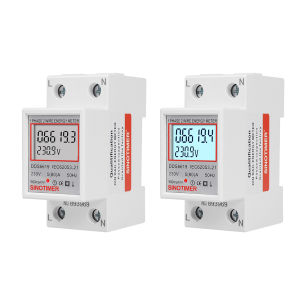
[UEB Mall] Digital Single Phase Energy Meter LCD Display 220V 230V Electrical Load Analyzer Din Rail 50 60Hz Super Energy Saving for Home Or Business

DeWalt 1300W Ultra Power Cordless Chainsaw with Battery Portable Heavy Duty Power Saw for Wood Cutting
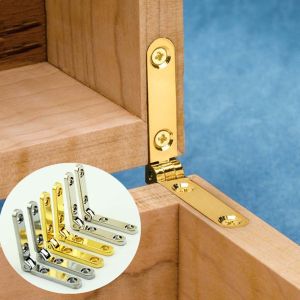
MAOMEI 90° Angle Jewelry Wooden Box Accessories Self-Locking Watch Box Furniture Hardware Lid Support Hinge Folding Hinge
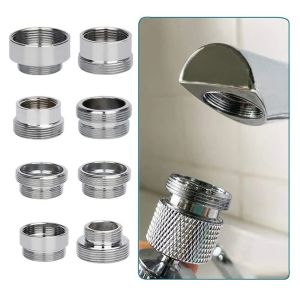
NEMOPH External Wire Female-Male Faucet Adapter Set Copper Washer Pipe Fittings Kitchen Connector Plumbing fittings

BHYJGD Durable For Home Garden Fitting Tool Tap Connector IBC Tank Adapter Outlet Connection Water Tank Adaptor Hose Fittings

Calistouk 1 Pair Non-slip Cowhide Leather Work Safe Gloves Welding Protection Gloves for Garden Camping Motorcycle Wear-resisting Fit Porter

N-6013 NIHONWELD SPECIAL WELDING ROD 2.5 mm (3/32) (SOLD PER KILO) ORIGINAL
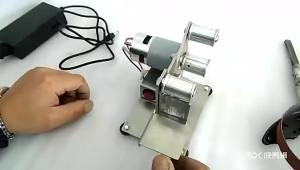
SI FANG | SI FANG Electric Belt Sander Grinder Polishing Machine with 10 Sanding Belts 7 Gear Speed Adjustment for DIY Engraving

46pcs Ratchet Wrench Set Car Motorcycle Repair Tool Box Hand Tools Set

1PC Portable Mini Tape Measure Delicate Small Household Measuring Tape Retractable Key Chain Tape Measure Mini Measuring Tools
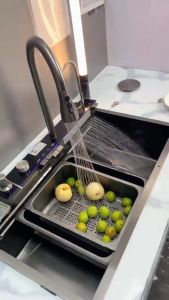
LENOBLE Nano Sink Honeycomb 304SUS Stainless Kitchen Sink With Whale Waterfall Piano Keys lababo