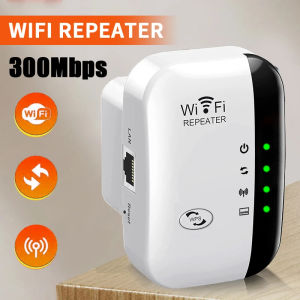
2.4G Wireless WiFi Booster 300M Range Extender High Speed Signal Repeater Amplifier Compact Device For Household Daily Use
WiFi 6 Wireless Extender User Guide1. Product OverviewThe WiFi 6 dual-band wireless extender is a signal amplification device supporting 2.4GHz and 5GHz dual bands with a maximum speed of 1200Mbps.It is specially designed to solve common WiFi problems such as weak signals, dead zones, and unstable network speeds in homes, offices, shops, and other scenarios.By receiving and amplifying the signal from your existing wireless router, this extender extends WiFi coverage over long distances, ensuring stable internet connection in previously unreachable areas such as bedrooms, balconies, bathrooms, and corridors.Adopting advanced WiFi 6 technology, the extender delivers lower latency, stronger anti-interference capability, and more stable connections for multiple devices.It is widely compatible with mobile phones, computers, TVs, smart home devices, and other wireless terminals.The device features plug-and-play functionality, allowing users to complete setup quickly without professional network knowledge.2.Pre-Installation PreparationBefore use, please check that the device and accessories are intact, including the main extender unit and this user manual.Place the extender between your main router and the WiFi dead zone to ensure it can stably receive the router’s signal.Avoid placing the device near metal obstructions, thick walls, microwaves, induction cookers, cordless phones, or other strong interference sources, as these may weaken signal quality and reduce network speed.The installation environment should be dry, ventilated, cool, and free from high temperatures or moisture to prevent equipment damage and ensure stable performance.3.Two Configuration Methods(1) WPS One-Button Connection (Recommended)Plug the extender into a power socket near your main router and wait for the indicator light to turn on, entering pairing mode.Press the WPS button on your main router within 1 minute; the WPS light will usually flash rapidly.Immediately press the WPS button on the extender and wait for automatic connection.When the indicator light turns solid green or blue, pairing is successful.Unplug the extender and move it to your ideal position for full signal coverage.This method requires no password input and is suitable for users unfamiliar with network settings.(2) Web Management Setup (Compatible with All Routers)Connect your phone or computer to the extender’s default WiFi name (printed on the device label).Open a browser and enter the management IP address (usually 192.168.x.x) or scan the QR code in the manual.Log in with the default administrator password to enter the setup wizard.Select your main router’s WiFi name and enter the correct WiFi password.Set the extended WiFi name and password.Using the same name and password as your main router supports seamless roaming.Save settings and wait for the device to reboot.A steady indicator light means setup is complete.4.Usage and Placement TipsProper placement directly determines WiFi performance.The best location is the midpoint between the router and the weak-signal area, ensuring strong reception and effective amplification.Placing it too far causes slow speeds and frequent disconnections; placing it too close limits coverage.For dual-band usage:Connect to the 5GHz band for short distances and high-speed demand (faster speed, lower latency).Connect to the 2.4GHz band for long distances and wall penetration (more stable, stronger coverage).The extender supports simultaneous connections of multiple devices.For optimal stability, power-cycle the extender every 7 to 15 days.5.Indicator Light StatusSolid power light: Device powered on normally.Flashing light: Booting or connecting.Solid green/blue light: Successfully connected, good signal.Flashing red or solid yellow light: Weak signal; move closer to the router.All lights off: Check power supply or device damage.6.Factory ResetIf you forget the password, misconfigure settings, cannot connect, or change the usage environment, perform a reset:Use a pin or toothpick to press and hold the Reset hole for 8–10 seconds until all lights flash.Release the button, and the device will restore to factory defaults.All previous settings will be erased, and you may reconfigure it.7.Warnings and TroubleshootingThis device only extends WiFi coverage and does not increase broadband bandwidth.Do not use the extender outdoors in rain, high temperatures, or dusty environments.Slow speed after extension: Usually caused by weak signal or interference.Adjust placement.Cannot find extended WiFi: Reset and reconfigure; check if the main router works normally.Frequent disconnections: Keep away from interference, restart both router and extender, and verify password correctness.8.SummaryThe WiFi 6 dual-band wireless extender is easy to operate and highly practical, effectively improving insufficient WiFi coverage and weak signals. With proper placement, reasonable configuration, and regular maintenance, the device can run stably for a long time, providing full-home high-speed and seamless internet access for daily entertainment, office work, and smart home connections.

Prime Supply_Play Life
Review

You May Also Like
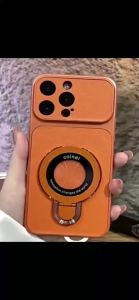
Suitable For Redmi NOTE 9S 9 Pro Plus Phone Case New With Magnetic Suction U Shield Folding Bracket And Shockproof Large Frame Casing

LPO Laptop Charger 15V 5A 75W Common Circle Pin 6.3mm x 3.0mm Compatible with Toshiba Satellite 1400 Series
Origina Liquid Silicone Phone Case for New Samsung Galaxy S25 Egde S24 FE S23 S22 Ultra Plus Funda TPU Soft Back Protect Cover
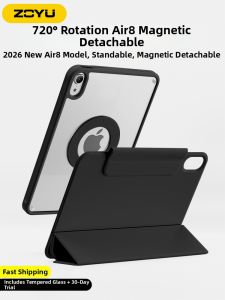
Zoyu | Magnetic Detachable 360 Degree Rotating Bracket Shockproof Lightweight iPad Case
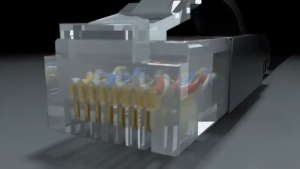
0.5 to 50M Utp cat6 flat lan cable double-layer waterproof and sunscreen outdoor RJ45 Gigabit Ethernet LAN cable

SinQui | Gradient Design Protective Case Silicone
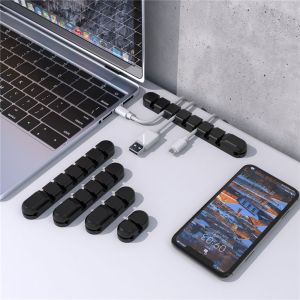
YUNAFIN Silicone Mouse Headphone Keyboard USB Cable Organizer Line Clamp Fixer Cable Winder Wire Management
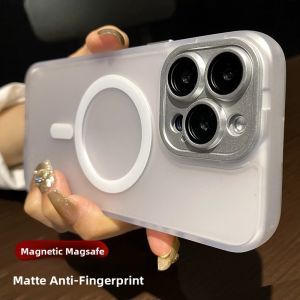
BOSKJUE | Magnetic Silicone Case for iPhone 16 Pro 15 14 Pro Max 13 12 11 with Built-in Lens Protector
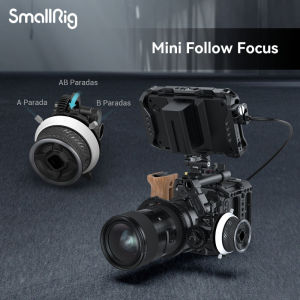
SmallRig Mini Follow Focus with A/B Stops & 15mm Rod Clamp Snap-on Gear Ring Belt for Mirrorless Cameras DLSR Fits Different Diameter Lenses Up to 114mm F40 3010
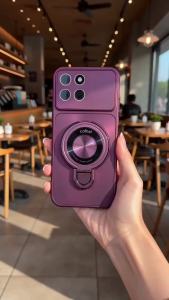
Feadship Case for OPPO A94 A93 4G Reno 4F 5F 5 lite F17 PRO phone casing Softcase Silicone shockproof Cover new design aesthetic cute Burgundy with holder for girls DSCUDZJ1

ELECS 10 inch Wireless Bluetooth Mobile Mini Keyboard And Mouse Suitable For Laptops Tablets Smartphones