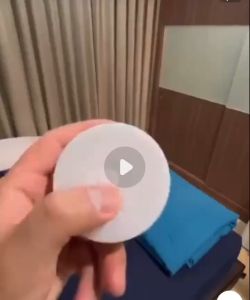
Motion Sensor Light LED Sensor Lamp Wireless Ultra Thin USB LED For Cabinet Wardrobe Bedroom Kitchen Indoor Lighting Night Light
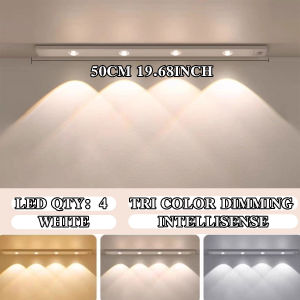
Motion Sensor Light LED Sensor Lamp Wireless Ultra Thin USB LED For Cabinet Wardrobe Bedroom Kitchen Indoor Lighting Night LightProduct OverviewThis ultra-slim LED under cabinet light features 3-color temperature adjustment (3000K warm white / 4000K natural white / 6000K cool white), stepless brightness control, and smart motion sensing. Available in black/white finishes and 20/30/40/50cm lengths, it uses magnetic mounting for tool-free installation, delivering soft, eye-friendly lighting for kitchen cabinets, wardrobes, shelves, and display cases.Product SpecificationsProduct Name: LED Magnetic Under Cabinet Strip LightLight Color: 3000K Warm White / 4000K Natural White / 6000K Cool WhiteDimming: Stepless 0%-100% brightness adjustmentControl: Touch control + Motion sensor (auto on/off when detecting movement)Size Options: 20cm / 30cm / 40cm / 50cmColor Options: Black / WhiteMaterial: ABS + PC (ultra-slim design)Installation: Magnetic adsorption (no drilling, no tools needed)Application: Kitchen cabinets, wardrobes, bookshelves, display cabinets, countertops, staircasesPackage ContentsLED Cabinet Strip Light × 1Magnetic mounting base × 1USB Charging Cable × 1Operation InstructionsLight Color Switch: Short press the touch button to cycle through 3000K → 4000K → 6000K.Stepless Dimming: Long press the touch button to adjust brightness from 0% to 100%.Motion Sensor Mode: Activate the sensor function, the light will auto-turn on when detecting human movement and auto-turn off after 20 seconds.Power On/Off: Long press the touch button for 3 seconds to turn the light on/off.Magnetic Installation: Attach the magnetic base to the desired surface, then snap the light onto the base for easy removal and repositioning.Important NotesDo not install in damp, high-temperature, or corrosive environments.Keep away from fire and sharp objects.Clean with a dry cloth; do not use water or corrosive cleaners.Charge the built-in battery every 3 months when not in use for long periods.TroubleshootingLight not turning on: Check battery level or recharge.Sensor not working: Ensure the sensor is not blocked and the environment is dim.Brightness not adjusting: Re-enter dimming mode by long pressing the touch button.Light falls off: Ensure the magnetic base is firmly attached to a smooth, flat surface.

Global Merch Park
Review

You May Also Like

MAOMEI LED Time Display Car Dashboard Clock Mini Touch-Activated LED Electronic Watch Portable Mute Digital Clock For Car Boat Bike Truck
NON RING PLAIN CURTAINS (Suksukan) /LABABO/WINDOW/DOOR Geana Fabric/Mariya
Toilet Humour Bad Smell Cute Line Wall Art Canvas Painting Funny Bathroom Rules Sign Posters Prints Pictures Bathroom Home Decor

Geena Gina Fabric Chair Cover Monoblock Cover Catering Events Party MARIYAS Home

Telescopic Christmas Doll W/ Telescopic Legs Snowman Elk Doll Ornaments Christmas Telescopic Ornament for Kid Hotel Christmas Decor

Acrylic Magnet Frame Refrigerator With Magnetic Transparent Strong Magnetic Panel Frame Photo Frame Stickers
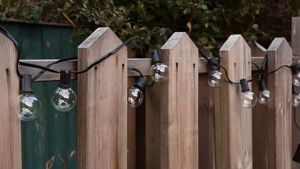
String light G40 bulb Plug-in model 12FT/82.7FT Waterproof Fairy String Lights outdoor party garden wedding Decoration solar lights with solar panel
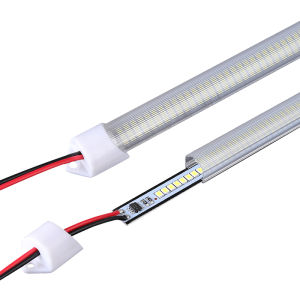
Waterproof Ultra-bright Energy-saving LED Strip 220V

YESPERY 100Pcs Organza Drawstring Bags Jewelry Bag Wedding Party Decoration Christmas Gift Pouches Jewelry Packaging

SAINAHEPAN | Waterproof Ceiling Light Fixture Round

Double Panel Curtains 60width*72Length Geena Fabric Sheer Drapes for Window Home Elegant