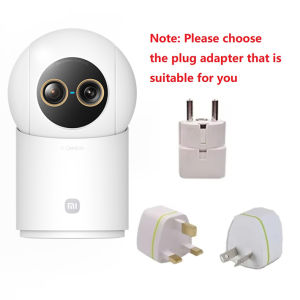
Xiaomi | NEW Original Xiaomi Smart Camera 4 9X Zoom Edition Baby Pet AI Facial Recognition Gesture Call Two-way Voice For Mi Home APP CN
NOTE:This product version is for the China region. When adding cameras, please select the Chinese server in the Xiaomi settings.User Instructions:1.Please download the Mi Home app first. After downloading, Click "Profile" - "Additional settings".2.In "Language & region", set "Region" to "Chinese Mainland".3.Connect the power.(1) Insert the power adapter cable into the camera power port, and the camera will automatically power on.(2) The indicator light will be solid yellow, and you will hear a voice prompt indicating successful power-on.(3) Click the "+" in the upper right corner, then click "Scan".4.Follow the on-screen instructions to reset the product. Click "Device Reset".5.Select Wi-Fi and Click"Next".6.Continue until the connection is successful.*The app server can only be selected as Mainland China. Ensure a smooth network connection during connection, with the camera turned on normally and the indicator light solid yellow; after successful connection, the indicator light will be solid blue.Frequently Asked Questions1.Does the camera include a memory card? Is a microSD card required? What specifications are supported?①No memory card is included in the package. The camera can function without a microSD card. If installed, videos will be stored on the card in a loop.②Recommended: Use a high-speed SD card with Class10, U1, or U3 ratings.③Supported capacity: 8GB–256GB microSD cards.④ To view videos stored on the microSD card outside the Mi Home app, first download them to your device via the app. Raw video files require dedicated players (e.g., VLC, PotPlayer).2. What should I do if the camera cannot be bound or connected to the app?① Ensure that the Wi-Fi network to which the camera is being bound is stable and connected to the internet.② The camera supports 2.4GHz/ 5GHz Wi-Fi.③ Update the Mi Home app to the latest official version.④ Ensure that the indicator lights are functioning properly.⑤ Enter the correct password during the binding process.⑥ If the camera has already been bound to another account and needs to be re-bound, the original account must first unbind and delete the device before a new user can bind it.Please Note:*This product does not include a microSD card. Please purchase one according to your needs.

Prime Supply_Play Life
Review

You May Also Like
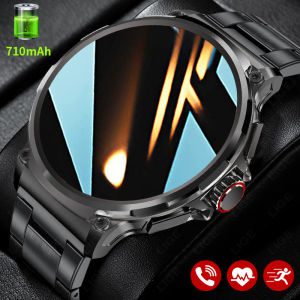
LIGE 2025 HD Screen 710Mah Big Battery Smart Watch Men and Women Bluetooth Call IP67 Waterproof Heart Rate Monitor Sports Fitness Tracker
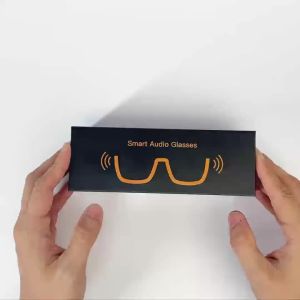
AI Smart Glasses Smart Glasses with 100+ Languages Real Time Translation Support Chat GPT System Gift a transparent lens
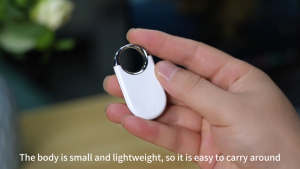
Key Finder Bluetooth Tracker Locator Pairs with Apple Find My (iOS only) Item Finder for Keys Wallet Pets Bag Backpack and Suitcase with Alarm& Left-Behind Remind Long Distance Smart Tracker Tags Replaceable Battery
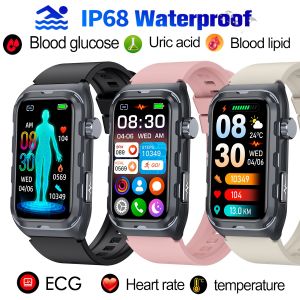
TK79 Smart Watch Pulse Therapy ECG Blood Glucose Blood Lipid Uric Acid Body Fat Monitoring Smartwatch For Men Women Waterproof Sport Fitness Bluetooth Bracelet

Smart APP Ring Counter LCD Digital Bluetooth Counting Muslims Zikr Ring Prayer Time Vibration Reminder Wearable Tally Counters
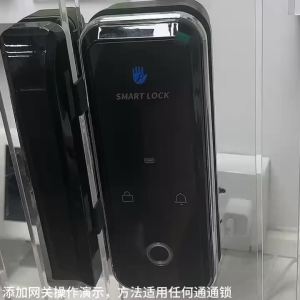
TTLock APP 4G SIM / RJ45 / POE / WIFI Hub for Bluetooth Lock TTLOCK Gateway G2 /G3 G3P G4 Smart Converter Phone Remote Control
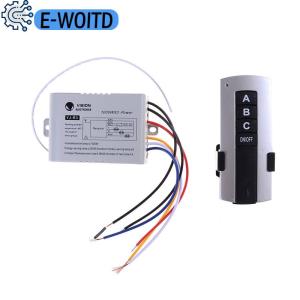
E-WOITD 3 Channel Wireless Remote Control Switch Digital Remote Control Switch

2026 New Smart Watch Men AMOLED HD Screen GPS Motion Trajectory Heart Rate Bluetooth Calls SmartWatch IP68 Waterproof Watch Ht30

Zigbee 3.0 CCT 2700K-6500K Dimmable COB LED Strip Light 608LEDs/M High Density Work With Zigbee Hub Gateway Alexa Google Home
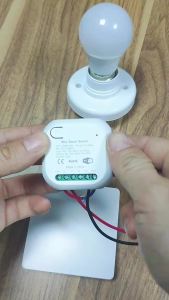
Tuya Smart Self-Powered Wireless Switch WiFi No Battery Required Energy Harvesting Kinetic Light Switch Works with Alexa Google
E27 12W Radar Microwave Radar Detection LED Light Bulb 220V Motion Induction Lamp PIR Motion Sensors Light For Home Stairs