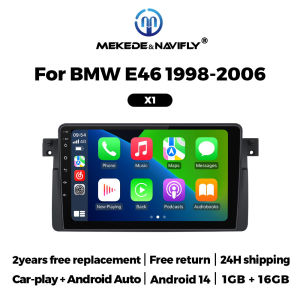
Intelligent Car Radio Systems For BMW E46 M3 X5 1998-2006 CarPlay Android Auto Multimedia Player Navigation GPS Autoradio Stereo
Intelligent Car Radio Systems For BMW E46 M3 X5 1998-2006 CarPlay Android Auto Multimedia Player Navigation GPS Autoradio Stereolf it is emplyIf the connector is like this, An extension cable is requiredif you have the left stereo(either tape or cD)inyour BMW E46 Series then our item will be adirect plug and play replacement.Please note1.This DVD have 17 pin and 40 pin cables,Thecables which we put in the package is fit for thecar which have original cD only.2.lf your car is with 4.3inch original screen or the7inch original navi screen,it will need the 6metres cables to use it.Both X1 and X2 models support wireless and wired CarPlay and Android Auto functions.FM radio, need to connect to the original car radio antenna. Support automatic search and manual search.Support steering wheel controls, control music or use the hands-free calling function to ensure safety and focus on the road ahead.The resolution is 1024*600, the ultra-clear screen display effect is greatly improved, and the screen display is more delicate.1080P video decoder, True Color 24 HD- Display.Support perfect APE music 3D acceleration allows fluent playback at any section of your USB/SD quality video.Built-in smart Bluetooth system, supports mobile phone Bluetooth pairing.GPS Navigation,Built-in global positioning system, omni-directional map display,synchronous display real-time traffic conditions, rapid and accurate positioning.The reversing image and rear view image quality are clearer than ordinary cameras. (Note: If the rear view camera is not included, please click on the package that includes the camera to purchase)ADAS DVR, anti-collision warning driving recorder, front vehicle distance prediction, front vehicle anti-collision warning, lane departure warning, make driving safer. (Note: DVR is not included, please click to purchase)Multiple languages: English, German, French, Spanish, Italian, Portuguese, Russian, Dutch, Polish, Japanese, Simplified Chinese, Traditional Chinese, Arabic, Korean, Vietnamese, Ukrainian, Brazilian Portuguese, Greek, Android system language, etc.Support multiple 10+ main menu switching, the latest main menu will make driving easier and cars cooler.1. How to connect the rear view camera?1) Red cable 2 connects to backlight "+"2) Black cable connects to "GND"3) Reverse detection cable 4 (brown) connects to red cable 3 extending from the video output cable, please connect as shown below.How to set up the steering wheel control?A. If you buy a unit with a CanBus Box:Before starting the setup, please confirm that the CAN Bus box and the 8-pin serial cable are connected to the multimedia.B. Then please refer to the pictures to set up your model.2. if your buy the unit haven't the canbus box, setting the steering wheelcontrol please refer photo go do it.

Prime Supply_Play Life
You May Also Like
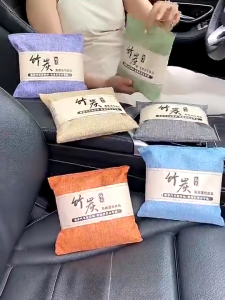
500g Activated Bamboo Charcoal Bag Odor Remover Air Purifying Bags Car Room Charcoal Deodorant Bag

StopGuard Motorcycle Side Mirror Fully Cast Alloy Street King Anti-glare Adjustable Heavy Duty Anti-Glare Lens
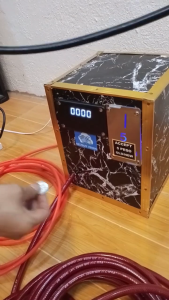
AIR VENDO - TIRE INFLATOR VENDING SOLUTION - COMPLETE SET - FREE TARPAULIN (HULOG-HULOG 5 PHP - BUSINESS VENDO) - PAHANGIN SA GULONG NG SASAKYAN AT MOTOR
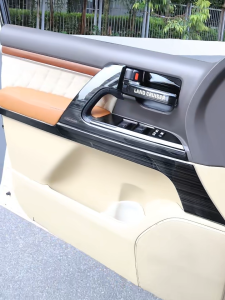
For Toyota Land Cruiser 200 LC200 2008-2021 Door Inner Trim Panel Decoration Strip Interior Upgrade Modification Accessories
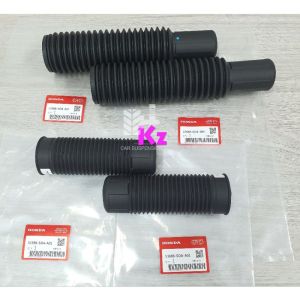
HONDA ACCORD SDA 2003-2007/TAO 2008-2013/ODYSSEY RB1 RB2 RB3 - 4 IN 1 SET - FRONT ABSORBER COVER /REAR ABSORBER COVER
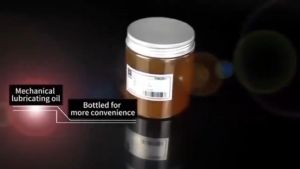
300g Chain lube for motorcycle high temperature grease chain lubricant motorcycle Butter Durable
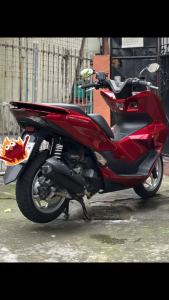
TSMP PIPE S2 STD FOR - PCX 160 / ADV 160 - ( UNLI BACKTONE ) Pink Power High Performance Tsmp Pipe
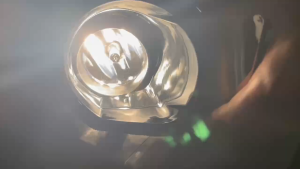
Ford Ranger 2012 TO 2015 Foglight / Fog Light / Fog lamp Assembly Glass Lens Waterproof Made in Thailand W044
EA Air Filter for MIO GRAVIS 125 - High Quality Motorcycle Air Filter
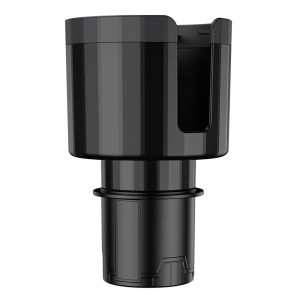
Car Cup Holder Expander for Trucks RVs and Boats - Adjustable Base for Secure Beverage Storage
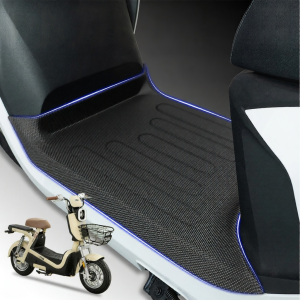
Decorative Accessory E-bike Footpad