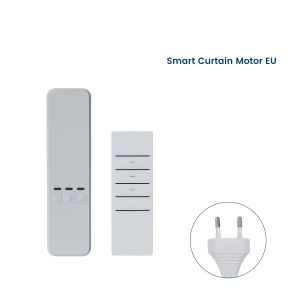
GIRIER Smart Curtain Motor WiFi RF433 Electric Chain Roller Blinds Motor for Shade Shutter Works with Tuya APP Alexa Hey Google
ITEM DESCRIPTIONTool-free InstallationSeamlessly install using integrated gears and adhesive tape in just a few straightforward steps. Transform your existing roller or shutter blinds in minutes with minimal effort. Control from AnywhereEnjoy unparalleled convenience by managing your blinds motor via the TuyaSmart or Smart Life app. Control your curtains from anywhere in the world with ease and flexibility, all through your smartphone. Seamless RF Remote OperationExperience unparalleled convenience by controlling your curtain motor through the TuyaSmart or Smart Life app. Manage your curtains smoothly and flexibly from any corner of the world, all at your fingertips. Hassle-free Voice ActivationConnect this roller shade driver to Alexa, Siri, Yandex Alice or Google Assistant for a hands-free experience. Simply issue a voice command, and let your automatic curtain system respond promptly to your needs. Cozy and Attentive Smart ScenesCraft personalized smart scenes that not only activate or deactivate your home appliances but also evoke a sense of comfort and belonging. Trigger these scenes based on your departure or arrival, or in response to changes in temperature, humidity, and other environmental factors, creating a home with GIRIER that truly understands and cares for you. How To Connect It with Siri?Step 1 Pair the curtain motor with Tuya Smart or Smart Life app. Step 2 Click "Scene" and then tap "Create Scene"Step 3 Click "Launch Tap-to-Run". Then choose "Run the Device" Step 4 Choose the curtain motor that you want to link to Siri. Step 5 Choose the suitable function you need.Step 6 Click "Next" in the upper right corner. And then tap "Save" Step 7 Now "Siri Shortcut" will show in the lower right corner. Click it and then choose the scene you need. After that, you can set the other scenes following the same process. Step 8 Finish the setting and use Siri for voice control from now on. Warm Tips:Please note that the voice control assistant needs to be paired with the TuyaSmart or Smart Life APP first, and then linked to the corresponding voice assistant through the APP.

Prime Supply_Play Life
Review

You May Also Like
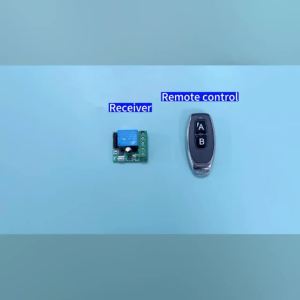
Universal Gate Remote Control Switch DC 12V RF 433 Mhz Asking Code Relay Receiver DIY Mini Module for Garage Door LED Lighting

New Healthy Sports Pedometers 1pc Random Color LCD Pedometer Step Calorie Counter Walking Distance Sport Pedometer
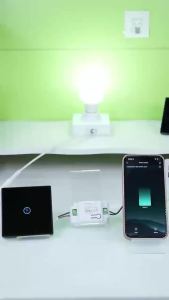
Tuya WiFi RF433 Touch Smart Switch No Wiring Works with Smart Life Alexa Google Home Voice Control Wall Light Remote Switch

2026 New Smart Ring Heart Rate Blood Oxygen Sleep Monitoring Gesture Control Video Smart Rings Multi-sport Modes For Android IOS

Sonoff | Sonoff Basic-R4 Mini Wifi Smart Switch Upgraded Basicr2 Magic Switch Mode LAN Support Home Assistant Alexa Alice Ewelink Remote
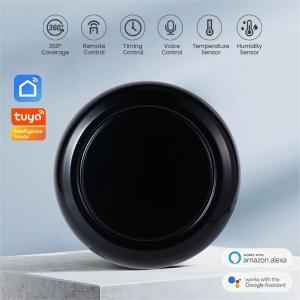
Tuya WIFI Smart IR Remote Control universal Infrared controller For Air Conditioner TV Light APP Control Work With Alexa Google

laxasfit | LAXASFIT Y13 Smart Watch 1.83" HD Display Bluetooth Call Heart Rate Sleep Monitor Sports Modes Fitness Tracker
Smart Watch Heart Rate/BP Monitor Relo Bracelet Bluetooth Fitness Tracker Smartwatch for Android IOS

Blood Pressure Blood Sugar Monitoring Three Highs Smart Watch/heart Rate And Blood Oxygen Health/bracelet Elderly Parents Birthday Gift
Tuya WiFi Smart Circuit Breaker Switch with Current Voltage Metering Protection Relay 63A 1P N Din Rail Mounting Smartlife APP
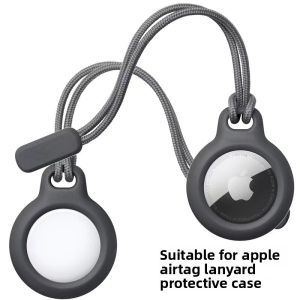
Bbzy | Anti-Loss Tracking Case for AirTag with Key Ring and Pet Compatibility