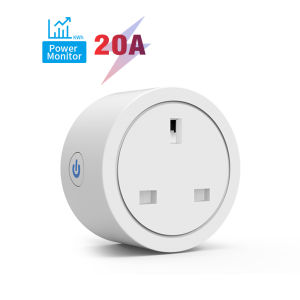
20A Tuya WiFi Smart UK Plug Socket with Energy Monitoring Timer & Countdown Works with Smart Life App Alexa and Google Home
✅✅1.Specifications: UK Plug2.Input voltage: 100-240V 50/60HZ3.Maximum current: 20A Max4.Wifi type: 2.4G 802.11b/g/n5. SIZE: 585855.5mm✅Features1.App Control: Smart Life APP &Tuya Smart APP2.Voice Control: Google Home Alexa ECHO IFTTT3. Timing Function4. countdown feature5. sharing Function6. With Power Monitor optional✅Your Home. One App.Support "Tuya Smart "/ "Smart Life" APPThe Smart Life app works with lots of smart home devices, allowing for easy control of your home from any Android or iOS device.✅Voice ControlThe smart plug works with Alexa, Google Assistant supported devices for easy voice control.✅No Hub RequiredThe smart plug works with any secured 2.4 GHz wireless network without the need for a separate hub.✅Countdown functionYou can set a countdown for humidifiers, microwaves, coffee machines and more. The device will stop automatically. Don't worry about the device working all the time✅Timing FunctionSet the time to turn on the light.Set time to cook rice..✅The Statistics of ElectricityThe amount of electric power can be monitored in real-time, which is conducive to control the usage of electricity.✅Power-off Memory Functio:Relay status settingDon' t worry abouut power failure, you can set thisswitch to restore the state after power on✅Family Sharing Control Funmain account has the exclusive permissions,one click to share the permissions with the whole family.let the family enjoy the fun of smart life!✅HOW TO USE IT?How to add device to mobile app1.Scan the QR of the manual or Search ‘ Smart Life ’ to download and install the device's APP2.Turn on the 2.4G WiFi and Bluetooth on your phone3., Turn on the power and operate according to the status of the smart socket indicator:4.If the Blue light of the smart switch flashes continuously at this time, it indicates that the smart socket has entered the state of waiting for connection to WiFi; then open the APP and follow the instructions to connect to WiFi.5. If the indicator light of the smart socket is not flashing blue light, please press the button of the smart socket and keep it for more than 5 seconds until the Blue light flashes continuously, then open the APP and connect to the WiFi according.

GlobalTechMart
Review

You May Also Like

Yale Y120/50/127/1 Y Series Silver Padlock
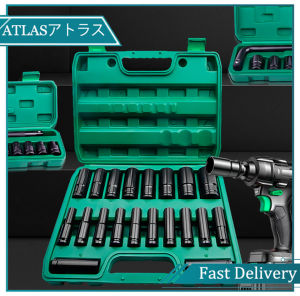
20pcs 1/2 Inch Impact wrench socket set Impact Socket Set Heavy Metric Garage Tool For Wrench Adapter Hand Tool Set deep socket wrench set impact wrench socket adaptor deep socket wrench tools japan set 3 8 drive socket set tools deep socket 1 2 drive set

MNTT 2PCS Seven-word Hidden Hinges Inset Chicken beak Damping Pivot Hinge Home Hardware 360 Degree Rotating Invisible Door Pivot Hinge Kitchen Cabinet

20mm(3/4),26mm(1),30mm(1 1/4) Easy Install Aluminum Pipe Connector Square Tube Connector Fittings
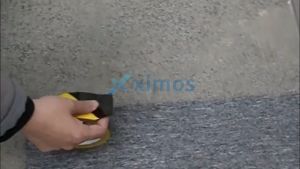
Xximos 45MM-80MM PVC caution tapematerial hazard warning adhesive tape ( Black and yellow)

Steel Measuring Tape Fluorescerous scale Industrial Auto Lock Steel Tape High -precision Laser Jet Black Gold Box Ruler
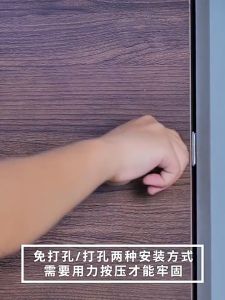
10 Sets Magnetic Stainless Steel Strong Door Closer Rust-Proof Cabinet Door Lock Door Lock Cabinet Latch Magnet
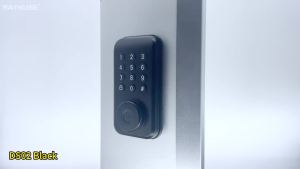
RAYKUBE DS02 Tuya Smart Fingerprint Deadbolt Lock with Latch/Door Sensor Auto Lock Key/Password/ Tuya Smartlife APP Unlock

CHAOQUN | High Precision Magnetic Mini Level Measurement Tool
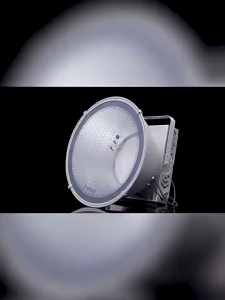
Bright LED tower crane light suitable for construction sites warehouses and fishing boats

13PCS Drive Impact Screwdriver Set 1/2 Inch Green Hand Impact Driver Multi-Purpose Extractor Tool Slotted Remove Damaged Screws Manual Reversible