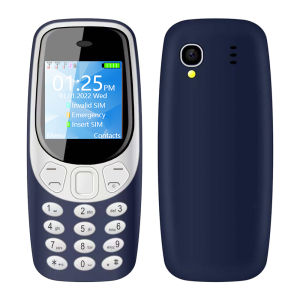
SERVO | SERVO 3 SIM Standby Mini Mobile Phone with Speed Dial Bluetooth Dialer Magic Voice FM Radio Flashlight Small Button Cellphones
🧩Product Parameter▸ Model : Q3308 Pro▸ CPU : MTK6261▸ Screen Size : 1.33 inch 240240 Screen▸ Weight : 32g▸ Phone Size : 81.635*11.8mm ▸ SIM Card Quantity : 3 SIM cards (3 Nano SIM card)▸ Memory Card : 32Mb RAM,32Mb ROM(Maximum support 32GB expansion ,The system will occupy part of the memory,It is recommended to install a memory card before using the phone)▸ Phonebook : 300▸ Camera : 0.3MP Rear camera▸ Battery : 480mAh▸ Message : SMS▸ Input : Keypad▸ USB Port : Micro USB▸ Shell Material : Plastic▸ WiFi : No▸ Mobile system : Non smartphone operating system, unable to download application software📶Network2G GSM 850/900/1800/1900MHzIt is known that countries such as South Korea, Singapore, Japan, Australia, and Israel have stopped 2G networks, and mobile phones cannot be used in these countries. For other countries, please consult your local network operator🌏LanguagesEnglish, Russian, French, Spanish, Polish, Portuguese, Italian, Deutsch, Bahasa Melayu, Bahasa Indonesia, Czech, Hungarian, Vietnamese, Turkish, Arabic, Hebrew, Thai, Greek, PersianFeatures▸3 SIM Card 3 Standby▸Speed Dial▸Auto call recorder▸Magic Voice▸Bluetooth Dialer▸Wireless FM Radio▸Blacklist▸Super Small Buton Phone▸Flashlight, Camera, Calendar, Alarm, Calculator .etc.📦Packages1 x Phone1 x Box1 x USB Cable1 x Battery1 x Case(Free Gift)1 x Sling(Black ,Free Gift)Note:1. There is a layer of insulating tape on the battery of the mobile phone. Before using the phone, you need to open the back cover and remove the insulating tape2. The phone screen has a protective film. You can remove the screen protector while using your phone. 3. This product does not contain a SIM card, please buy it locally by yourself.4. Please charge the phone for 3-5 hours first and use a charger that supports 5V1A to charge the phone, thank youFAQQ: Does the phone not turn on after charging?A: If the mobile phone has not been used for a long time, the battery power will also be consumed by itself. If it cannot be turned on, You need to charge the mobile phone for 3-5 hours first. Please use the charging cable configured with this product and the charger that supports 5V1A to charge the mobile phone.Q: How to check the status of the package?A: Enter the official website of Cainiao parcel and enter the parcel number to check the logistics track. Or enter this page for customer service help to inquire.https://global.cainiao.com/?spm=a311a.7996332.0.0.227d2516klCRJJQ:Why can't the phone be turned on?A:The battery is covered with yellow insulating tape. Please remove the insulating tape from the battery before using the phone. Then charge the phone for 3-5 hours.Q:How to set up Auto call recorder?A:Due to insufficient phone memory. You must install a memory card. Then go through the following steps to set it up.Settings - call logs - call settings - advanced settings - Auto call recorderQ:How to use the Bluetooth Dialer function?A:1. Turn on the BM5310 Bluetooth function.2.Activate the Bluetooth function of your smart phone, search and select " mtk " from the devices list to connect .3. Connect "mtk", Input password "0000".4. Enter the password "0000" on the MB5310 mobile phone, Connected successfully.

Prime Supply_Play Life
Review

You May Also Like

For Nokia Keypad Basic 6100 Keyboard Flip Button T9 Type Gsm 2G 900/1800 Mobile Single SIM Phone Openline Legit Nokia Openline cellphone
HOT60 Pro+ YQHRF 5G NFC 1TB 16GB RAM
SOYES | SOYES XS15 3G Mini Smartphone MTK 3.0inch 2GB RAM 16GB ROM Dual SIM Card 2MP 900mAh WCDMA Android Pocket Small CellPhone
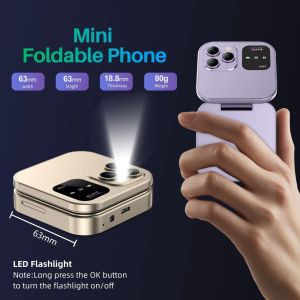
HOUCHU I16Pro Mini Flip Mobile Phone 2SIM Card FM Radio Women Flip Mobile Phone Foldable Phone Voice Flip Foldable Phone Small Flip Cellphone
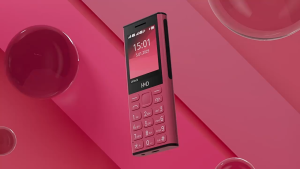
Nokia 130 4G Classic Feature Phone 2.4"Big Sceen Bluetooth 5.0 FM Radio Type-C Charging Basic Phone
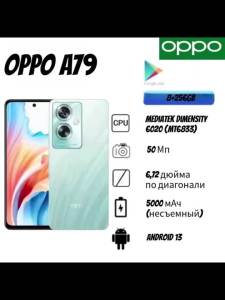
OPPO | 2026 new OPPO A79 phone Smartphone 8GB RAM 256GB Storage Unlocked Dual SIM 6.2 FHD+ Waterdrop Screen Mediatek Helio P60 AI Chip
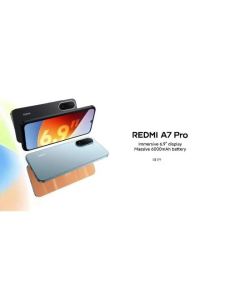
Redmi | Hot Sale 2026 Redmi A7Pro Global Unlocked Gaming Android Cellphone 8GB RAM 256GB ROM 6.9 Inch FHD+ Full Screen Helio G85
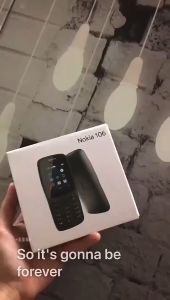
Nokia 105 / N106 / Nokia 108 4G / Nokia 130 Keypad Basic Phone Dual Sim Authentic Brand New 1 Year Warranty
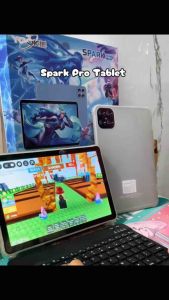
Yookie SPARK PRO 10.1 inches Android Tablet 512GB with Bluetooth Keyboard and Freebies

A5 Pro 5G Smartphone 12GB RAM 512GB ROM For Gaming Study Work High Performance Phone 5800mAh Battery 24 Hours Shipping Guaranteed Authentic Dedicated After-Sales 1 Year Warranty
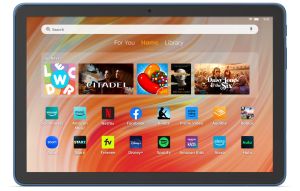
Amazon Fire HD 10 - 10.1" Tablet 13th Gen (2023 Release) 32GB