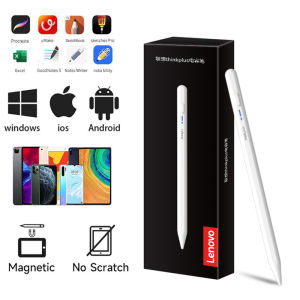
Lenovo | Lenovo Universal BP16 Touch Pen For Tablet Mobile Phone For Android Ios iPad Accessories Drawing Tablet Stylus Pen
If you use Samsung mobile phone, Samsung tablet, Microsoft tablet, electromagnetic screen products, please do not place an order for this link product.Notice:1. Tablet devices and pens cannot be used while charging.2. The tempered film on the flat plate is too thick and affects the sensing. We are equipped with a piercing pen tip, and the instruction manual also clearly states this kind of clearance. If the contact is insensitive, a penetrating pen tip can be used.3. The device has been connected to other capacitive pens and needs to be disconnected. You must open other capacitive pens before you can connect a new capacitive pen. Our manual has relevant instructions.4. During use of the capacitive pen, your hands cannot touch the screen. The touch screen cannot be used (the manual has relevant instructions), or use an anti-accidental touch finger. set.5.The universal pen needs to be tilted at least 15 degrees to write normally, and it cannot be used vertically.6.Do not use Apple type-c tcharging cable for charging7.Some drawing software and notebook software cannot write and require some pen settings. Please be aware of the non-pen quality issues.How to set up some software:1、SketchBook1. Open the "SketchBook" software.2. Click on the "Main Menu".3. Click on "Preferences".4. Click onGeneral".5. Turn on/off "Pen Mode".2、Procreate1. Open the "Procreate" software2. Click the top left corner of the painting interface, click the wrench3. Click on gesture control4. Select enable finger painting3、GoodNote1. Open the "GoodNote" software2. Click on the top right corner of the painting page, click on the three option3. Scroll down to select the stylus and prevent accidental touches4. Click on the smart stylus, select none inside4、NOtability1. Open the "Notability" app2. Open the drawing page, click the three dots option in the top right corner3. Click Information, disconnect Apple Pencil5、Notes 1. Update to the latest version2. Open the "Notes " app3. Click on the painting page and select the three in the lower right corner4. Click on the pen palette settings and scroll to the bottom 5. Turn on finger painting6.Apple iPad Notes1. Open the tablet settings and find Apple Pencil2. Turn off Scribble and Doodle3. Open the page and select the stroke7.Paint the World1. Open the "Paint the World" software2. Open the painting page, click the gear in the top corner4. Close "Pen Mode"8.Noteshelf1. Open the "Noteshelf" software2. Open the drawing page, click the three dots in the top right3. Select the stylus4. Turn off the "Apple Pencil" modeIf it is not the above software, you can refer to the above, most of the setting methods are the same.

Prime Supply_Play Life
Review

You May Also Like

TPU Soft Protective Shell for Switch 2 Anti-fall Scratch-resistant Ergonomic Curved Grip for Switch 2 Accessories

Kebidumei Foldable Wireless Bluetooth Keyboard Rechargeable Folding Portable Keyboards for PC Smartphone Windows OS Android
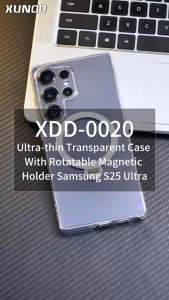
XUNDD Crystal Magnet 360 W/ STAND Premium Case FOR SAMSUNG S25 ULTRA / S25 PLUS
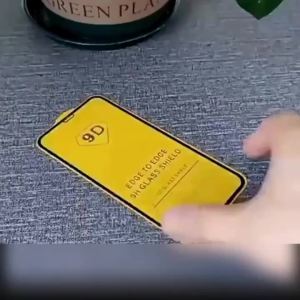
1-3Pcs 9D Full Cover Tempered Glass Screen Proetctors For iPhone 18 Pro Max 17 Air 15 14 Plus 16e 13 12 11 Mini XR X XS 7 8 Plus
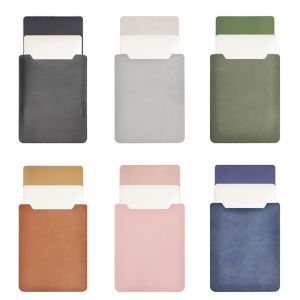
NOONOR 13 14 15 inch Ultra Thin Laptop Sleeve Case Shockproof Portable Ultrabook Cover Professional Colorful Notebook Protective Pouch for HP/Dell/Surface Office
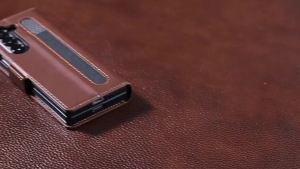
BSN | Premium Leather Phone Case for Samsung Galaxy Z Fold 8 Ultra Wide 7 6 5 4 3 Fold5 5G with Pen Holder Wallet Flip Phone Cover
![[NC]5.0 Bluetooth Audio Receiver Board Bluetooth MP3 Lossless Decoder Wireless Stereo Music Module Bluetooth Decoding Board[NC]](https://img.lazcdn.com/g/ff/kf/S8a61d140135a47ad81f5479c0acf1278V.jpg_300x300q80.jpg)
[NC]5.0 Bluetooth Audio Receiver Board Bluetooth MP3 Lossless Decoder Wireless Stereo Music Module Bluetooth Decoding Board[NC]
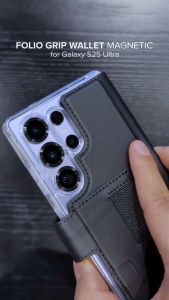
Ringke Folio Grip Wallet Magnetic Cover Compatible for Samsung Galaxy S25 Ultra / S24 Ultra / S23 Ultra
Vivoactive 5 Charger for Garmin Watch USB Charging Cable Dock for Fenix 8 7 7S 7X 6 E Pro Solar/ Forerunner 965 955 265 255 165

CRENOV | Adjustable Desktop and Bed Stand for Phones and Tablets Live Streaming and Shooting
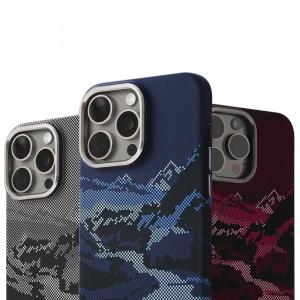
Abstract Landscape Relief for MagSafe Phone Case for iPhone 17 16 15 Pro Max Wireless Charging Alloy Lens Shield Hard PC Cover