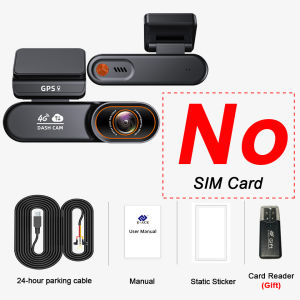
Yangood Dashcam LTE 4G Cloud Storage Recording GPS Positioning Support Remote Video Viewing Car 12V/14V Power Line Camera
4G LTE Dashcam Cloud Storage Record GPS Tracking Fit Remote Live Video Check On Phone 12V/24V Power Supply Car Camera Free APPTip:★The following are the frequency bands supported by the device, please make sure your SIM card supports the following frequency bands, otherwise it cannot support the use.★Please make sure to use the standard charging cable, otherwise the machine cannot start up and workLTE Band:1.Europe/Asia/Oceania/Africa/South America FDD:B1/B3/B5/B82.Europe/Asia/Oceania/Africa/South America TDD:B34/B38/B39/B40/B41)SIM card country tableProduct DescriptionMin Features4G Dash Cam Ultra wide 170 degree shooting angle,reducing blind spots 4G Chip Advantages Supports 4G SIM (optional). Auto-enables networking post-binding. Ensures real-time signal, better image.Remote Video PlaybackUse TF card for recording (auto-loop when full, no manual delete). Supports remote video playback & download, convenient.aApp Timeline PlaybackClick timeline to view any moment easilySecure Cloud StorageAuto-upload accident photos/videos to cloud, avoiding data loss from TF card issues.One Click Car LocationQuickly locate car & plan route. Works in parking lots/city, saves search time.Trajectory PlaybackView driving trajectory, speed, parking via app. Aids route viewing & driving analysis.Electronic FenceSet fence in app, get notified on vehicle entry/exit. Manages parking easily.Night Vision Dash CamClearly captures license plates at night (even in dim light), with sharp day & night imaging.24 Hours Parking ModeG-Sensor Collision Recording: Sleeps, records on collision (low voltage protection).Intelligent Mode:Runs 24h, sleeps at low voltage, records on collision (low voltage protection).Quick Start Recording on CollisionBuilt-in G-Sensor triggers instant recording/photos during collisions, providing evidence for accidents, fraud, etc.Low Power Parking MonitoringAuto-switches to low power (≤11.8V, no battery/memory harm), 24H non-loop monitoring. G-Sensor wakes cam on motion/impact, uploads video to cloud for anytime access.Installation renderingBuck lineYou will need to find two fuse slots to be used in this step.1.A fuse Slot that provides constant power (RED wire will go here)2.A fuse Slot that only provides power when you turn your key to ACC position (YELLOW wire will go here)3.Connect the BLACK Wire to the Grounding Screw or Bolt.Six sided diagramProduct dimension diagram

GlobalTechMart
Review

You May Also Like

GOUPDO Durable Anti-bird And Rat Prevent Pest Exterior Wall Air Vent Vents Cover Ducting Ventilation Grilles Air Circulation
Suitable For KIA Sorento JC MK1 2002-2009 Front And Rear Windshield Wipers Durable Accessories For Car Windshields2003 2004 2006

SweetCandi~Buy 1 Take 4 Car Wax Spray & Polish – Two-in-One Nano Ceramic Coating for Auto Wash & Wax
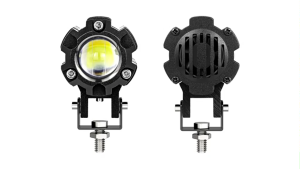
MOFOX 1Pair ZX2 Laser Gun 40W Motorcycle Mini Driving Light Dual Color White&Yellow High/Low Beam Auxiliary Light Headlight Spotlight LED Work Light with Fan
![[MDEPOT] MOTORCYCLE DRIVE PULLEY ASSY WITH FACE FOR CLICK125/CLICK150](https://img.lazcdn.com/g/ff/kf/Sbc40c2cfa27744d79f923fc6961404e0r.png_300x300q80.png)
[MDEPOT] MOTORCYCLE DRIVE PULLEY ASSY WITH FACE FOR CLICK125/CLICK150
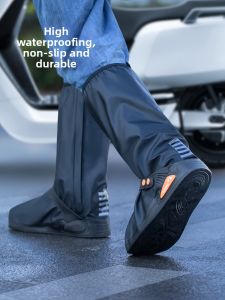
Slip-resistant Waterproof Durable Rain Boot Covers
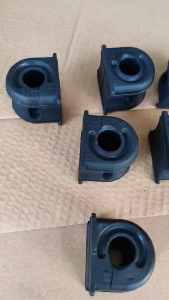
Honda Jazz fit 2014 per piece Stabilizer bushing
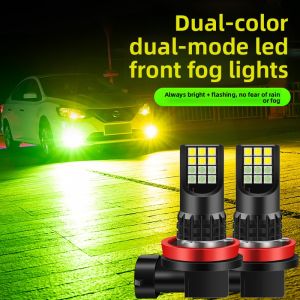
MENGDAO | Dual Color Super Bright LED Fog Light Bulb
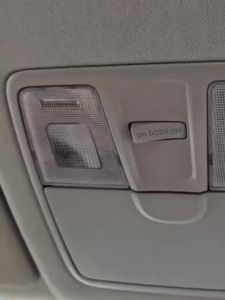
For BMW X1 E84 F48 2009 - 2020 Car LED Bulbs Interior Dome Reading Glove Box Vanity Mirror Trunk Light Accessories
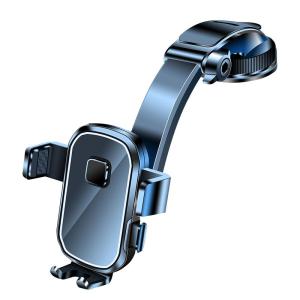
FLAME LIGHT | Suction Stable Mobile Phone Car Mount

HONDA AIRBLADE 150 motorcycle stock side mirror | heavyduty quality | good packaging | Bilog