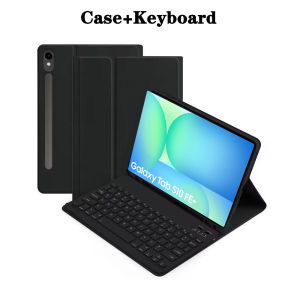
Tablet Case for Samsung Galaxy Tab S10 FE Plus 13.1 lnchDetachable Keyboard Cover for Tab S10 FE+ 13.1" Case with Pencil Holder
The tablet case in this link is only compatible with models:Samsung Galaxy Tab S10 FE Plus 13.1-inch(SM-X620/X626B)How to verify tablet model1. Go to the back and find your specific model.2. Find "Settings" - Click "About" - Find "Model"3. Please purchase the correct compatible model case according to the tablet after viewing.Note:The digital tablet and stylus are not included in the package. The detailed description is for reference only. Please refer to the actual product for the color of the product.How to connect keyboard and mouse?1. Connect the mouse first, then the keyboard.2. Mouse: Push the switch to the "Bluetooth" icon and find the Bluetooth connection with the "mouse" in the device Bluetooth list.3. Keyboard: Push the switch in the upper right corner to "ON", press "Connect", and find the Bluetooth connection with "Keyboard" in the device Bluetooth list.4. Touchpad keyboard: Open the keyboard, press Fn+C, and then find the Bluetooth connection with "Keyboard" in the device Bluetooth list.FAQQ:What should I pay attention to when connecting the mouse for the first time?A:When the mouse is connected for the first time, you need to press the left button, the right button and the scroll wheel at the same time for about 3-5 seconds.Q: Is the scroll direction of the mouse USB connector and Bluetooth connection the same?A: No, they are different. When using the USB connector, the scroll wheel slides in the same direction as the computer mouse. Bluetooth connection is the opposite.Q: How to switch between different systems?A: Fn+Q=Android, Fn+W=Windows, Fn+E=IOS.Please note that please switch the system before connecting the tablet.Q:The bluetooth keyboard letters are messy?A: Please check the settings according to the prompts,a. Check whether the keyboard language set on the device is English.b. Disconnect the keyboard Bluetooth, click Ignore the connected device, reopen the Bluetooth keyboard, select system, Fn+E (IOS system).Note: Fn+Q=Android, Fn+W=Windows, Fn+E=IOSc. Press the L S Z buttons at the same time to reset the keyboardQ:How to configure the input method for different languages keyboard?A:Take the samsung tablet as example,open "Settings--"ystem"--"Language & input"--"Add New Keyboard". (For other systems, please set them in the system settings according to the tips of the iPad example.)Q:How does the mouse change teh scroll wheel sliding direction on the device?A: The mouse is connected, open "General" - "Trackpad & Mouse" - close "Natural Scrolling".

GlobalTechMart
Review

You May Also Like
Fast Charging 1.8M Charging Cable For Nintendo Switch Console USB Type-C Charging Cable & Data Cable

LPO Laptop Battery L18C3PF1 For Lenovo Ideapad L340 Gaming L340 15IRH L340 17IRH L18M3PF1 11
Multifunction Stylus Pen
Encoder Disk for Canon G1730 G2730 G3730 G4770 Timing Disk
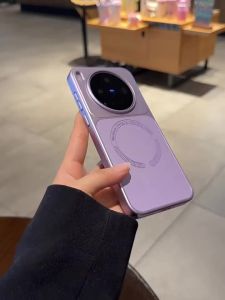
Purple Litchi Texture Premium Magnetic Leather Combination Phone Case
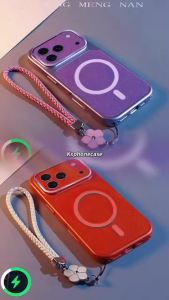
Suitable For Vivo Y15A Vivo Y15S Vivo Y10 Vivo Y01 New Lychee Patterned Leather 3D Magnetic Suction Ring+Hand Rope Anti Fall Shell
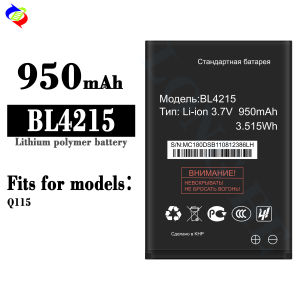
dimi Compatible with FLY Phone Battery BL4215 Brand-New 950mAh Battery for Q115
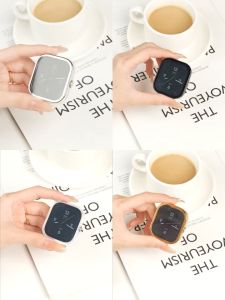
Suitable for Redmi watch 5 watch protective case full-package electroplated soft shell accessories
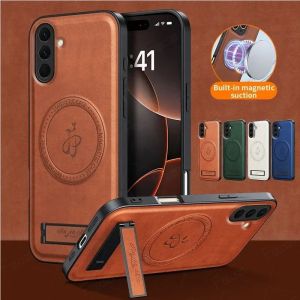
Magnetic PU Leather Case for Samsung Galaxy A57 A56 A55 A54 A37 A36 A35 A34 A26 A25 A17 A16 A15 A07 A06 4G 5G Magsafe Wireless Charging Protective Cover Casing

1set wedding photo props diy lip glasses on a stick Photo Booth Props Accessories bridal shower hen party decoration bridesmaid
![HGV [PH Shipping] 360° Smart Phone Portable Adjustable Bracket Compatible With Anti Slip/Anti Scratch All Android And iPhone Phones Bracket Mini Stabilize Live Streaming Rack](https://img.lazcdn.com/g/ff/kf/S00917aa7fc9c4a5a8a2ac4fd52f129e0W.jpg_300x300q80.jpg)
HGV [PH Shipping] 360° Smart Phone Portable Adjustable Bracket Compatible With Anti Slip/Anti Scratch All Android And iPhone Phones Bracket Mini Stabilize Live Streaming Rack