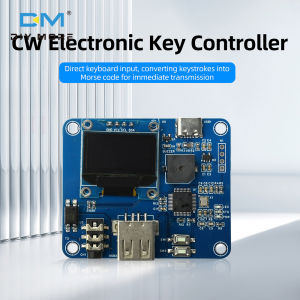
Diymore CW Electronic Keyer with 0.96" OLED Display Type-C Interface Morse Code Practice Keyboard for Ham Radio Amateur Radio
Product Features:1. Keyboard direct input, instantly converting keys into Morse code for transmission.2. Support storage of 12 sets of messages and efficient communication for sending.3. Dual operation mode, with the option to send instantly or cache edit and send.4. Supports WPM fine speed regulation and is equipped with a built-in practice buzzer.5. The LCD screen provides real-time feedback on speed, cache, and keyboard connection status.Product Description: A professional CW keyboard controller that can convert standard computer keyboard input into Morse code signals for wireless transmission. Equipped with message storage, adjustable speed control, visual feedback display, and built-in practice buzzer. Very suitable for amateur radio operators, CW training, and competition operations that require efficient generation of Morse code.Main Features:Keyboard interface: Connect to a standard computer keyboard to achieve intuitive CW inputMessage storage: 12 programmable message libraries (corresponding to F1-F12 function keys)Speed control: Adjustable WPM, supports coarse and fine tuningDual operation mode: Instant send (mode A) and Cache send (mode B)Visual feedback: LCD display speed, cache status, and setting informationAudio output: 3.5mm audio jack for connecting to radio station+built-in practice buzzerTechnical Specifications:Input: Standard USB/PS2 computer keyboardOutput: 3.5mm audio jack for radio key controlDisplay screen: LCD screen with status indicatorMessage storage: 12 repositories (F1-F12) with a total capacity of approximately 1000 charactersSpeed range: Adjustable WPM (specific range depends on firmware version)Power supply: Usually 5V USB power supply (please confirm according to specific product)Display Instructions:WPM: Current sending speedS: Current CW transmission locationL: Enter the total lengthB: Buzzer status (on/off)K: Keyboard connection statusOperation mode:Mode A (Instant Sending): Keyboard input immediately triggers CW sending, which will continue until the queue is completed, suitable for daily communication QSOMode B (Cache Sending): Input content is first stored in the buffer, and press Enter to start sending. The left display screen shows the input buffer, and the right display shows the content being sent. It is very suitable for exchanging information and pre made messages in competitionsControl function:Speed adjustment:↑/↓ keys: adjust in units of ± 1 WPM←/→ Key: Adjust in units of ± 5 WPMFunction keys:Key 1: Switch practice buzzer (B indicator)Key 2: Switch between modes A/BBackspace: Delete unsent charactersESC key: Clear all characters and stop sendingCtrl+M: Enter the settings menuSupported characters:26 English letters (A-Z)10 digits (0-9)Punctuation marks: {,.?!; -+/=}Message management:Store message: Enter message content → Shift+F1~F12Call message: Press F1~F12 directlyMaximum length: Approximately 1000 characters per storage repositoryAdvanced features: adjustable word spacing, support for numeric codes, optimized for competition operationsConnection guide: Connect the computer keyboard to the controller, connect the 3.5mm audio cable to the radio, power the controller (usually 5V USB), and select the appropriate input mode for the radioLimitations Explanation:Keyboard compatibility: Only supports standard keyboards (some keyboards may require adaptation)No full key, no punch: Pressing multiple keys simultaneously may cause problemsCharacter limit: Each message can contain up to approximately 1000 charactersStorage reminder: It is recommended to program messages in mode B to avoid accidental sendingApplication scenarios: Amateur radio CW operation, Morse code training and practice, radio competition operation, Morse code teaching guidance, emergency communication trainingProduct list:1XCW electronic key controller

diymore Official Store
Review

You May Also Like
Sticky Lint Roller Detachable Dust Hair Pet Fur Remover Cover Clothes Roller 【BUY 1 GET 3】
DEKES Digital Microscope 10MP 1-1000X 5.5Inch LCD Display Magnification Industrial Electronic Magnifier And LED Fill Lights
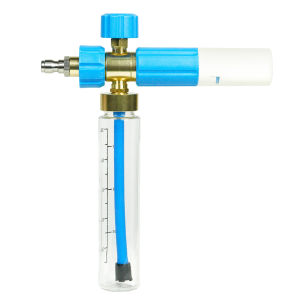
Durable Foam Spray Bottle for Car Detailing Rust-Proof High-Pressure Soap Dispenser Wear-Resistant Pressure Washer for Outdoor Use
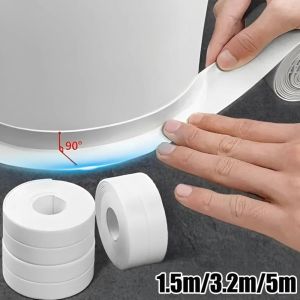
PERPE PVC Sealing Strip Tape Self Adhesive White Caulk Tape Waterproof Tape Bathroom Bath Toilet Kitchen
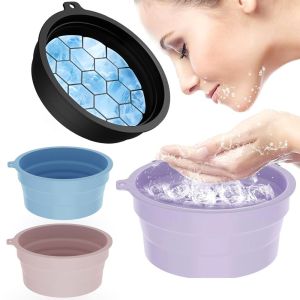
INNEED Foldable Face Ice Bath Bowl Built-in Ice Tray Silicone Skincare Washbasin Face Dipping Bowl Spa Facial Treatment
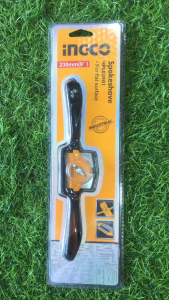
INGCO SPOKESHAVE | HPL03901 | TOOLSRTOYS | ING-HANDTOOLS

Floor Drain Stainless Steel Bathroom Anti Odor Used To Prevent Water Backflow
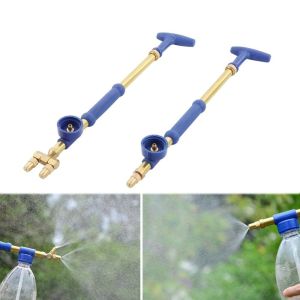
DOOUR Single/double Head Atomizing Misting Nozzle Brass Push-pull Irrigation Sprayers Portable High Pressure Beverage Bottle Sprayer
Welding Ground Clamp Heavy Duty Welding Electrode Holder Grounding Cable Copper Clamp Professional Tools 500/300A
Y-XONE Carbon Steel RJ45 Crimper Network Cable Crimping Tool 6P/8P Passthrough RJ45 Connector Cable Pliers
KS-Transparent Double-Sided Hook Adhesive Hook Suction Hook Wall Hanger Hook