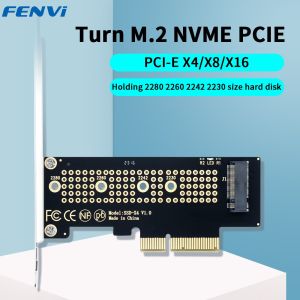
Fenvi | FENVI M.2 NVME to PCIe Adapter With Aluminum SSD Heatsink 64Gbps M.2 SSD Gen4 PCIe4.0 X4 X8 X16 Expansion Card for Desktop Win10
• High-Speed Transition :The FENVI M.2 NVME to PCIe Adapter ensures a seamless transition, delivering high-speed data transfer of up to 64Gbps.• Versatile Compatibility :Designed for desktop use, it offers wide compatibility with Win10 operating system, making it a versatile addition to your system.• Robust Construction :Constructed with Aluminum SSD Heatsink, this adapter ensures optimal heat dissipation, enhancing the overall performance and longevity of your SSD.• Expandable Storage Solution :With its PCI Express interface, it provides an expandable storage solution, allowing you to scale up your storage needs as per your growth requirements.• Easy Installation :As an add-on card, it offers easy installation, allowing you to upgrade your system without any professional help.FENVI M.2 NVME to PCIe Adapter With Aluminum SSD Heatsink 64Gbps M.2 SSD Gen4 PCIe4.0 X4 X8 X16 Expansion Card for Desktop Win101.With this M.2 NVMe SSD PCI-E 4.0 X4 Adapter, you could add a NVME SSD on your motherboard without M.2 slot.2.M.2 PCIe SSD Full Speed Adapter: With this PCIe X4 adapter, M.2 PCIe SSD can operate at PCIe X4 full speed. It's like being installed directly on the motherboard, and the speed is basically unaffected.3.No Capacity Limitation: Support 2T/4T capacity M.2 PCIe (NVMe/AHCI) SSD, Support 2230/2242/2260/2280 sizeWork with PCIe 4.0/3.0 M.2 SSD, not Support M.2 NGFF SATA SSD: To reach PCIe 4.0 X4 (64Gbps) full speed, CPU and motherboard PCIe slot and M.2 PCIe SSD should all be PCIe 4.0 feature. (Noted: Intel 11th Gen and above CPU support PCIe 4.0)4.Support OS booting from PCIe SSD: Need to reinstall OS, and setup BIOS/UEFI booting from this M.2 PCIe SSD. (Noted: Some motherboards too old to setup OS booting from M.2 PCIe SSD. Additionally, Windows 7 may not support OS booting from M.2 PCIe SSD. In this case M.2 PCIe SSD can be used as storage disk)5.M.2 PCIe SSD as Storage Disk: Brand new M.2 PCIe SSD need to be Initialized and formated before PC host recognize it.6.OS compatibility: Plug and play in Windows 11/10/8/Linux/Mac OS. (Noted: Windows 7 do not have native NVMe driver, so can not support M.2 PCIe SSD)Note: 1.This product cannot be connected to the PCl interface, otherwise it will damage your express card, SSD and motherboard! ! !2.Plug & Play If Native Support NVMeIf the bios support NVMe, it could recognize the NVMe directly, no need for any operation.3.Update via USB Drive for Earlier MotherboardsSearch the latest bios driver which could support NVMe and use a USB drive to update it.Normally, the motherboard will recognize the SSD after you updated the latest bios

Prime Supply_Play Life
Review

You May Also Like
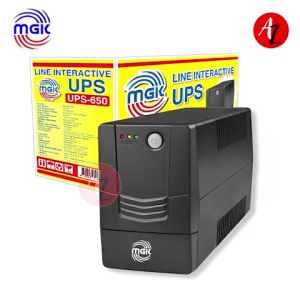
MGK UPS: Reliable Power Anytime Anywhere
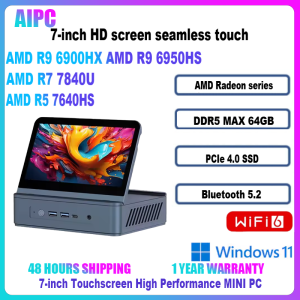
Sibolan AMD Ryzen 5 7640HS/R7 7840U/R9 6900HX/R9 6950HS DDR5 PCIe WiFi6 BT5.2 7 inch Screen Touch MINI PC

Bundle Board Processor AMD Ryzen 3 2200G R3 3200G R5 3400G R5 5500 R5 5500Gt R5 5600Gt R7 5700G MSI A520m Pro MoBo

LPO Gaming Unit AMD Ryzen 5 4600G 3.7Ghz A520-A Pro AM4 Socket Motherboard 16GB DDR4 256GB M.2 SSD DK361 Case FSP HV Pro 80Plus Bronze FSP650-51AAC 650W Non-Modular PSU (Game Ready Unit)

YoPo HY510 YJ-G190 Grey Thermal Paste for CPU GPU Cooler Cooling Heatsink Paste 25g 10g
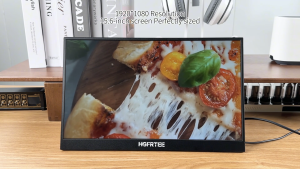
HGFRTEE Portable Monitor 15.6 Inch 144HZ IPS Ultra High Refresh Rate Professional Gaming Portable Monitor Laptop Monitor with USB 3.1 HDMI for Laptop Mobile PC Mac PS5 Xbox

DC 5V Ultrasonic Atomizer Humidifier Module Single Spray Fog Volume Adjustable 3 Levels Type C for Home And Office
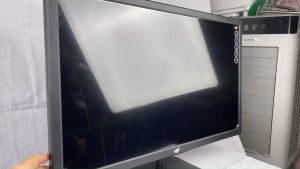
YGT SLIM FHD Game Display Wide LED Monitor With AC Power Card and HDMI Cable included

monitor io data 17inch led monitor square

OMNIA O156IPC 15.6" PORTABLE MONITOR 60HZ IPS 1920X1080 FHD HDMI MINI TYPE C AUDIO OUT W/ BUILT IN SPEAKER
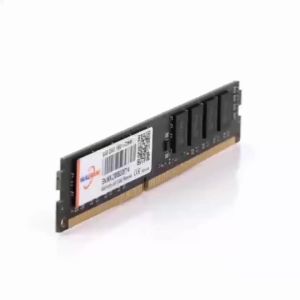
Walram | Walram Memoria RAM DDR4 2666MHz 8GB Desktop RAM DDR3 1600MHz 4GB 1.5V 1.2V DDR4 8GB Udimm DIMM Internal Computer Memory For PC