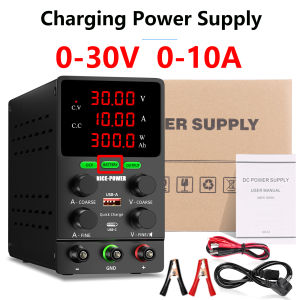
Smart DC Power Supply with Auto Stop Charging&Reverse Polarity ProtectionAdjustable Lab Bench Power Supply for Battery Charging
NICE-POWER Smart Rechargeable Adjustable Power Supply —Safer, Smarter, and More Professional Lab-Grade Power Supply ⚡【Smart Charging System · Automatically Stops When Fully Charged】 Ordinary power supplies require manual disconnection when charging batteries; otherwise, backcharging can easily damage the battery or even the power supply itself. The new NICE-POWER power supply features a built-in smart charging management system that automatically detects battery status and automatically cuts off output when fully charged, preventing backcharging and overcharging, effectively protecting battery life and equipment safety.✔ Automatically identifies battery status✔ Automatically stops charging when fully charged✔ No supervision required, truly intelligent charging✔ No backcharging, no damage to the load【Reverse Connection Protection - Safe for Beginners】 Built-in reverse connection detection and locking function. Even if the user accidentally connects to the wrong polarity, the power supply will immediately and automatically protect itself, preventing voltage output and damage to devices. It is safer and more user-friendly than traditional power supplies.✔ Automatic Reverse Connection Protection✔ More Intuitive On-Screen Status Indications✔ Prevents Accidental Damage to Devices【Precisely Adjustable · 30V/60V/120V Voltage + 5A/10A/3A Current Selectable】Precisely adjusts voltage and current, suitable for:Electronic RepairMicrocontroller Power SupplyLED/Motor TestingDIY Circuit ExperimentsBattery Charging TestingHigh-precision adjustment knob + fine-tuning knob (FINE) for easy and precise output control.【High-definition digital display · Real-time output status visibility】Large-size, high-brightness digital display screen can simultaneously display:Voltage (V)Current (A)Power (W)Energy (Ah)Clear readings, stable and flicker-free display, parameters can be clearly seen even from a distance.【Multiple Safety Protections · Higher Protection Level】 Built-in multiple protection systems ensure safer use even during extended periods.OCP (Overcurrent Protection)(OCP stands for Over Current Protection, which is a key safety protection function of this DC stabilized power supply. In the complex electricity environment of , equipment may experience abnormal increases in current due to unexpected short circuits, momentary overload, and other factors. When the power supply detects that the output current exceeds your pre-set safety threshold, the OCP function is immediately activated. It is like an "intelligent guardian" in a circuit, quickly responding to prevent irreversible damage to connected devices caused by excessive current, such as avoiding serious faults such as chip burnout and circuit melting, and building a strong defense line for the safe operation of your equipment.)OTP (Overtemperature Protection)Short (Short Circuit Protection)Stable and Intelligent Output Adjustment⚙【Dual USB Output · Multi-functional】USB-A Fast ChargingUSB-C OutputProvides stable power to mobile phones, tablets, and small devices, making it more convenient for engineers to charge their devices anytime.【USB and Type-C Quick Charging】Two different charging ports facilitate quick charging of cell phones and electronic devices to be repaired.【Battery Charging function】Design for Lithium Battery, Lead-Acid Battery, LiFePO4, Ni-MH Battery【Upgraded High-precision encoder knob】Just "set" Voltage and Current instead of "adjust". Each Digit can be set easily by the accurate encoder knob. The encoder switch replaces the potentiometer switch, making your work easier, more accurate and efficient【Output switch control】Sometimes we need to switch between different voltage or current outputs, but we often forget to unplug the previous instrument and cause the instrument to burn out,which often occurs in the maintenance.Output on/off key is designed【Small and Diverse Applications】Worried about the bulky power supply? This DC power supply weighs less than a laptop at just 2.8 pounds, saving more space on your workbench. And you can use it in various scenarios such as laboratory, repair, electrolysis,How to use the charging function:1.Turn on the power, press the "Battery" button (at which point the"Check" indicator light on the panel starts flashing), and adjust the voltage and current adjustment knob to the desired voltage and current value. Note: The general charging voltage is set to 1.15 times the nomina voltage of the charging battery; The charging current should be set to 0.2C (C=total battery capacity Ah). If the total battery capacity is 5000mAh, the charging current should be set to 1A2. Connect the positive and negative poles of the power host and the charging battery respectively with the output cable. After connection,the"Check" indicator light will remain on. Press the "OUTPUT" button to start charging (at this time, the "Charging" indicator light will remain on and the "Check" indicator light will be offRemarks:(2.1) lf the connection line is not properly connected (positive and negativepolarity reversed or disconnected) or if there is a problem with the battery, charging cannot start, and the "Check" indicator light will remain flashing. lt is necessary to confirm whether the connection line is correctly connected or whether the battery is damaged(2.2) lf any abnormal situations occur during the charging process, such as disconnection of the connection line, the power supply stops charging. and the "Check" indicator light starts flashing again. After troubleshooting the abnormality, press the "OUTPUT" button to continue charging.3.After the charging is completed, the "Full" indicator light lights up indicating that the battery charging has been completed.Selling Point Description:Battery positive and negative pole detection: Turn on the "BATTERY" function, and the orange light will flash. When charging the battery, if the output positive pole is connected to the battery negative pole and the output negative pole is connected to the battery positive pole, the "BATTERY" light will still flash orange, indicating a wiring error or battery damage. At this time, it is not possible to output current and voltage.[Charging Status Detection]: When the battery is charging normally, the "BATTERY" orange light is constantly on, and there is a battery level display and Ah display. The real-time display of charging power (Ah) allows you to understand the battery status.[Battery Full Stop Output]: After the battery is fully charged, the "BATTERY" light turns green and the output is disconnected. When your battery is full, our power supply will stop charging, allowing you to rest assured.[OCP Function] Overcurrent detection alarm: easily activated through the "OCP" button. Detect short circuits and overcurrent, trigger alarms and stop output to protect connected devices.Two different charging ports, USB and Type-C, facilitate fast charging of mobile phones and electronic devices that require repair.Sometimes we need to switch between different voltage or current outputs, but we often forget to unplug the previous instrument, causing it to burn out, which often occurs during maintenance. The output on/off key aims to solve this problem. By pressing the output on/off key, the required voltage and current can be adjusted without actual output power, making this DC power supply safer and more energy-efficient.Charging Function Operation Description:Turn on the "BATTERY" function, the orange light flashesWhen the battery is charging normally, the orange light "BATTERY" stays onThe "BATTERY" light flashes orange, indicating a wiring error or battery damageAfter the battery is fully charged, the "BATTERY" light turns green and the output is disconnectedFirstly, you will press the "Battery" button (the "Battery" light will start flashing yellow), and adjust the voltage and current adjustment knobs to the desired values.If the connection is incorrect (polarity heating or disconnection), or if there is a problem with the battery and charging cannot start, the "battery" light will remain ontwinkle. Confirm correct connection or check if the battery is damaged.If there is an abnormal situation such as cable disconnection during the charging process, the power supply will stop charging, and the "battery" light will start flashing again.Please solve the problem before pressing the 'OUTPUT' button to continue charging.After charging is completed, the green light on the "battery" indicates that the battery is fully charged.Charging Precautions:1. It is necessary to set the charging voltage and charging current according to the original battery manufacturer's recommendations. The charging voltage is generally 1.15 times the rated voltage of the battery, and the charging current is set to 0.2C (C=total battery capacity, unit: Ah, for example)5000mAh battery, charging current should be set to 1A. )2. Please make sure to work in battery charging mode (press the battery button to turn on the light)3. Connect the battery correctly, with red corresponding to the positive pole and black corresponding to the negative pole. After confirming that everything is correct, press the OUTPUT button to start charging4. This product is not a professional charging device. If used for a long time, please purchase the corresponding dedicated charger5. Non professionals or untrained personnel are prohibited from using6. Please ensure that someone is on duty during the charging process and prohibit charging when leaving7. Minors are prohibited from usingIntroduction to Activating Battery Function:1> TicNe charging: Used for severely discharged batteries (such as those that have not been used for a long time) that require recharging. During the charging process, setThe charging current loss exceeds 0.1C (C=capacity in Ah), for example, for a 5Ah battery, the charging current should be set to 0.5A. After the battery is fully chargedReach the Qatar valve and switch to standard charging with 0.2c.2> Connect the positive and negative terminals of the power supply to the positive and negative terminals of the rechargeable battery using an output cable. After connection, the "battery" light remains yellow, press the "output" button to start charging (the Ah indicator light on the panel lights up, and the screen displays the charging amount)USB-A/C PortUSB-A fast charging port support protocol: PE1.1/2.0, APPLE,BC1.2,AFC,FCP,QC2.0/QC3.0USB-C fast charging port support protocol: PE1.1/2.0, APPLE,BC1.2,AFC,FCP,QC2.0/QC3.0,PD3.0DC Power Supply SpecificationInput Voltage 110V±10% 60Hz / 220V±10% 50HzWorking Temperature 0 ℃-40℃; Relative Humidity: <80%RHStorage Temperature -10 ℃-70℃; Relative Humidity: <70%RHConstant Voltage State Voltage stability≤0.1%+3mV Low Voltage:0.2~0.3%+3mV Load stability≤0.5%+3mV Ripple noise≤30mVrmsConstant Current State Current stability≤0.2%+3mA Load stability≤0.2%+3mV Ripple noise≤20mArmsDisplay Accuracy 0.5%+2digitsDisplay Resolution Voltage: 000.1V / Current: 0.001AProduct Dimension 3.3 x 9.4 x 5.9 InchesProduct Weight 2.6 lbFuse Standard 5A (AC 110V Input)【Package List】1× NICE-POWER Smart Adjustable Power Supply1× 10A High-Quality Output Cable1× High-Quality Power Cord (EU/US Optional)1× English Instruction Manual1× Warranty Card1× High-Quality Foam BoxAbout ShipmentWe will ship your package within 1-2 working days. We may change the shipping method: Consider of the customs, remote address and shipping speed.Warranty &ReturnOur store provides free replacement for orders within 30 days from delivery date. For orders from 1 to 12 months, you have to pay some parts of order value to get replaced. For order older than 12 months, we will give small discounts.Our Service timeOur Working time is Monday to Friday 9:00 AM to 6:30 PM BeiJing Time.All orders will not be processed at the weekend and holidays.FeedbackPlease contact us first if you have any problem,i will reply you within 30 minutes during working time.We promise you to solve your problem within 24 hours

GlobalLifestyle
Review

You May Also Like
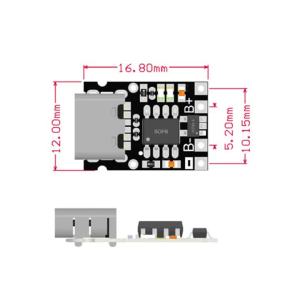
TP4057 1A Li-ion Charger Module Charging Board Protection Type-C 4.2V 4.35V Selectable for 18650 3.7V Li-ion LiPo Parallel DIY
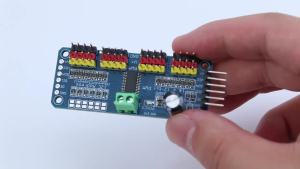
PCA9685 Robot Controller IIC Interface 16 Channel 12-Bit PWM Servo Motor Driver Shield Module for Arduino Robot/ Raspberry Pi
Samsung 990 Evo Plus M.2 2280 NVMe PCIe® 4.0 Solid State Drive | 1TB 2TB 4TB Internal SSD | Samsung SSD***FREE ! Drawstring Bag***
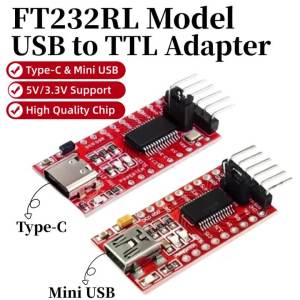
1-10PCS FT232RL FT232 FTDI USB 3.3V 5.5V to TTL Serial Adapter Module for Arduino FT232 Pro Mini Port USB TO TTL 232 Type-C USB

Kingston A400 SSD 480GB/512GB/960GB SATA3 2.5inch Internal Solid State Drive For Desktop laptop 3 year official warranty
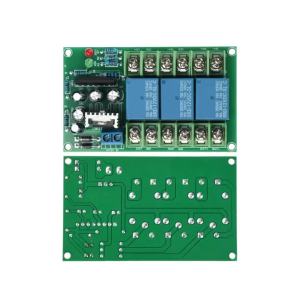
diymore | 2.1 Three Channel High Power Speaker Audio Protection Board AC 12-18V Dual Power Amplifier Speaker Protection Circuit Module

CHUANGYI | Precision Crafted Scale Display 3-inch
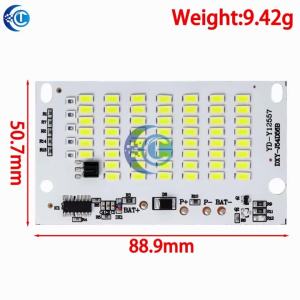
25w 40w 60w 100w LED outdoor solar energy 5730 high brightness bead projection light integrated light source light panel contro
RAYHAYES Bluetooth Live Sound Card with Condenser Microphone Set for DJ Gaming Recording Live Streaming
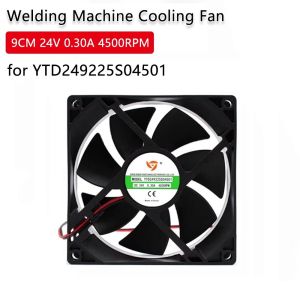
LUXERY 9CM 24V 0.30A 4500RPM Welding Machine Cooling Fan Ventilation High Air Volume Server Fan Exhaust Welding Machine Fan for YTD249225S04501

Silver 14.1" laptop with Intel i7-7500U processor Windows 11 1TB/2TB SSD 12GB RAM Adobe Creative Suite (Ai Ps Ae)