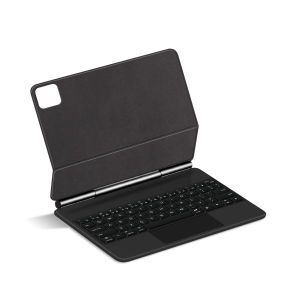
Magnetic Magic Keyboard For Xiaomi Pad 8 / 8 Pro 11.2" Smart Case for Mi Pad 7 MIPad 7 Pro 11.2 inch Multi-touch Keyboard Cover
For XiaoMi Pad 7 / 8 / Pro Magic KeyboardMagnetic separation, backlight, touch panel, multi angle support、Wireless Bluetooth connectionNote 1:You need to upgrade the system to version 14.5 or higher to use the touchpad.Note 2:Please check in the size and detail model of your Tablet. it is very importtant ! ! !Note :After Open the Power, Please Click "Fn" and "C" 【Fn+C】Button Together to Open the Keyboard's Bluetooth. It is Very Important.Product Details:1. Number of buttons: 642. Battery: Lithium battery 500mAh3. Stand-by time: 150 days4. Working Time: 5 hours (with backlit on),120 hours (with backlit off)5. Working Voltage: 3.0 - 4.2V6. Charging current:7. Effective distance: 10 meters8. Backlit Light: 7 colors backlit9. Charge Port: Type-c10. Material: Durable PU Leatherm aterial11. Key life:3 million12. Charging times: 4 hours13. Color: Black/WhiteHow To Verify Your Tablet Model1.Find the "Settings"--Click the "About"--Find the "Model"2.Please select the correct model number for your tablet purchase after viewing it.Compatible models :For Xiaomi Pad 8 / 8 Pro 11.2 inch 2025 .For Xiaomi Pad 7 / 7 Pro 11.2 inch 2024.These 4 models of keyboard covers are universal !!Only official genuine machines can be magnetically used(Not compatible with other 'imposters')Please confirm your machine model before purchasing to avoid purchasing errors !!Note: Tablet and stylus are not included in the packaging!!Attention PleaseEnglish versionkeyboard : There are English letters on the keyboard only.Multi-language versionkeyboard : English letters and carved language letters together .【For example, if you choose French, the keyboard will display English and French letters. Please note that the same letters will not be engraved repeatedly】(Due to the difference in the number of keyboard keys compared to a normal office keyboard, some special character engraving positions are the same, which is a normal phenomenon)The keyboard Core defaults to English, and the characters engraved on the keyboard are only a Surface display.so in some countries, even if the input method is switched, the special symbols do not necessarily match the keyboard function layout(You can hold down the Shift or option combination).If you mind, please do not purchase!!.Note :Duet to the material of the white keyboard, the engraved letters are dark gray .Due to the heavy weight of the tablet itself, it is not recommended to adjust the angle too much when installing the keyboard cover, preferably around 100-110 °【1】Method to connect Bluetooth: Turn on the keyboard switch, press theFn+Cbutton for about 2-3 seconds, the blue light on the keyboard indicator will flash, and then search for your tablet's Bluetooth connection keyboard.【2】Switch language:Xiaomi tablet language settings: After connecting the keyboard - Open settings - Pen and keyboard - Physical keyboard - Set keyboard layout - Select desired language【3】Input method switching: ctrl+spacebar.(Choose the language you need)【4】Type-C charging interface .【5】For detailed instructions, please read the user manual. If you have any questions, you can contact "Online Services" for consultation .The resolution of the machine is different, and there may be color differences in the images, which is a normal phenomenon. The actual product received shall prevailNote:Due to the large size of the tablet, if the keyboard angle is adjusted too much during use, the keyboard may tilt. This is a normal situation, please do not panic, just adjust the keyboard amplitude, and it will not affect use.After receiving the keyboard, fully charge it before use (approximately 4 hours) !Language layout images are for reference only

GlobalLifestyle
Review

You May Also Like
PBZZ Case for OPPO Reno 12f reno12 F 12 fs f27 5g 2024 phone casing anxiety Softcase Silicone shockproof Cover new design aesthetic cute gold Cartoon of animal elk for boys JSQML2
Washing machine hose 2/3/5M extension pipe hose extension outlet pipe universal accessories
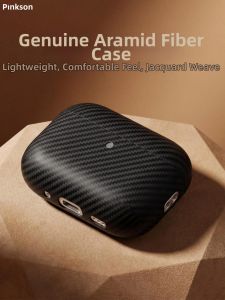
pinkson | Ultra-thin Carbon Fiber Cover AirPods Case
XIAOMI MI 15T PRO / 15T 14T PRO / 14T MATTE FULL Tempered Glass 9H Screen Protector
BELLAJU : Super Boost Vivo Original 18W Fast Charger + 2.4A USB Cable |type c / Micro USB for Y11 Y12 Y15 Y17 Y91 Y91C Y20
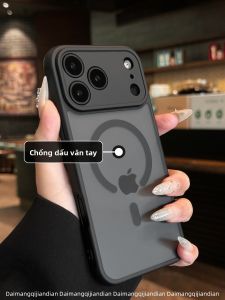
DAIMANG | applicable Apple 17 mobile phone case anti-fingerprint new iphone18pro frosted 16promax protective cover 15plus all-inclusive 17e anti-fall 14p magnetic 13 simple 12 air
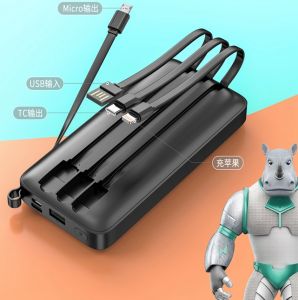
D600 Comes with 4 Built-In Cable 10000mah Fast Charging Power Bank with Digital Power Indicator Display

Case For OPPO A3X A5I A40 A40M A20 4G A3 Pro 5G 2024 New Multi-Color Paint 3D Pattern Magnetic Suction Ring Anti Drop Phone
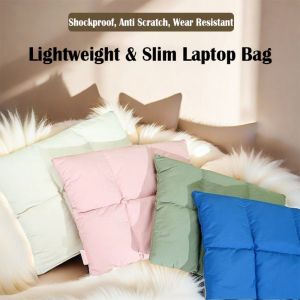
GOLDVAULT Automatic Close Pillow Laptop Sleeve Puffy 14 16 Inch Tablet Pouch Quilted Puffer Notebook Storage Bag Office School

INFINIX SMART 8 ORIGINAL XUNDD Axe Full Tempered Glass Premium Screen Protector
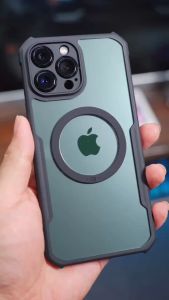
XUNDD Beatle MAGNET AIRBAG Shockproof Case INFINIX GT 20 PRO 5G