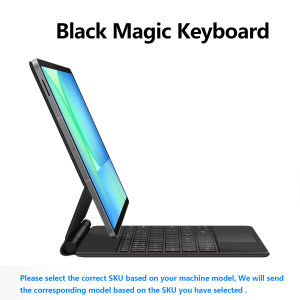
AJIUYU Magic Keyboard Case for Samsung Galaxy Tab S10 FE+ 13.1" & S10/S9/S8 Ultra 14.6" Tablet Smart Magnetic Book Cover Folio
For Samsung Magic KeyboardMagnetic separation, backlight, touch panel, multi angle support、Wireless Bluetooth connectionNote 1:You need to upgrade your tablet to version 15.0 or higher to use the touchpad.Product Details:1. Number of buttons: 84/782. Battery: Lithium battery 500mAh3. Stand-by time: 150 days4. Working Time: 5 hours (with backlit on),120 hours (with backlit off)5. Working Voltage: 3.0 - 4.2V6. Charging current:7. Effective distance: 10 meters8. Backlit Light: 7 colors backlit9. Charge Port: Type-c10. Material: Anti fouling and durable PU material11. Key life:3 million12. Charging times: 4 hours13. Color: BlackDue to multiple model options available on this link, please make sure to confirm your machine model or code before making a purchase in order to select the correct option. If you make a wrong purchase, you will be responsible for it yourself How To Verify Your Tablet Model1.Turn iPad tablet to the back find your specific model,Par exemple: SM-****2.Find the "Settings"--Click the "About"--Find the "Model"3.Please select the correct model number for your tablet purchase after viewing it.Compatible models and codes:For Samsung Galaxy Tab S10 FE+ 13.1 inch(SM-X620 、SM-X626B)2025.[Incompatible with other models]For Samsung Galaxy Tab S8 UItra 14.6 inch(SM-X900、SM-X906)2022 .For Samsung Galaxy Tab S9 UItra 14.6 inch(SM-X910/SM-X916B/SM-X918U)2023 .For Samsung Galaxy Tab S10 UItra 14.6 inch(SM-X920 SM-X926C)2024 .The above Three models of keyboard covers are universal .Note: Tablet and stylus are not included in the packaging!![Note: Only the corresponding machine model can be magnetically attracted. If your machine is not of the above model, please do not purchase!!! ]Attention PleaseEnglish versionkeyboard : There are English letters on the keyboard only.Multi-language versionkeyboard : English letters and carved language letters together ..【For example, if you choose French, the keyboard will display English and French letters. Please note that the same letters will not be engraved repeatedly】(Due to the difference in the number of keyboard keys compared to a normal office keyboard, some special character engraving positions are the same, which is a normal phenomenon)The keyboard Core defaults to English, and the characters engraved on the keyboard are only a Surface display.so in some countries, even if the input method is switched, the special symbols do not necessarily match the keyboard function layout(You can hold down the Shift combination).If you mind, please do not purchase!!.【1】Method to connect Bluetooth: Turn on the keyboard switch, press theFn+Cbutton for about 2-3 seconds, the blue light on the keyboard indicator will flash, and then search for your tablet's Bluetooth connection keyboard.【2】After connecting Bluetooth,Take the samsung tablet as example,open Settings--ystem--Language & input--Add New Keyboard. (For other systems, please set them in the system settings according to the tips of the iPad example.)【3】Input method switching: ctrl+spacebar.(Choose the language you need)【4】Type-C charging interface .The resolution of the machine is different, and there may be color differences in the images, which is a normal phenomenon. The actual product received shall prevailNote:Due to the large size of the tablet, if the keyboard angle is adjusted too much during use, the keyboard may tilt. This is a normal situation, please do not panic, just adjust the keyboard amplitude, and it will not affect use.Note :There may be a middle space gap when merging keyboard covers. If you mind, please do not purchase. ..Actual photo taken:14.6 inchPortuguese LayoutArabic LayoutSpanish LayoutGerman layoutItalian layoutFrench layoutKorean layoutHebrew layoutRussian layoutJapanese layout

GlobalLifestyle
Review

You May Also Like

IPHONE 16 PRO MAX / 16 PRO / 16 PLUS / 16 XUNDD Full PRIVACY Tempered Glass Screen Protector
Smyideal | Magnetic Rotatable Stand iPhone Case
L5B83G L5B83H Voice Remote Control Replacement For Amazon Fire TV Stick 1st 2nd 3rd Gen Cube Lite 4K
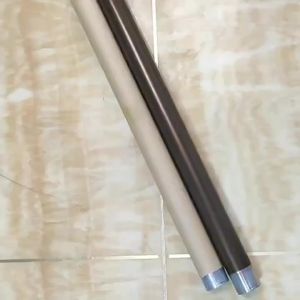
Applicable to Sharp 1808 Upper roller 2328 561 2308 Fixing Heating Roller 2008 5620 Upper roller 0817

Water Filtration System 3 Stages 20" Slim Type Filter Replacement Complete Set
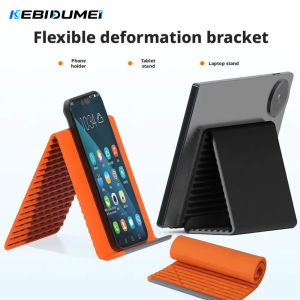
kebidumei | KEBIDUMEI Foldable Silicone Phone Holder Portable Adjustable Multi-Angle Desktop Stand For Phone Pad Laptop Tablet Home Office
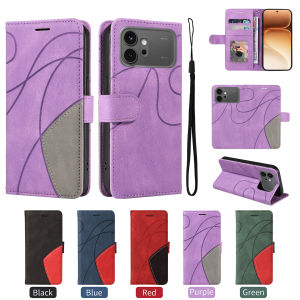
szhaiyu | Leather Wallet Flip Case for Honor Magic 8 7 6 X5C X6D X6C X70 X8D X9C X9D 600 Pro Lite Kickstand Protective Card Holder Cover

Full Curved Soft Hydrogel Film For OPPO Reno 2 2F 3 4 5 6Z 7 8T 10 11 12 F Pro F11 F9 Pro F5 F7 A3 A3X A98 A78 A77s A17K A55 A57 A58 A60 A73 A76 A95 A96 A3s A5s A12 A12e A15 A15s A16K A52 A53 A54 A55 A83 A92 A94 A93 A95 A5 A9 2020 4G 5G Screen Protector
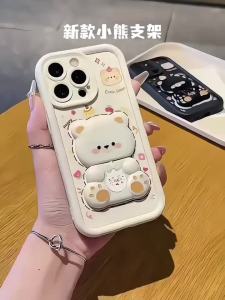
Feadship Case for iphone 14 pro max iphone 14 plus iphone 14 15 Pro MAX phone casing Softcase shockproof new design aesthetic with holder 360 ° rotate cute pink Bear for grils JTXX1
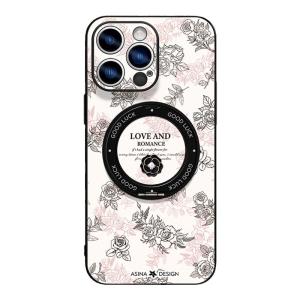
Asina | Magnetic Stand High-Quality iPhone17Promax Case
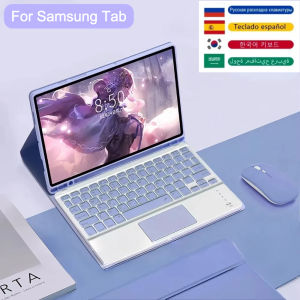
Keyboard Case For Samsung Tab S6 Lite A8 10.5 S9 FE A9 Plus S7 S8 S9 11" S7 FE S8 S9+ FE Plus 12.4" Tablet Cover With Pen Slot