Prolink Dual-band Indoor/Outdoor Series CCTV IP Camera Motion Detection/Weatherproof/Pan/Tilt/Zoom for Security| WiFi Camera| Baby Camera|IPCam CCTV Camera DS-3106
All Smart home security camera are monitored and controlled by the mEzee app.1. NEW! Prolink DS-3106 Home Security Camera 3MP Smart Ai (Pan/Tilt/Zoom): Supports up to 512GB SD card/ ONVIF (White/ charcoal)2. NEW Prolink DS-3107 Home Security Camera 4MP Smart Ai (Pan/Tilt/Zoom): Supports up to 512GB SD card/ ONVIF (White/ Black)3. NEW! Prolink DS-3103 Outdoor Camera 4MP with LAN Port (Pan/Tilt/Zoom): Supports up to 512GB SD card/ Waterproof/ ONVIF***All Prolink cameras come with 2-way communication!*************************************************************************************Yes, You may share the connected cameras to multiple phones/ users.Create an mEzee account first. Tap "..." > Share Device > Add > key in another mEzee account> Done **************************************************************************************How to view playback after I inserted memory card through the camera?1. Insert microSD then restart camera -For event recording (please enable local recording + motion detection enable)-For continuous recording ( please sure enable local recording) Wait for 5~10min - then u can click the play back button *************************************************************************Video recording Mode for 3MP (HD1296P) camera/ Picture Format (2304 x 1296), H.263:SD card storage (purchase separately): 512GB - 152 days max256GB - 76 days max128GB - 38 days max64GB - 19 days maxVideo recording Mode for 4MP (HD1440P) camera/ Picture Format (2560 x 1440), H.265:SD card storage (purchase separately)512GB - 70 days max256GB - 32 days max128GB - 16 days max64GB - 8 days maxHow can I share the camera access with family and friends?Tap the “•••” button found on the top right for advanced settings on the mEzee app, and tap the “Share Device” button followed by the “Add Sharing” button to grant or revoke sharing permissions. Note that all users will need to have a registered account on the mEzee app in order to gain access to the camera. [To Unshare] Go Settings> Share device> top right icon> select email account> unshare> confirmPanoramic view with no blind spotsA wide range of coverage, 360° horizontal viewing angle and 110° vertical viewing angle, to capture every moment.Two-way communicationBuilt-in microphone and speaker so that you can engage with your loved ones or just randomly say hi to your fur kid from the mEzee app.Onvif CompatibilitySimply integrate the security camera with most NVRs and video management systems via Onvif protocol.WirelessWireless Frequency Band2.4GHzDisplayImage Sensor1/2.8in Colour CMOSField of ViewWide angle 110°IR-LEDUp to 10m rangePan/Tilt/Zoom ControlPan range: 360°Tilt range: 110°Digital zoom range: Up to 6xInterfaceUSB Type-C power inputmicroSD card slot (up to 512GB)Reset ButtonYesVoice PromptVoice prompt for camera statusRecordingMultiple Recording Options:1. Continuous recording to microSD card2. Motion detection recording to microSD card3. Manual recording to mobile device4. Cloud recording (Optional)*Cloud Storage are hosted, managed, and may be chargeable by Prolink’s third party service provider (Tuya Smart Inc.). Charges incurred are between the user and Tuya Smart Inc. Prolink and its subsidiaries do not have the access to the user’s cloud storage account and are not liable for any disputes and/or issues between the user and Tuya Smart Inc.VideoMax Resolution: Full HD 2304 x 1296 pixelAudioBuilt-in microphone and 1W speaker for 2-way communicationAlert MechanismMotion detectionHuman body detectionSound detectionActivity areaSiren alertPush notification on iOS and Android devicesWide Dynamic RangeYesStatus Indicator LED1x Blue LEDOnvif CompatibleYes

Prolink
Review
You May Also Like

EZVIZ H8C High-Resolution Outdoor Pan & Tilt Wi-Fi Security Camera with 360-Degree Protection and Enhanced Night Vision
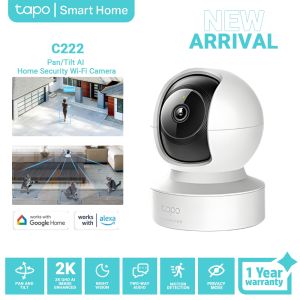
TP-Link Tapo C222 2K 4MP QHD Pan/Tilt AI Home Security Wi-Fi Camera Night Vision | Two-Way Audio
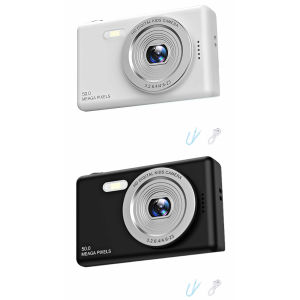
【Vodool】 Compact Digital Camera (TF Card Not Included) Portable Mini HD Video Camera for Beginners Travel
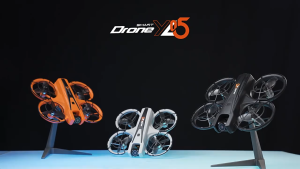
YL05 brushless drone optical flow positioning obstacle avoidance remote control aircraft 2 battery

Portable Hd Zoom 500X25 5000M/100000M Binoculars Telescope Great Folding Long-DistanceOutdoor Camping Activity
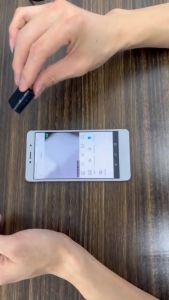
cctv connect to cellphone mini camera CCTV Camera Wifi Connect hidden camera 1080P HD Webcam Mini IP Camera Wireless Small Camcorders Portable Mini Cam With Night Vision Security Camera For Home
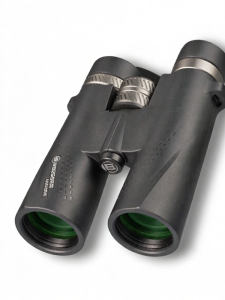
Bresser | High Power HD Day Night Dual Use Portable Binoculars
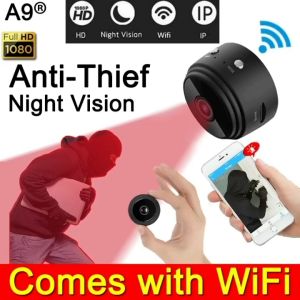
A9 cctv camera connect cellphone no need internet no wifi needed 1080P HD Indoor Mini Wireless cctv
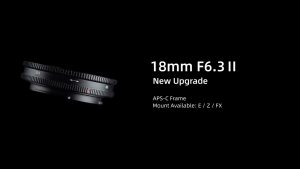
7Artisans 18mm F/6.3 Mark II APS-C Format Fujifilm X Mount Wide Angle Prime Pancake UFO Slim Lens MF Manual Focus for Mirrorless Cameras | JG Superstore
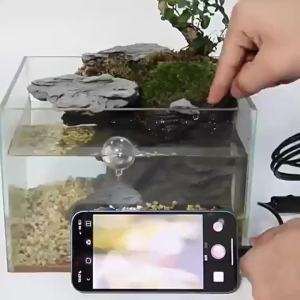
Android Endoscope Inspection Camera 2 in 1 IOS Type-C Mini Inspection Camera for IOS iphone Waterproof Pipeline Borescope
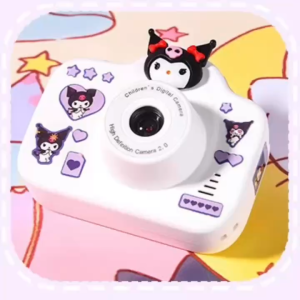
Childrens Dual-Camera Camera - Kulomi 20 million pixels dual cameras + 64GB card + card reader high-definition