


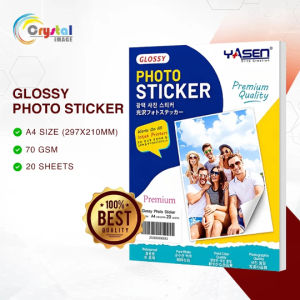
Photo Sticker Paper Yasen A4 Size 20 Sheets 70GSM/90GSM/135GSM/150GSM Glossy/Matte Self Adhesive Waterproof Printing Label Paper for Inkjet Dye Pigment Ink Printing
📐 SPECIFICATIONSBrand: YasenProduct Name: Yasen Photo Sticker PaperGSM & PACK QUANTITY:Pack Quantity: 20 Sheets per PackSheet Size: A4 Size (210mm × 297mm / 8.3" × 11.7")GSM Options: 70GSM | 90 GSM | 135 GSM | 150 GSMSurface Finish Options: Glossy (70GSM, 90GSM, 135GSM, 150GSM) | Matte (150GSM)Adhesive Type: Self-Adhesive BackingPrinter & Ink Compatibility: Compatible with all leading inkjet printers using Dye Inks and Pigment Inks✨ ADVANTAGES & FEATURESHigh-Quality Coating: Base paper features a specialized photo-grade coating to display true photorealistic digital print effects.Crisp & Bright Output: Glossy finish delivers crisp, vibrant, high-resolution image quality with excellent clarity.Peel & Stick Convenience: Easily print custom images, text, or signs and stick them onto any desired flat surface.Wide Ink Support: Works flawlessly with standard Dye Inks for maximum color vibrancy and Pigment Inks for durability.🎨 HOW & WHERE TO USE✅ Recommended Applications:Personalized Photo Stickers: Turn life moments, pictures, and graphics into fun custom stickers.Product & Packaging Labels: Custom business branding, product packaging labels, and wording signs.DIY Crafts & Organizers: Custom planner stickers, journal embellishments, and home storage labels.💡 Step-by-Step Usage Guide:Loading Paper: Place the sticker paper properly into your printer feed tray like standard copy paper.Printer Settings: Adjust your printer software settings to "Best Photo" or "HIGH MODE" corresponding to your paper surface.Drying Time: Allow the printout to dry completely before handling to prevent smudging or smearing.Waterproofing (Optional): Apply a photo top film or top coat laminate layer to make the sticker completely waterproof.Cutting: Cut out your printed designs using scissors, paper trimmers, paper cutters, or a vinyl cutter plotter machine for accurate kiss-cuts.⚠️ REMINDERS & DISCLAIMER📌 Printer Setting Optimization: Change your printer paper settings according to the paper surface (Glossy/Matte) for optimal image rendering.📌 Ink Quality & Selection: Use high-quality inks for best results. Dye Ink provides vibrant colors, while Pigment Ink offers longer-lasting, fade-resistant prints with slightly less color intensity.📌 Sunlight Protection: Avoid exposing finished printouts to direct sunlight, as UV exposure will accelerate color fading over time.

Crystal Image
Review
You May Also Like
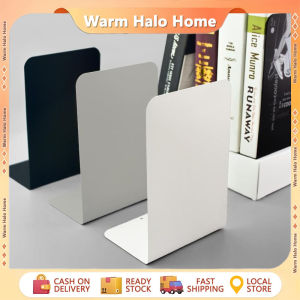
Bookends Stand Bookshelf Desktop Decorative Storage Rack Bookend Book Holder Rectangle Bookends Book Stand Black White Stainless Steel Metal Retractable Book Stand

Frosted Zipper Bags Packaging for Clothes/Cosmetics/Foods etc. (Fast Ship Out)

50pcs/bag Dental Tooth Shaped Stickers Cute Cartoon Tooth Shape Stickers Label for Phone Case Decor Dentist Gifts
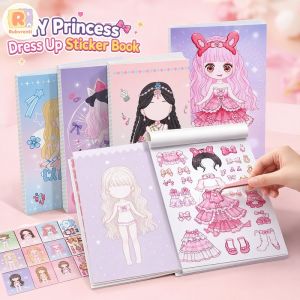
Princess Dress Up Sticker Book 1000+ Pcs Make A Face Creative Educational Toy For Kids DIY Art Craft Stickers Birthday Gift For Girls
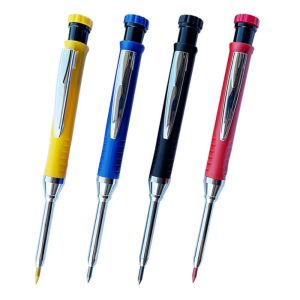
WENKEN Built-in Sharpener Mechanical Pencil Deep Hole Marking 2.8mm Solid Carpenter Pencil Long Head Woodworking Marking Tool Woodworking Construction
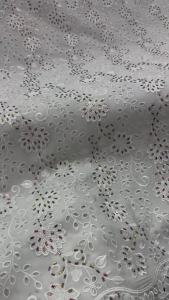
OLEVO | OLEVO 2026 Plus 5 Yards Scarf Lafaya Shiny Beaded Embroidery African Cotton Fabrics Swiss Voile Lace Dubai Style AT3097-A1

Officom S12M Spiral Coil Binding Machine A4 Binder HeavyDuty with 20 Coil Rings Perfect for Notebooks Documents&Reports
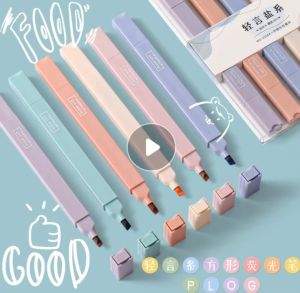
6pcs soft highlighter Morandi color series aesthetic highlighter set school office use

Bandai | Japan Anime Characters Luffy Oil Painting Modern Wall Decor for Living Room Bedroom Perfect Gift No Frame

NCNC(OKDEALS01) DIY Ghost Candlesticks Silicone Mold Halloween Creative 3D Candle Holder Molds Unique Durable Candle Holder Resin Molds Halloween Decor
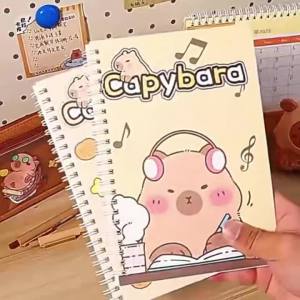
Capybara A5 Spiral Notebook Cute Planner Daily Notes Coil Notebooks Small Notepad For Kid Student Diary School Learning Supplies