Detachable Bluetooth Keyboard Case for Redmi Pad Pro & Redmi Pad 2 Pro 12.1-inch Tablet - Compatible with Xiaomi Poco Pad
Please confirm your machine model before purchasing~For Xiaomi Redmi Pad 2 Pro 12.1 Inch2025Xiaomi POCO Pad 12.1inch 2024Redmi Pad Pro 12.1inch Tablet.English keyboard:There are only English letters on the keyboard.Multilingual version keyboard:English letters and engraved language letters together.Please confirm each combination of the product before purchasing. Note the first basic image of each color version, which will most accurately reflect the color combination of the product.Please confirm the keyboard language before purchasing, we will deliver the goods to you according to the color combination you have selectedNote:The digital tablet and stylus are not included in the package. The detailed description is for reference only. Please refer to the actual product for the color of the product.Office learning business fashionComfortable solution to your office, study and entertainment needs.MagnetdesignMagnetdesign -Verhindern Sie, dass die Tastatur herunterfalltAbnehmbare Bluetooth-Tastatur - kann die Tastatur leicht entfernenAutomatischer Schlaf-/Wake-Energy-ErhaltungTriangular stable designStable support, anti-slip protectionHoneycomb back design,great heat dissipation effectBacklit keyboardSwitch cool lights at willHow to connect keyboard & Mouse?1,Connect the mouse first, then connect the keyboard.2,Mouse:Push the switch to the "Bluetooth" icon, find the Bluetooth connection with "Mouse" in the device Bluetooth list.3,Normal Keyboard:Push the switch in the upper right corner to "ON", press "Connect", and find the Bluetooth connection with "Keyboard" in the device Bluetooth list.4,Touchpad Keyboard:turn on keyboard ,press Fn+C to,then find the Bluetooth connection with "Keyboard" in the device Bluetooth list.Non-touch keyboard Bluetooth connection stepsTouch keyboard Bluetooth connection stepsFAQQ:What should I pay attention to when connecting the mouse for the first time?A:When the mouse is connected for the first time, you need to press the left button, the right button and the scroll wheel at the same time for about 3-5 seconds.Q: Is the scroll direction of the mouse USB connector and Bluetooth connection the same?A: No, they are different. When using the USB connector, the scroll wheel slides in the same direction as the computer mouse. Bluetooth connection is the opposite.Q: How to switch between different systems?A: Fn+Q=Android, Fn+W=Windows, Fn+E=IOS.Please note that please switch the system before connecting the tablet.Q:The bluetooth keyboard letters are messy?A: Please check the settings according to the prompts,a. Check whether the keyboard language set on the device is English.b. Disconnect the keyboard Bluetooth, click Ignore the connected device, reopen the Bluetooth keyboard, select system, Fn+E (IOS system).Note: Fn+Q=Android, Fn+W=Windows, Fn+E=IOSc. Press the L S Z buttons at the same time to reset the keyboardQ:How to configure the input method for different languages keyboard?A:Take the samsung tablet as example,open "Settings--"ystem"--"Language & input"--"Add New Keyboard". (For other systems, please set them in the system settings according to the tips of the iPad example.)Q:How does the mouse change teh scroll wheel sliding direction on the device?A: The mouse is connected, open "General" - "Trackpad & Mouse" - close "Natural Scrolling".

GlobalTechMart

Review

You May Also Like

Per Meter Speaker Wire Trident TP-14 Speaker Cable
Universal Cold Shoe Camera Hot Shoe Adapter Lightweight Phone Tripod Mount for Outdoor Photography Android Smartphone
High End Fabric Texture For MagSafe Case for Xiaomi 17T 17 Pro Max 15T Pro 15 Ultra Magnetic Shockproof Drop Protection Cover
Air Conditioner Remote control FOR For LG AKB75215401 with Jet Mode AC Remote Control Series Libero E+ AKB74955617 AKB74075602

Attack Shark R6 Ultralight Tri Mode Wireless Wired 8K PAW3950MAX Ice-feeling Coating Gaming Mouse

Blue Bezel VK63 39.7mm Mens Watch Case Moon Pattern Back Chronograph For VK63A VK63 VK64 Quartz Movement Fits 20mm Strap Case

Audiomaster 14RU 12RU 14ru 12ru Professional Vertical rack system tour case with two side tables and audio mixer slant rack on top

For Redmi Note 9 10X 9 9S 10 Lite 10S 11SE 11S 11 12 13 14S 14 PRO MAX Casing Redmi 9 Prime 9A 9AT 9i 9C NFC 9T 10 10C 12 12C 13 13C 14C 15 15C A1 A2 A3X A3 PRO Creative Cat Couple IMD Hard Phone Case Cover CYK2782A

Cute Bunny Rabbit Camera Hot Shoe Cover for Fuji XT5 XT50 XT30 XS20 Leica Q3 Nikon ZF Z50 Canon R50 DSLR Mirrorless Accessories
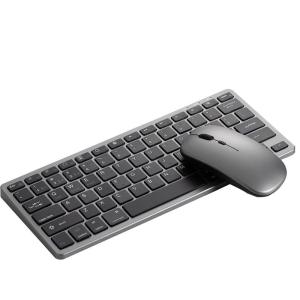
SiliconPower | Quiet Wireless Bluetooth Keyboard and Mouse Set
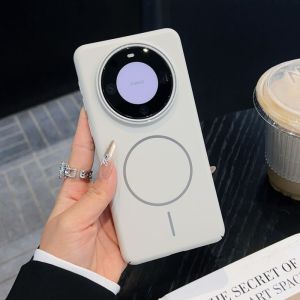
For Huawei Honor X9C Case Hard PC Slim Magnetic Wireless charging Protective Back Cover Case For Honor X9B X9A X8C X9C Shell