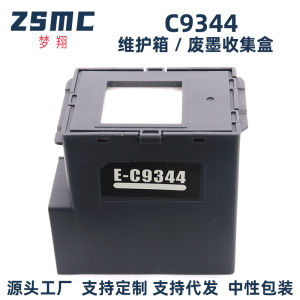
(HD1) Suitable for Epson C9344 Maintenance XP-3100 XP-410 XP-4101 XP-2100 Waste ink tank
Brand: Mengxiang Compatible with Epson EPSON C9344 Waste Ink Tank C12C934461 Maintenance Compatible with Epson C9344 maintenance, Epson XP3100 4100 XP4100 4101 XP4105 WF-2810 2830 2850 2851DWF XP-410 XP-2100 waste ink pad, waste ink cartridge Compatible with Epson C9344 maintenance XP-3100 XP-4100 XP-4101 XP-4105 waste ink tank WF-2830 WF-2850 WF-2851 WF-2810 collection maintenance waste ink collection Compatible with printer models: EPSON Expression Home XP-3100/XP-4100/XP-4101/XP-4105, WorkForce WF-2810DWF/WF-2830DWF/WF-2850DWF, WorkForce WF-2830/WF-2850/WF-2851 EW-452A 【Packing Method】Nude packaging or color outer packagingThe inner bag is vacuum-sealed! 【Production address】ChinaGuangdongZhongshan 【Inkjet printer and ink cartridge usage knowledge】 ①[Do not frequently turn the printer on and off] When an inkjet printer is powered on and ready to print, it usually automatically cleans the nozzles. If the printer is turned on and off multiple times in a short period of time, the nozzles will be cleaned automatically multiple times, which results in ink waste. Therefore, when printing text and images, try to print them together to avoid unnecessary waste. ②[Do not leave the printer unused for a long time] Some home printer users may only use their printers once every few weeks or even months, which can actually shorten the lifespan of the printer's nozzle.Because if the printer is not used for a long time, the ink in the nozzle can dry out and cause the nozzle to clog. If the clog is not serious, you can use the cleaning function to unclog the nozzle. If it is serious, the nozzle may become unusable, which would be a big loss! Recommendation: If you don't use the printer at all, at least turn it on once a week or perform a printing task to keep the nozzle moist。 ③[Do not replace used ink cartridges] Some users may only use black ink cartridges to print text, so they don't replace the color cartridges in time after they run out. This can cause the print head to become clogged over time, and when they want to print in color, they can't. Therefore, it is necessary to replace the cartridges with new ones as soon as possible after they run out。 【Warm Tips】 ①[Confirm the model is correct] Due to the wide variety of printer modelsIf you are unsure about the ink cartridge or toner cartridge model for your printer, please inform the seller. After confirming the applicable ink cartridge model with the seller, then arrange for the seller to ship the product.The information is unified and accurate! ②[Precautions Before Entering the Machine] After long-distance transportation, due to bumps in the road or accidental handling, air bubbles may form inside the ink cartridge; if you notice this situation..Don't worry, you just need to let it sit for a while, then install it in the machine, and you can start printing! If it's urgent, you can hold the ink cartridge and shake it forcefully with the ink outlet facing down to release the air from the outlet, and then you can start printing。 ③[Cartridge Storage] If you currently have ink cartridges that you are not in a hurry to useIn that case, it is recommended to place the ink cartridge with the ink outlet facing down for storage.

CoreDigital
Review

You May Also Like
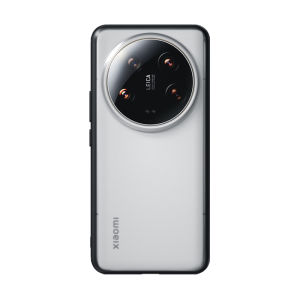
BLUEO | Anti-Shock Protective Case for Xiaomi 14 Ultra and 14 Pro Transparent Thin Matte Back Cover
Feadship Case for Samsung A55 5G 2023 Samsung A35 A36 5G phone casing softcase silicone shockproof cover new design aesthetic clear with Holder sjxwxzj01

BINGBINGYA | Silicone Magnetic Smart Watch Strap for Men Women 41mm
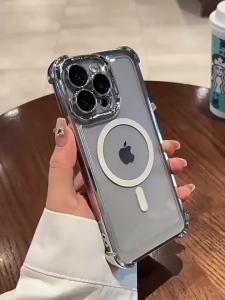
Case for tecno spark go 2025 spark go 1 pop 9 spark go 1S phone casing Softcase Silicone shockproof Cover new design aesthetic clear With 9D Soft Film SJMBSWX02

GEEKTHINK | Arc-shaped Stainless Steel Bracelet for Huawei Watch Fit 5Pro/5 Men Bussiness Metal Band for Huawei Fit 4Pro/4/3 Accessories New
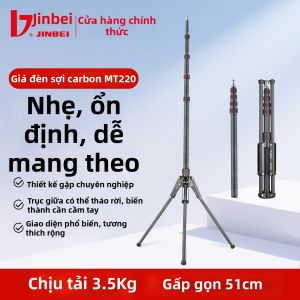
Jinbei | Foldable Lightweight Professional Tripod
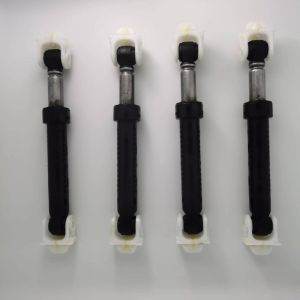
【Local inventory】 4 Pcs Washer Shock Absorber Replacement for Whirlpool GHW9150PW0 11045091401
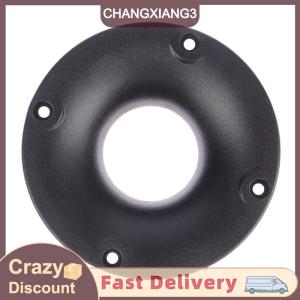
【CHANGXIANG3】 3 inch 80mm Small Size Tweeter Plastic Threaded Mouth 34mm Speaker Accessories
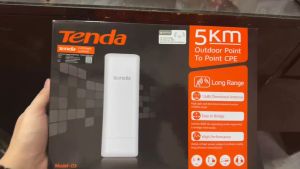
Tenda 03 150Mbps 5km Outdoor Point To Point CPE for Wireless Network

HUNIU Hanging Cord Phone Lanyard Gasket 360° Rotatable TPR Metal Phone Patch Luxury Snap Strap Phone Card Clip Mobile Phone
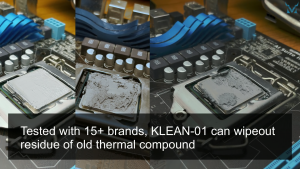
Kooling Monster KLEAN-01 Thermal Paste Remover Wipes for CPU/GPU – 20pcs Cleaner Kit for PC Laptop PS4/5 Consoles