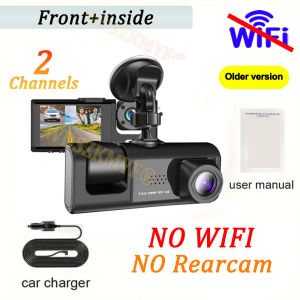
WIFI APP 1080P Dash Cam for cars2/ 3 camera Front And Inside rear view cam Night Vision 2inch Car DVR Car accessories
Please note that we have 3 options, and the accessories and configuration pictures in the package have been marked:X01 is an old version 2 lens without a rear camera or WIFIX417 is a new version with optional 2/3 lenses and WIFI functionThis product has a protective filmThe new high-definition 3-lens dash cam features built-in WiFi support for Android iPhone connectivity, making it easy for your phone to view videos.Product Specifications:3 Channels: [Front+Interior+Rear]Screen size: 2 inchesFile format: AVIVoltage 1 Current: 5V/1AVideo resolution: 1080P; 720P; 720pContinuour Loop Video: Seamless Loop RecordingAutomatic power on/off: support automatic ignition and shutdownInterface: Support TYPE-CTime Synchronization: SupportSupport memory card: TF Card (maximum support 64 GB) Built-in stereo: supportFrequency: 50HZ / 60HZSupported languages: Chinese, English, French, German, Russian, Polish,Japanese, Portuguese, Spanish,Korean,etcNew HD 3 Lens WIFI Dash CameraOnly Front Camera: 1080PFront + Rear Camera:1080P+1080P;Front & Inside Camera:1080P+720P;Front & Inside & Rear Camera:1080P+720P+720PStarlight Night VisionWith the help of F2.0 wide aperture and the decent low-lightperformance of the lens, the car camera is able to capturedetails like license plates at night.Built-in WIFIDownload the APP from Android and iOS systems, connect your phone with dash cam via WiFi, then you can view the recordings in real-time, also can download, playback and share the recordings via your phone.How to link WIFIYou need to press the M menu button for 5-10 seconds and then it will show the WIFI module, the WIFI QR code is also in the menu bar, and you can eventually link your phone to view the video.Reversing Image(Optional rear camera)When the car in reverse gear, the car DVR will automatically switch to the rear camera imaging view with parking line, ensures safety for parking.Loop RecordingEvery detail would be automatically record and not miss one second, unlocked data would be overwritten automatically when TF card is run out of storage.G-SensorIn the event of an impact or collision, the built-in G-sensor would lock and save the video, and the video would not be overwritten by loop recording.24h Parking MonitorWhen Someone Near Your Car Or Vehicle Starts To Move,Automatically Turn On And Start Recording When Detects Any Impact Or Collision,The Device AutomaticallyAutomatically Recording For Few Seconds,Make Sure 24hr Parking Guard.Attention: It Should BeConnected By A Dvr Exclusive Power Cable.Users who want to use the 24-hour parking monitoring function need to purchase their own buck cable.Easy InstallationInstall dash cam on the wind shield, align the cable and connect to the cigarette lighter by car charger, the dash cam would automatically work when you start the car.To protect your privacy, the TF card needs to be formatted for the first time. There are two solutions:1. Insert the TF card correctly into the dash cam, open the camera settings, find the storage card format, confirm that the formatting is complete, and then restart the camera to use.2.Connect to the mobile application, search for settings in the mobile application, format the memory card, confirm formatting is complete, and then restart the camera to use it. Sincere wishes to you and your family.

GlobalTechMart
Review

You May Also Like

WildPioneer Motorcycle Lower Brake Cable Bracket Full CNC Aluminum Alloy With Bolt For Honda Click Vario 125 150

SJ MONORACK FOR SUZUKI BURGMAN PLATED FOR TOP BOX
EMJ Microtex Nanoglos Wax / car / motorcycle / carnauba wax / auto detailing / car shine

FLORI Fluffy Remote Control Electric Bicycle Tail Realistic Rechargeable Car Wagging Moving Tail Versatile Motorcycle Tail Ornament All Vehicles
Marsh Electrical Contact Cleaner Professional Fast Dry No Residue Safe on Circuits 250ml
1PC - Fuel Filter VG1092080009 WDK999/1
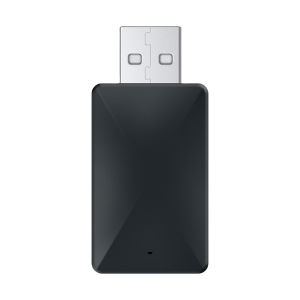
【Vktech】2 in 1 Wireless Smart Dongle Plug and Play USB Dongle Adapter Wired To Wireless for Factory Wired CarPlay Android Auto

SYM Bonus X - Motorcycle SIDE MIRRROR SMALL heavyduty Good Quality | STOCK TYPE | 1 PAIR
![2135003110 T/CHAIN COVER ASSY 1.4 KAPPA for HYUNDAI ACCENT14 [MOBIS ORIGINAL] Part #21350-03110](https://img.lazcdn.com/g/ff/kf/Sd7d234d576074dcf904decb7a7c23c40E.png_300x300q80.png)
2135003110 T/CHAIN COVER ASSY 1.4 KAPPA for HYUNDAI ACCENT14 [MOBIS ORIGINAL] Part #21350-03110
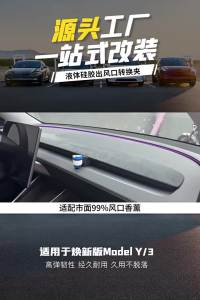
For Tesla Model3 Highland Y Juniper 2025 Air Freshener Adapter Air Outlet Aromatherapy Clip Silicone Car Air Vent Fragrance Clip
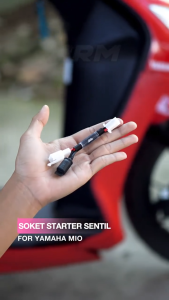
Automatic Matic Starter Sensor for Honda Yamaha Scooter Simple Easy‑Start Accessory