



juan juan | SHT2000 Temperature Humidity Controller Heater Cooler Thermostat Humidistat Indoor Brewing Incubator Relay Thermoregulator 220V
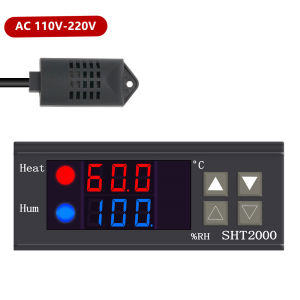
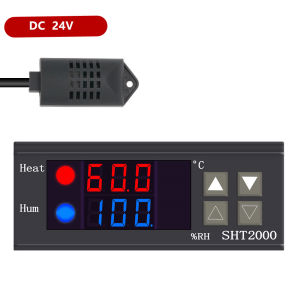
SHT2000 Temperature Humidity Controller Heater Cooler Thermostat Humidistat Indoor Brewing Incubator Relay Thermoregulator 220VSpecification:Product Name: Temperature and Humidity Controller Product Model: SHT2000Supply voltage: AC 110~230V Power supply frequency: 50/60HzTemperature range: -20~60°C Humidity range: 0%~100%RHTemperature measurement accuracy: 0.3 °C Humidity measurement accuracy: 3%Output Control: Relay Output Output Power: MAX 10ASetting method: Start value stop value (the program automatically determines the working mode is cooling/dehumidifying mode)Heating/cooling mode setting:Setting mode: setting (starting temperature): Press and hold the ▲ button to start the temperature flashing. Use ▲▼ key to set the starting temperature value.Setting (stop temperature): Press and hold the ▼ button to stop the temperature flashing. Use ▲▼ to set the stop temperature value.Heating use case: control the water heater, heat to 65 ° C to stop, the temperature drops back to 50 ° C and start heating againStep 1: heating mode, starting temperature stop temperatureStep 2: Press and hold the ▲ button to start the temperature flashing. Use ▲▼ to set the starting temperature to 30 °C.Step 3: Press and hold the ▼ button to stop the temperature flashing. Use ▲▼ to set the stop temperature to 26°C. The setting is completed!Humidification/Dehumidification Mode Settings:Setting (start humidity): Press and hold △ key to start the humidity value flashing. Set the humidity value by △ ▽ key. Set [Stop Humidity]: Press and hold △ key to stop the humidity value flashing, and set the humidity to stop by △ ▽ key value.Humidification example: fresh supermarket humidification, control humidifier 50% RH began to humidify, humidified to 80% RH to stop humidification. Setup steps:Step 1: Press and hold the △ button for 3 seconds to start the humidity value flashing, and set the starting humidity value to 50% RH.Step 2: long press the ▽ button for 3 seconds to stop the humidity value flashing, set the value to 80% RH, the setting is completed, the button does not operate for 5 seconds, and automatically returns to the normal display state.Dehumidification example: workshop control exhaust dehumidification system, humidity 70% RH starts dehumidification, humidity 40% RH stops dehumidificationSetup steps:Step 1: Press and hold the △ button for 3 seconds to start the humidity value flashing, and set the starting humidity value to 40% RH.Step 2: Press and hold the ▽ button for 3 seconds to stop the humidity value flashing, set the value to 70% RH, the setting is completed, the button does not operate for 5 seconds, and automatically returns to the normal display state.

Prime Supply_Play Life
Review

You May Also Like

Sanding Disk Grit Sandpaper ( 4 Inch - 100mm )(Price 1pcs)36 60 80 100 120
Extra Large Door Buckle 90 Degree Stainless Steel Door Bolt Right Angle Door hook lock Bolts

10/20pcs Solid Cleaner Car Windscreen Wiper Effervescent Tablets Glass Toilet Cleaning Car Accessories
JIARUNDUO | Purple Copper European Tube Terminal VE6012 6sqmm

Scaffolding Podger Ratchet Wrench Site Ratchet Socket Wrench Tool Tapered End Double Size Podge Rat
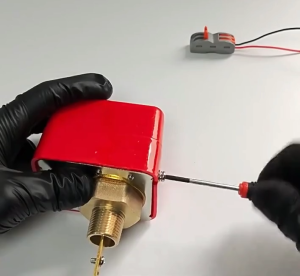
Paddle Water Pump Flow Sensor Switch Water Flow Switch HFS-25 HFS-20 HFS-15 NPT 1" 1/2" 3/4" Liquid Level Controller Switch
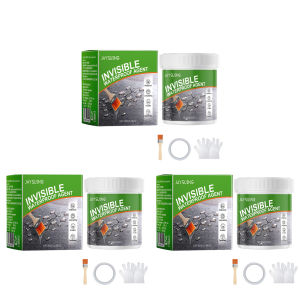
[Chinatera Malll] 150g/300g/500g Transparent Waterproof Adhesive with Brush Walls Leak Sealing Adhesive Multipurpose Repair Adhesive Glue for Roof Leakage Crack Seepage
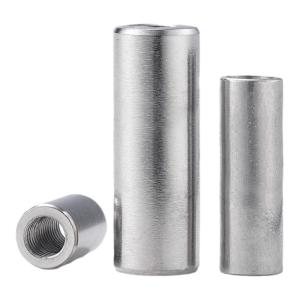
BAIRUITE | Extended Cylindrical Nut

【READY STOCK】Chef Uniform For Men/Women M-2XL Short Sleeve Chef Jacket Summer Cotton Catering Hotel Restaurant Baker Work Uniform Chef Coat
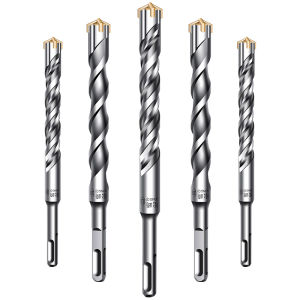
SONGQI | Concrete Wall Drilling Bit Alloy

Mechanical seal bfaut12m 12mm b30x25 cap type for water pump