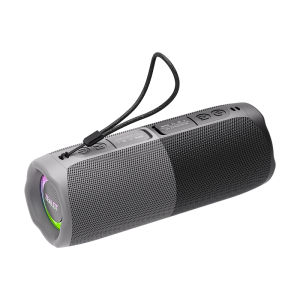
Zealot | ZEALOT-M5 Magnetic Bluetooth Speaker 2-in-1 Power on Couplet Mini Speaker Macaron Color Dual Channel SpeakerMicro SD Card
Dual Channel Stereo SoundImmerse yourself in rich, clear audio with the dual channel stereo sound mode, enhancing your listening experience.Portable Mini SpeakerThe compact size of the ZEALOT-M5 makes it easy to carry around, ideal for on-the-go audio enjoyment.Waterproof DesignEnjoy your music anywhere with the waterproof feature, perfect for outdoor activities or poolside relaxation.Micro SD Card SupportExpand your audio library with Micro SD card support, allowing you to play your favorite tracks effortlessly.Bluetooth 5.4 TechnologyExperience seamless connectivity with the advanced Bluetooth 5.4 technology, ensuring stable audio streaming.Product Features:Battery capacity: 1800mAhBluetooth version: 5.4Speakers: 10W * 2 pcsTransmission distance: 10mFrequency response: 20Hz-20KHzSignal-to-noise ratio: ≥85dBOperating voltage: 3.7VDistortion: Charging voltage: DC 5VCharging interface: TYPE-CTF card playback: 10 hoursStandby time: ≥30 daysCharging time: 3.5 hoursS1ZE:9cm x 9cm x 21cmWeight:0.92kgPacking list1x ZEALOT M5 bluetooth speaker 1x Charging cable 1x User manualBRAND INTRODUCTIONZealot Digital Technology Co., Ltd., established in August 2010, is a high-tech enterprise that has been committed to the field of digital products for a long time, integrating R&D,production, sales and service. The company takes market demand as the starting point, seeks innovation, promotes development, and achieves customer needs with the awareness of sincere cooperation and the service concept of improving the quality of life of the public. The products are popular in the digital audio-visual market with their advanced technology, first-class quality, exquisite and fashionable appearance, and considerate after-sales service.FAQ1, What should I do if I can't turn on my computer?After receiving the speaker, please charge it first, and then it can usually turn on normally.2, What should I do if I can't charge the battery?Sometimes the battery may be in a state of waiting to be activated due to low temperature and other conditions. Usually, after continuous charging for 1 hour, the charging status will return to normal.3, What should I do if the sound cannot be output?Usually it's a formatting issue when playing music. Please adjust the music format to MP3.4, What should I do if I can't connect or pair with Bluetooth?Please disconnect other Bluetooth devices on your phone first, and then search for devices to connect.5, What should I do if there is no sound after Bluetooth connection?Please check if the speaker volume and phone volume have been adjusted to the lowest level. If there is no problem with the volume, please check if music is playing on the phone.6, What should I do if I can't adjust the volume?Please check if the volume of the speaker is already at its maximum. If both the phone and speaker are at their maximum volume, it is impossible to adjust it.7, What should I do if I can't connect the microphone?At present, only S32 and S53 models have built-in microphone function, while other models do not have built-in microphone. If you really need it, please choose the model with microphone.8, What should I do if my SD card is not recognized?Usually it's a format issue with the storage card. The storage card needs to be adjusted to FAT32, and music usually needs to be adjusted to MP3 format so that it can be recognized properly.9, How to connect to TV?Usually, it can be connected to a TV through an AUX data cable.10, How to set the standalone working mode?As long as the mode you choose works properly, it usually does not actively switch modes, such as MP3 mode. If you cannot read music continuously, it will automatically switch to a mode that can be used normally.

Prime Supply_Play Life
Review

You May Also Like

QCY | QCY HT05 Melobuds ANC Wireless Earbuds 40dB Multi-Mode ANC 6 Mics AI-Enhanced Calls Bluetooth 5.2 Earphones Transparency 30H
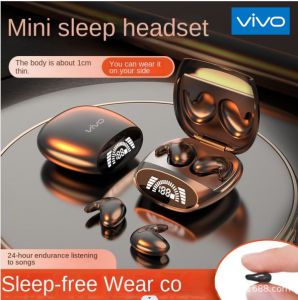
♥100%Original Product+FREE Shipping♥VIVO Md528 Mini Wireless Sports Bluetooth Earphones High end Tws Dual In Ear Sleep Pain free Call Noise Reduction Thin Earphones
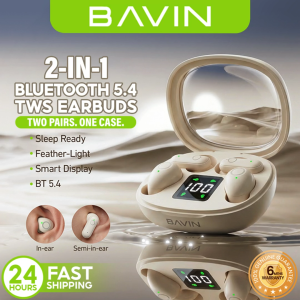
BAVIN BA110 TWS 2-in-1 Mini Wireless Bluetooth Semi-in-ear + In-ear Earbuds w/ Smart LED Display & Hi-Res Audio
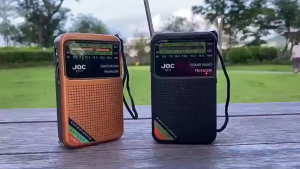
【Early Bird】 Mini Portable Radio with FM AM SW Tuner and Headphone Jack for Travel and Outdoor Activities
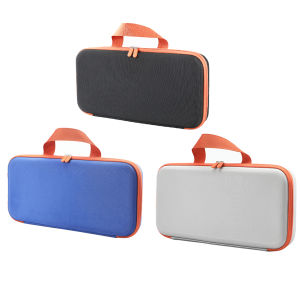
Hard Carring Case Shockproof Travel Case Waterproof Hardshell Case Anti-scratch for Dyson Corrale HS03 Hair Straightener
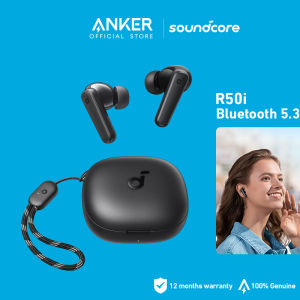
Anker soundcore R50i True Wireless Earbuds Big Bass Bluetooth 5.3 30H Long Playtime Water-Resistant 2 Mics for AI Clear Calls 22 Preset EQs TWS A3949
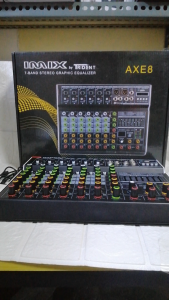
IMIX MIXER 8 CHANNEL WITH EQUALIZER AXE 8 BY TRIDENT 7-BAND STERIO GRAPHIC EQUALIZER
DIGITAL ECHO REVERB FOR ICOM ic28H ic228H ic229H vhf radio
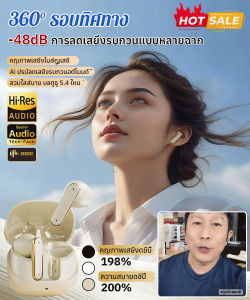
Bluetooth Headset Comfortable to Wear Wireless Headset Call Noise Reduction Fashion Functionality
BTS-2103 3000mAh BIG DJ singing speaker color LED charging party karaoke speaker With rechargeable mic
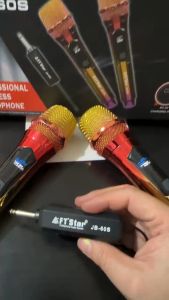
FT STAR UHF JB-32/JB-60 wireless microphone na mikropono 5V charging libreng rechargeable na batery