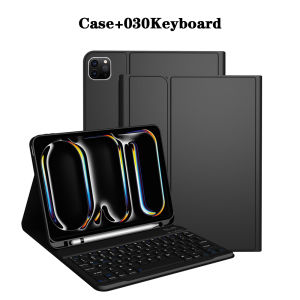
Keyboard Case for iPad Pro 11 lnch M4 2024Detachable Magnetic Keyboard Cover for iPad Pro 11 lnch M5 2025 with Pencil Holder
The tablet case in this link is only compatible with models:iPad Pro 11-inch(M4)(2024 ModelA2836/A2837/A3006)iPad Pro 11-inch(M5)(2025Model:A3357/A3358/A3359)How to verify tablet model1. Go to the back and find your specific model.2. Find "Settings" - Click "About" - Find "Model"3. Please purchase the correct compatible model case according to the tablet after viewing.Note:The digital tablet and stylus are not included in the package. The detailed description is for reference only. Please refer to the actual product for the color of the product.How to connect keyboard and mouse?1. Connect the mouse first, then the keyboard.2. Mouse: Push the switch to the "Bluetooth" icon and find the Bluetooth connection with the "mouse" in the device Bluetooth list.3. Keyboard: Push the switch in the upper right corner to "ON", press "Connect", and find the Bluetooth connection with "Keyboard" in the device Bluetooth list.4. Touchpad keyboard: Open the keyboard, press Fn+C, and then find the Bluetooth connection with "Keyboard" in the device Bluetooth list.FAQQ:What should I pay attention to when connecting the mouse for the first time?A:When the mouse is connected for the first time, you need to press the left button, the right button and the scroll wheel at the same time for about 3-5 seconds.Q: Is the scroll direction of the mouse USB connector and Bluetooth connection the same?A: No, they are different. When using the USB connector, the scroll wheel slides in the same direction as the computer mouse. Bluetooth connection is the opposite.Q: How to switch between different systems?A: Fn+Q=Android, Fn+W=Windows, Fn+E=IOS.Please note that please switch the system before connecting the tablet.Q:The bluetooth keyboard letters are messy?A: Please check the settings according to the prompts,a. Check whether the keyboard language set on the device is English.b. Disconnect the keyboard Bluetooth, click Ignore the connected device, reopen the Bluetooth keyboard, select system, Fn+E (IOS system).Note: Fn+Q=Android, Fn+W=Windows, Fn+E=IOSc. Press the L S Z buttons at the same time to reset the keyboardQ:How to configure the input method for different languages keyboard?A:Take the samsung tablet as example,open "Settings--"ystem"--"Language & input"--"Add New Keyboard". (For other systems, please set them in the system settings according to the tips of the iPad example.)Q:How does the mouse change teh scroll wheel sliding direction on the device?A: The mouse is connected, open "General" - "Trackpad & Mouse" - close "Natural Scrolling".

GlobalTechMart
Review

You May Also Like

BEIDIANNI | Mini Dual Function Power Bank Torch

tp-link MC212CS-20 Omada 10/100/1000 Mbps RJ45 to 1000 Mbps Single-mode SC WDM Bi-Directional Fiber Converter | TP-Link by EJD

3M | Home Drinking Water Filter Replacements

BLUEO | Protective Tempered Glass Screen Protector for Multiple Phone Models

ViDO | Data Line Yellowing Cleaner for Transparent Silicone Phone Cases

WSKEN foriP Full series 2017 to 2026Pro/Air/Mini HD tempered glass screen protectorFull Cover Easy install

Camera Pendant Fashion Cute Digital Keychain Portable Shooting Function Mini Living Small Items
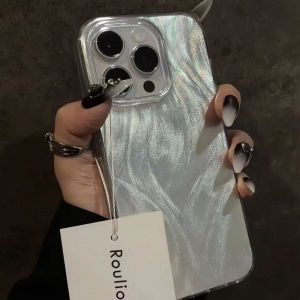
Case for Xiaomi Redmi 13C 9C 9 9A 9I 12 A3 10 Redmi Note 13 5G 12 11 10 9 Pro Poco C61 X6 M6 X5 C65 Shining Feather Hard Case

【N2HAO】 Activated Carbon Foam Filter 60x50x0.3cm Custom Fit for Universal Cooker Hood Oil Absorption Kitchen Air Purifier
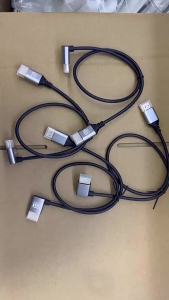
90 degree HDMI-compatible 2.1V Cable Cord 8K 60Hz 4K120Hz 48Gbps EARC ARC HDCP Ultra High HDR for HD TV Laptop Projector PS4 PS5
LDIES Glass Breaking Pen Cell Phone Rear Glass Cover Breaker Repair Breaking Tool Rotating The Tail Back Cover Adjustable Strength 5H2K9