


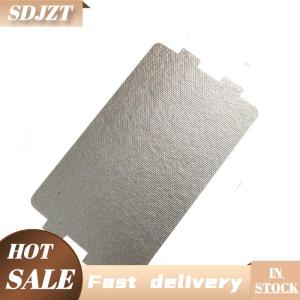
SDJZT 5PCS Microwave Oven Mica Plate Sheet 116x64 MM Replacement Part For Midea N05 20

SDJZT 5PCS Microwave Oven Mica Plate Sheet 116x64 MM Replacement Part For Midea N05 20
SDJZT 5PCS Microwave Oven Mica Plate Sheet 116x64 MM Replacement Part For Midea N05 20

SDJZT SHOP
Seller ratings 97%
Review

Oops
This video has no reviews.
You May Also Like
00:28
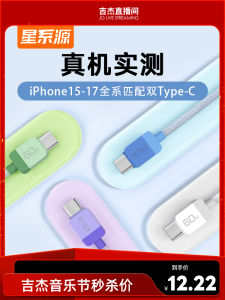
Fast Charge Dual Type-C Data Cable for iPhone 17Pm iPad Huawei Phone And Tablet Car Charging Usb-C to C 60W
00:06
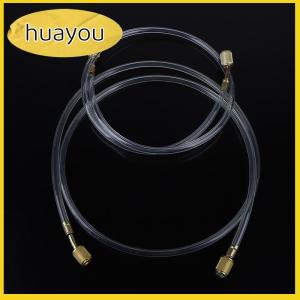
huayou Air Conditioning Fluoride Hose Add Fluoride Tube Transparent Tool Parts Air Conditioning Fluorine Refrigerant Repair Tool

00:28
LCD SET IPH 6 PLUS - PERFECT FIT
00:29
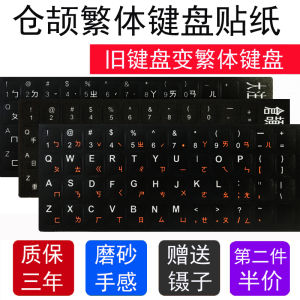
Cang Jie Keyboard Sticker Film Code Traditional Audio-Visual Desktop Computer Laptop Old Keyboard Change Taiwan Traditional Keyboard
00:34
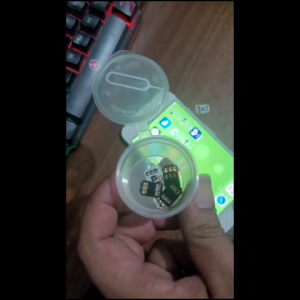
GPP 5G CHIP WITH ACTIVATION | WITH PIN EJECTOR AND UPDATABLE 2025 iPhone 4S to 16 promax

00:22
Adorable Sponge Bob Silicone Phone Case for Vivo Y53s Womens Cartoon Protective Shell Cute Fashionable Korean Style Anti-Fall
00:46
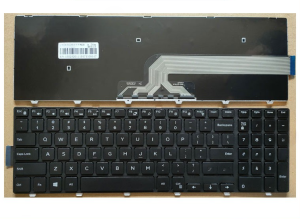
Dell Inspiron 17 Keyboard: A Comprehensive Guide\\n\\n What is the Dell Inspiron 17 Keyboard?\\n\\nThe Dell Inspiron 17 keyboard is a high-quality accessory designed specifically for select Dell Inspiron models, including the 17 5758, 15-3546, 3558, 3559, 3551, 5543, 5548, 5552, 5759, 7557, 5551, 5555, and 5558. This black keyboard offers a sleek and durable design that seamlessly integrates with your Dell Inspiron laptop.\\n\\n Key Features & Specifications\\n\\nThe Dell Inspiron 17 keyboard boasts several notable features:\\n\\n- **Layout**: US layout\\n- **Condition**: Brand new\\n- **Warranty**: 6 months\\n\\nOur team of quality control experts rigorously inspects every product before shipping, ensuring that you receive a high-quality keyboard that meets our exacting standards.\\n\\n Compatibility with Dell Inspiron Models\\n\\nThe Dell Inspiron 17 keyboard is compatible with the following models:\\n\\n- Dell Inspiron 17 5758\\n- Dell Inspiron 15-3546\\n- Dell Inspiron 3558\\n- Dell Inspiron 3559\\n- Dell Inspiron 3551\\n- Dell Inspiron 5543\\n- Dell Inspiron 5548\\n- Dell Inspiron 5552\\n- Dell Inspiron 5759\\n- Dell Inspiron 7557\\n- Dell Inspiron 5551\\n- Dell Inspiron 5555\\n- Dell Inspiron 5558\\n\\n How to Install the Dell Inspiron 17 Keyboard\\n\\nInstalling the Dell Inspiron 17 keyboard is a straightforward process that can be completed in just a few simple steps.\\n\\n Step-by-Step Installation Process\\n\\n1. **Shut down your laptop**: Before installing the new keyboard, make sure your Dell Inspiron laptop is powered off.\\n2. **Remove the old keyboard**: Carefully disconnect the old keyboard from the laptop's motherboard by removing the screws and disconnecting any cables.\\n3. **Install the new keyboard**: Align the new Dell Inspiron 17 keyboard with the laptop's frame and secure it in place using the screws and cables from the old keyboard.\\n4. **Power on your laptop**: Once the new keyboard is installed, power on your laptop and test its functionality.\\n\\n Troubleshooting Common Issues\\n\\nIf you encounter any issues during installation or after installing the Dell Inspiron 17 keyboard, refer to the troubleshooting guide below:\\n\\n- **Keyboard not working**: Ensure that all cables and screws are properly connected and tightened.\\n- **Keys not registering**: Check if the keyboard is properly seated and make sure there are no debris blocking the keys.\\n- **Strange behavior**: Try restarting your laptop and check if the issue persists.\\n\\n Why Choose the Black Dell Inspiron 17 Keyboard?\\n\\nThere are several reasons why you should consider purchasing the black Dell Inspiron 17 keyboard:\\n\\n Aesthetic Appeal & Durability\\n\\nThe sleek black design of the Dell Inspiron 17 keyboard complements the look of your Dell Inspiron laptop, providing a cohesive aesthetic. Additionally, the keyboard is built to last, offering reliable performance even after extended use.\\n\\n Long-Term Cost Savings\\n\\nBy purchasing a replacement keyboard for your Dell Inspiron laptop, you can save money in the long run by avoiding the need to replace the entire laptop due to keyboard issues.\\n\\n Warranty & Support\\n\\nWe stand behind our products and offer a 6-month warranty on all Dell Inspiron 17 keyboards sold in our store.\\n\\n Understanding the 6-Month Warranty\\n\\nThe warranty covers any defects in materials or workmanship that may occur during normal use. It does not cover damage caused by accidents, misuse, or unauthorized modifications.\\n\\n Contacting Customer Support\\n\\nIf you have any questions or concerns about your Dell Inspiron 17 keyboard, please don't hesitate to contact our customer support team. We're here to help!\"

00:41
ZOYU iPad Case: Transparent Anti-bending Case with Pen Slot for iPad 2021 & 2022

01:00
Call of Duty PC Games Collection for Windows

00:45
Strap for Watch Ultra 2/1 49mm 46mm 42mm 45mm 41mm 44mm 40mm 38mm Adjustable Nylon Band for Watch Series 10 9 8 7 6 5 4 3 2 1 SE2/SE

00:29
CrashStar MagSafe Flip Leather Phone Case: A Comprehensive Guide

00:35

















