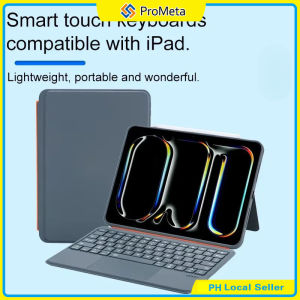
Backlit Magnetic Detachable Keyboard Case for IPad 7 8 9th 10.2 Air4 5 6 7 8 10th 11th A16 10.9 Pro11 18-22 W/ Trackpad
1.Kickstand offers 180° of tilt to always have the right angle for the task at hand. Whether you want to view vertically or horizontally, just detach the keyboard and type. 2.Full Protection: Made of durable PU leather exterior, covered with translucent PC hard back shell, magnetic type keyboard case for iPad protects well. 3.Large and High-precision Clickable Trackpad: The integrated outstanding trackpad supports multi-touch gestures, we can navigate apps and easily edit spreadsheets, documents with unparalleled precision. Swipe, tap, two-finger pinch and scroll. 4.Comfortable Typing with Low-profile Keys: Thanks to the responsive scissor-switch structure with 1.2mm of travel, and the well-spaced layout with 14mm of key width, the keyboard case offers a smooth, natural and accurate typing experience. 5.Convenient and Efficient Shortcut Function: 14-key function row for easy access to shortcuts by combining the "fn" key, including media controls, brightness levels, screenshots and more. You can also press "fn" + "shift" + "spacebar" keys to turn on/off the touchpad function. 6.Bluetooth and Rechargeable Backlit Keyboard: Thanks to the extra 650mAh battery, the keyboard provides more than 30 days of working time without using the original battery itself which would extra the using time of your device. How does this keyboard connect to ipad? At the first time, you should pair the keyboard to ipad through bluetooth function. After that, it will automatically connect to each other when you turn on the keyboard. Is the case easy to clean? Yes, the delicate PU panel materials have excellent abrasion resistance, easy to clean and maintain. How to set 'tap to click' function on this keyboard case? iPad Settings -> General -> Trackpad -> Tap to click. Is this rechargeable? Yes, it has independent battery so that it would not use the battery of iPad which itself is straining its own battery. Can I turn off the touchscreen while I'm typing? To prevent accidental touching of the screen Yes, you can press "fn" + "shift" + "spacebar" keys to turn on/off the touchpad function

prometa.ph
You May Also Like
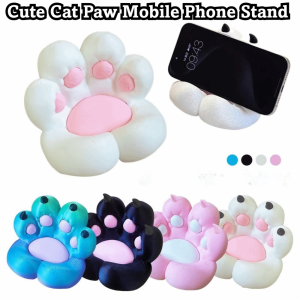
OURTOUR 3D Printing Claw Phone Holder Funny Durable Telephone Stands Desktop Decor Cat Paw Pad Phone Holder for Desktop Organizers
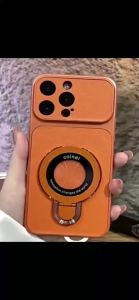
Suitable For IPhone 14 15 Plus Leather Phone Case Folding Bracket Shockproof Casing With U Magnetic Suction
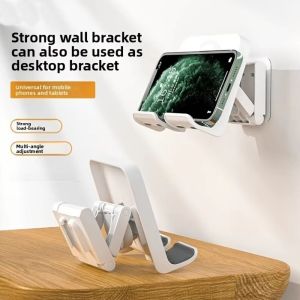
XIJIBAN Adhesive Wall Mounted Tablet Holder Adjustable Plastic Tablet Wall Mount Durable Retractable Wall Mount Support Bathroom
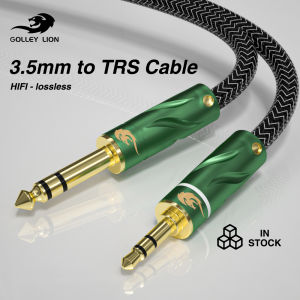
GOLLEY LION 3.5mm to 6.35mm Adapter Aux Cable for Mixer Amplifier Gold Plated 3.5 Jack to 6.5 Jack 0.5m 3m 5m Aux Cabo Male to Male

LPO Laptop Battery C41N1731 TYPE C 15.4V 66Wh 4335mAh

GMETAI RGB Light Bar Atmosphere Light Background Light Video Light Party Light USB Rechargeable

BNC+DC Video Power Siamese Cable 10M20M30M40M50M extension cable diameter 4MM 1080P power integrated
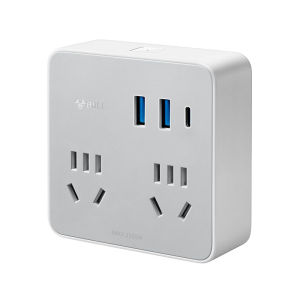
Bull | Multifunction Extension Socket 3 USB Ports Cordless
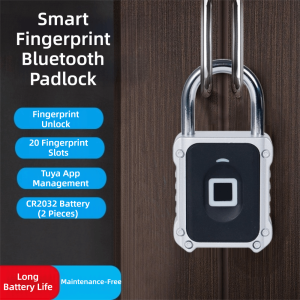
GURUNGMANI Tuya App Bluetooth Smart Door Lock Zinc Alloy IPX5 Waterproof Electronic Smart Padlock Luggage Security Fingerprint Recognition Digital Luggage Lock
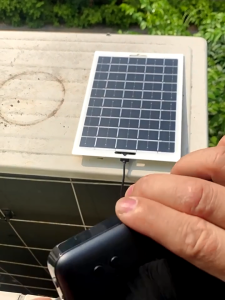
3W/6W/20W Solar Panel USB Waterproof Portable Phone Power Bank Charger

Logitech | Logitech G304X Gaming Mouse Dual Mode Wireless Lightweight RGB For Gaming Rechargeable Mouse Gamer Mice Laptop Accessories Gift