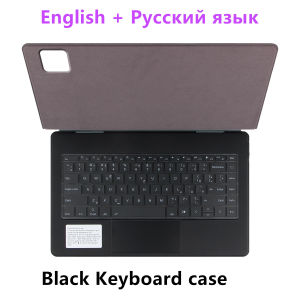
Magic Keyboard for Xiaomi Pad 7 Ultra 14 Inch Case Mi Pad 7 Ultra 14" 2025 Tablet Smart Book Cover Folio Multi-touch Backlight
For Xiaomi Pad 7 Ultra 14 Inch 2025 Magic KeyboardMagnetic separation, backlight, touch panel, multi angle support、Wireless Bluetooth connectionNote 1: You need to upgrade your tablet operating system to version 15.0 or higher to use the touchpad..Note 2:Please check in the size and detail model of your Tablet . it is very importtant ! ! !Note 3:After Open the Power, Please Click "Fn" and "C" 【Fn+C】Button Together to Open the Keyboard's Bluetooth. It is Very Important.Product Details: 841. Number of buttons: 2. Battery: Lithium battery 500mAh3. Stand-by time: 150 days4. Working Time: 5 hours (with backlit on),120 hours (with backlit off)5. Working Voltage: 3.0 - 4.2V6. Charging current:7. Effective distance: 10 meters8. Backlit Light: 7 colors backlit9. Charge Port: Type-c10. Material: Anti fouling and durable PU material11. Key life:3 million12. Charging times: 4 hours13. Color: BlackHow To Verify Your Tablet Model1.Find the "Settings"--Click the "About"--Find the "Model"2.Please select the correct model number for your tablet purchase after viewing it.Applicable Models:Only For Xiaomi Pad 7 Ultra 14 Inch 2025 Tablet (Other models cannot be used)Note:Only official genuine machines can be used, and other "counterfeit" machines are not supported. corresponding machine models can be magnetically installed . It is not the corresponding machine model and cannot be magnetically attracted !!! Attention PleaseEnglish versionkeyboard : There are English letters on the keyboard only.Multi-language versionkeyboard : English letters and carved language letters together ..(Due to the difference in the number of keyboard keys compared to a normal office keyboard, some special character engraving positions are the same, which is a normal phenomenon)The keyboard Core defaults to English, and the characters engraved on the keyboard are only a Surface display.so in some countries, even if the input method is switched, the special symbols do not necessarily match the keyboard function layout(You can hold down the Shift combination).If you mind, please do not purchase!!.【1】1. After connecting Bluetooth, open your iPad - Settings - Keyboard - Add New Keyboard【2】Input method switching: control+spacebar.(Choose the language you need)【3】For detailed instructions, please read the user manual. If you have any questions, you can contact "Online Services" for consultation .The resolution of the machine is different, and there may be color differences in the images, which is a normal phenomenon. The actual product received shall prevailNote:Due to the large size of the tablet, if the keyboard angle is adjusted too much during use, the keyboard may tilt. This is a normal situation, please do not panic, just adjust the keyboard amplitude, and it will not affect use.After receiving the keyboard, fully charge it before use (approximately 4 hours) ! Note: Tablet and stylus are not included in the packaging!!!

GlobalTechMart
Review

You May Also Like

Slide Camera Armor Phone Case for IPhone 17 Air / 17 Pro Max / 17 Plus Plastic Holder Hard Bracket Cover Housing Shockproof

10/20/30Pcs Disposable Tap Filter Cotton Pad Faucet Water Filter Impurity Removal Purifier
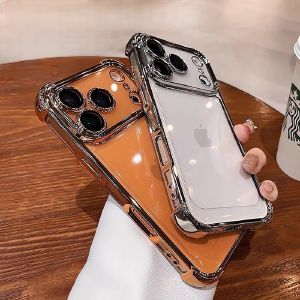
Luxury Anti Drop Shockproof Phone Case for IPhone 17 Pro Max Air 16 Plus 16e E 15 Pro Max 14 Cover Casing
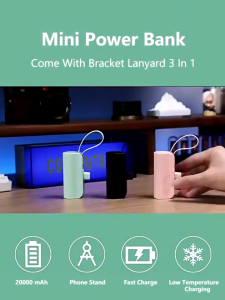
2in1 Powerbank 20000mAh Mini Power Bank Fast Charging Typc C iPhone Portable Built in Cable
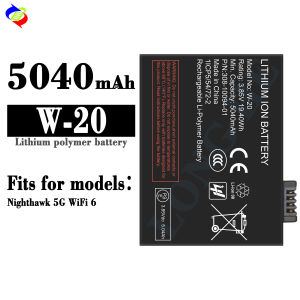
Dimi Applicable Network W-20 Mobile Phone Battery Nighthawk 5G WiFi 6 Battery 5040mah

Business Leather Stand Case for Google Pixel 11 10 9 Pro XL Pixel11 Pixel10 10A 9A 8A 7A Flip Wallet Card Holder Phone Cover
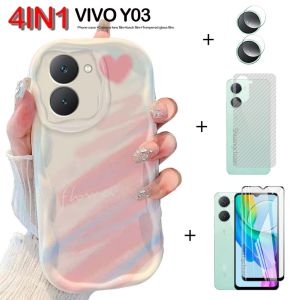
4in1 For VIVO Y03 case Gentle wind love smudged cream phone case+ tempered glass film+Camera lens Film+back film
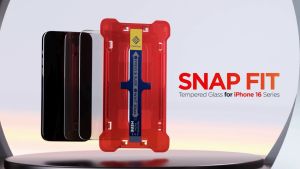
Caseology by Spigen iPhone 16/iPhone 15 Screen Protector SnapFit (2 Pack)
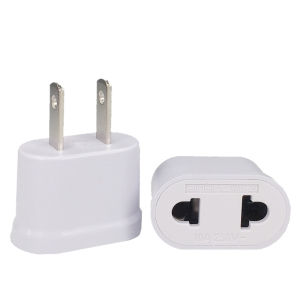
US/EU/AU Power Plug Adapter European Socket EU To US Plug Adapter Electric Charger Socket Japan China Americana AC Converter
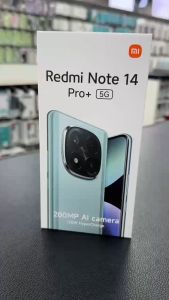
REDMI NOTE 14 PRO PLUS 5G 4G / REDMI NOTE 14 4G 5G Case XUNDD Beatle Series Shockproof Case
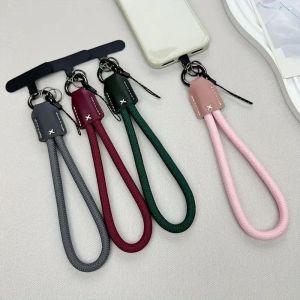
VERMILL Nylon Braided Rope Phone Chain Pu Leather Head Women Fashion Phone Clip Lanyard Cute Luxury Anti-Lost Rope Keychain Phone Accessories