



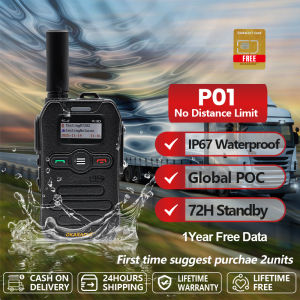
OKARADIO P01 PoC Radio 4G/5G Network Waterproof Two Way Radio 5000KM No Distance Limit Portable Walkie Talkie Long Standby
������ To ensure connectivity, we recommend purchasing 2 units for your first order.☑ Best Recommended for Companies and Organized Groups☑ No Repeaters Needed!☑ No Need License to Operate☑ No Monthly Server Fees☑ The most stable platform and terminal at home and abroad☑ Easy to understand with LED indicators for system status☑ Group Call☑ Private Call☑ All Call☑ Global Communication☑ Global Network System Supported☑ Multi-lingual voice play supported☑ Battery level prompt☑ Independent management for user terminal☑ Ultra-large polymer battery pack 2500mAh☑ Smart phone or Radio Online working supported IP67 Water & Dust ResistanceRated IP67, it is sealed against dust and can withstand temporary immersion. This makes it ideal for the Philippine climate, reliably operating through heavy monsoon rains, high humidity in coastal areas, and accidental splashes during outdoor work or travel.Single Call / Group Call / All CallProvides versatile communication options with single, group, and team call modes. You can easily switch between private conversations and coordinated team discussions as needed.Shock ResistantEngineered with a rugged exterior to resist shocks and impacts from drops. Its durable construction ensures it can handle the demands of outdoor and industrial use.Unlimited Range CommunicationEnjoy seamless push-to-talk communication with no geographical limits. Connect with your team anywhere in the world through cellular or internet networks.2500mAh Lithium BatteryPowered by a reliable 2500mAh lithium battery that offers a full day of typical use. It provides a balanced blend of capacity and compact device design.Your Quick Reference Guide 1. Attach the battery: attach the battery into place and screw on the screws 2. Press “POWER" button for 1-2 seconds to turn on/off the radio. 3. PTT : When you choose the person/team/group, Press PTT button and hold on to speak, release it when you finish talking. 4. Press up/down buttons to adjust the volume while at the HOME page. 5. Press "MENU" button to enter the menu. Press "up/down" to choose the column. 6. Menu Group Member Settings -Member select -auto screen off -tone settings--the tone of RX/TX -key tone -key lock -single call quit time -system upgrade

AnyTone Radio

Review

You May Also Like

YOOBAO L-O14 3.5mm Connector 3D Stereo Surround Sound Button Control with Mic Wired In-Ear Earphone

JBL Tune 510BT 710BT Wireless On-Ear Headphones Tune 510BT Sound Music Sports Game Headset with Mic Noise Canceling jbl headphones

Kawaii Wireless BT5.3 Headset Gradient Color HiFi Stereo Gaming Earphones Smile Face Over-Ear Headsets Gaming Accessories [Ueb Flagship Store]
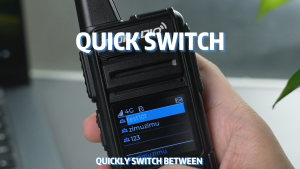
TIDRADI0 M15 0dmaster Poc Walkietalkie intercom remote 5000KMwaterproof 128 channel 4G LTE POC Net

Silver-white Black Blue Green Red Wireless Bluetooth Over-ear Headphones High-definition Calls Music Listening Exercise Running Study Exercise Gaming Earphones
✅100% Original AMZ GTS 1360/GTS-1346 Wireless Bluetooth Speaker Audio Micro Rechargeable Stereo Usb

yamaha/KX-600 mic vocal reverb effects processorkaraoke digital audio processor

Razer | Wireless Tri-Mode Gaming Headset

T&G TG-185 TWS Bluetooth V5.0 Subwoofer Portable Wireless Speaker support TF Card USB FM Radio Function with Strap
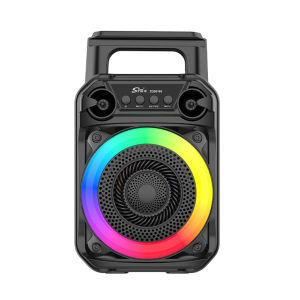
【UEB】BT Speaker Stereo Sound Wireless Speaker with Microphone Outdoor Speaker Suitable for Home Theater Outdoor Dance Party

Joson Professional H U L K - 16 Channel Mixer