



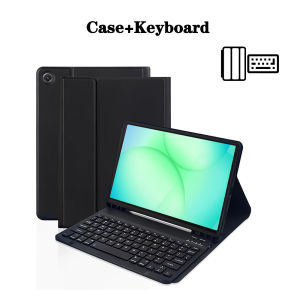
Case for Samsung Galaxy Tab A11 8.7 lnchDetachable Bluetooth keyboard Cover for Samsung Galaxy Tab A11 8.7 lnch SM-X133 SM-X135
The tablet case in this link is only compatible with models:Samsung Galaxy Tab A11 8.7-inch(Model:SM-X130 SM-X133 SM-X135 )How to verify tablet model1. Go to the back and find your specific model.2. Find "Settings" - Click "About" - Find "Model"3. Please purchase the correct compatible model case according to the tablet after viewing.Note:The digital tablet and stylus are not included in the package. The detailed description is for reference only. Please refer to the actual product for the color of the product.How to connect keyboard and mouse?1. Connect the mouse first, then the keyboard.2. Mouse: Push the switch to the "Bluetooth" icon and find the Bluetooth connection with the "mouse" in the device Bluetooth list.3. Keyboard: Push the switch in the upper right corner to "ON", press "Connect", and find the Bluetooth connection with "Keyboard" in the device Bluetooth list.FAQQ:What should I pay attention to when connecting the mouse for the first time?A:When the mouse is connected for the first time, you need to press the left button, the right button and the scroll wheel at the same time for about 3-5 seconds.Q: Is the scroll direction of the mouse USB connector and Bluetooth connection the same?A: No, they are different. When using the USB connector, the scroll wheel slides in the same direction as the computer mouse. Bluetooth connection is the opposite.Q: How to switch between different systems?A: Fn+Q=Android, Fn+W=Windows, Fn+E=IOS.Please note that please switch the system before connecting the tablet.Q:The bluetooth keyboard letters are messy?A: Please check the settings according to the prompts,a. Check whether the keyboard language set on the device is English.b. Disconnect the keyboard Bluetooth, click Ignore the connected device, reopen the Bluetooth keyboard, select system, Fn+E (IOS system).Note: Fn+Q=Android, Fn+W=Windows, Fn+E=IOSc. Press the L S Z buttons at the same time to reset the keyboardQ:How to configure the input method for different languages keyboard?A:Take the samsung tablet as example,open "Settings--"ystem"--"Language & input"--"Add New Keyboard". (For other systems, please set them in the system settings according to the tips of the iPad example.)Q:How does the mouse change teh scroll wheel sliding direction on the device?A: The mouse is connected, open "General" - "Trackpad & Mouse" - close "Natural Scrolling".

GlobalLifestyle
You May Also Like

JJC Anti-Scratch Protective Skin Film For Canon RF 24-105mm f/4 L IS USM Lens

Universal Mobile Phone Cooler Portable Mobile Phone Radiator Ultra Quiet for 4 to 6.7inches Phone for Mobile GamingLive Streaming Outdoor Vlog

AULA | Bluetooth Wireless and Wired 3-Mode Rechargeable Gaming Mouse for Office
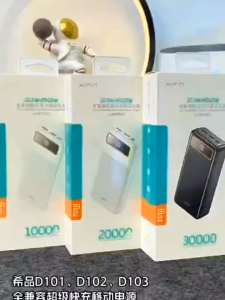
D101 Quick Charge Portable Handy 10000mah Power Bank with LED Display
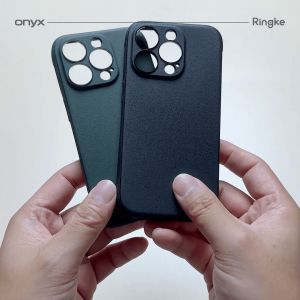
Ringke Onyx Compatible with iPhone 15 Case Cover Rugged Flexible Durable Anti-Slip TPU Protection Shockproof Cover

Shockproof Case For Vivo V70 5G VivoV70 2026 Phone Casing Back Cover Soft TPU Edge Hard PC Car Holder Bumper Simple Anti Drop Protection
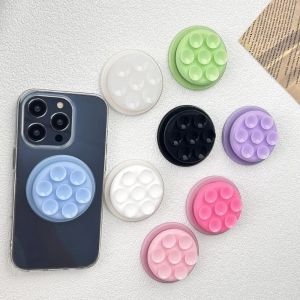
BESTOUR Round Suction Cup Phone Holder Silicone Two-sided Suction Cellphone Grip Stand Pocket Socket Suction Pad Phone Stand Smartphone Accessory

NEEWER Universal Phone Cage Smartphone Video Rig with Quick Release Mounts PA039

New Crown Case Bling Stand Flip Cover for ipad air 6th 5th gen 10th(2022) 7th 8th 9th 10.2 2019 5th 6th Gen 2017 2018 9.7 Air 1 2 3 10.5 Coque for iPadMini 5 4 3 2 1 2 3 4 Tablet Case Shell

4K Indoor Digital TV Antenna HD HDTV Antena DVB-T/T2 DVBT2 Cable TV Antena 500Miles UHF VHF DTV Antennas Aerial

4pcs/set Pressure Cooker Accessories with Pressure limiting valve Anti-Clogging Cover Exhaust Pipe



















