


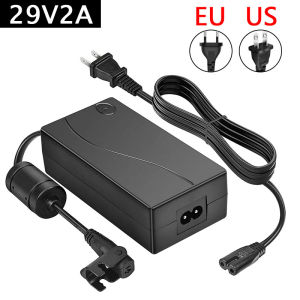
Recliner Power Supply AC/Dc Switching Power Supply Transformer 2.pin 29V 2A Adapter for Lift Chair or Power Recliner Limoss OKlN

Recliner Power Supply AC/Dc Switching Power Supply Transformer 2.pin 29V 2A Adapter for Lift Chair or Power Recliner Limoss OKlN
Recliner Power Supply AC/Dc Switching Power Supply Transformer 2. pin 29V2A Adapter for Lift Chair or Power Recliner Limoss OKlN

GlobalLifestyle
Seller ratings 97%
Review

Oops
This video has no reviews.
You May Also Like
00:18
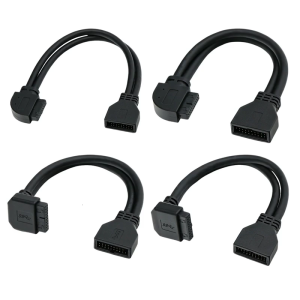
USB3.0 Front Panel Extension Cable 25cm 90 Degree Elbow 19Pin 20Pin Compatible Motherboard Adapter For Desktop PC Case
00:18
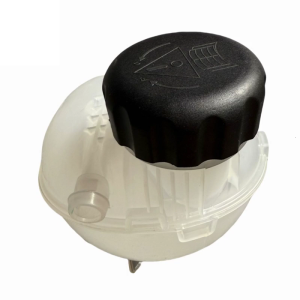
Coolant Reservoir Expansion Tank For C4 III C4X DS3 Radiator Expansion Water Tank Auxiliary Kettle
00:24
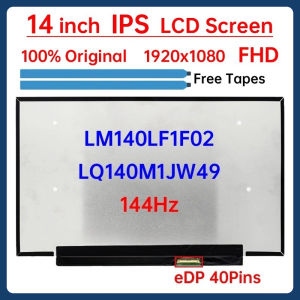
14 Inch 144Hz Laptop LCD Screen LM140LF1F02 LQ140M1JW49 For ASUS ROG Zephyrus G14 GA401Q PX401Q Display Matrix Panel eDP 40 Pins
00:16
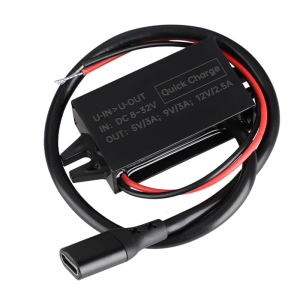
8V-32V to 5V/9V/12V PD 30W Power Supply Power Module USB C Output Power Adapter Converter for Car Automobiles Charger
00:28
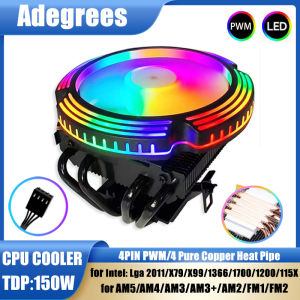
Adegrees B9 CPU Cooler 120MM 4 Heat Pipes 4PIN PWM PC Radiator Fan for Intel LGA 1700 1366 2011 1150 1151 X79 X99 AM3 AM4 AM5
00:29
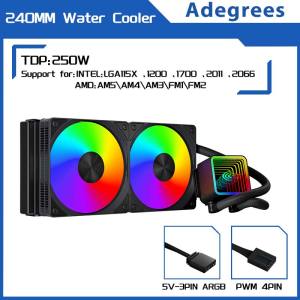
120MM/240MM Liquid Heatsink Integrated Cooler PC Water Radiator for Intel LGA 2011 1700 1200 1155 2066 AMD AM4 AM5 AM3 FM2

00:52
Laptop LCD Screen 17.3 inches 40 Pins 144Hz Full HD 1920 x 1080 Thin Bezel Borderless B173HAN04.9 No Brackets\\n\\n Introduction to B173HAN04.9 Borderless Screen\\n\\nThe B173HAN04.9 Borderless Screen is a high-quality 17.3-inch LCD display that offers an exceptional viewing experience. This 40 Pins Full HD Display boasts a resolution of 1920 x 1080 pixels, providing sharp and clear visuals for your laptop. With its 144Hz refresh rate and thin bezel design, this screen is perfect for gaming enthusiasts and professionals alike who demand top-notch performance and quality.\\n\\n Key Features & Specifications\\n\\n* 17.3 inches 40 Pins Full HD Display\\n* 1920 x 1080 Resolution\\n* 144Hz Thin Bezel Monitor\\n* No Brackets design\\n\\n Benefits of Thin Bezel Design\\n\\nThe B173HAN04.9 Borderless Screen features a thin bezel design that offers several benefits:\\n\\n* **Enhanced Immersion**: The narrow borders allow for a more immersive viewing experience, making it ideal for gaming, watching movies, or working on graphic-intensive tasks.\\n* **Increased Screen-to-Body Ratio**: With less bezel area, the screen-to-body ratio is higher, resulting in a more compact and sleek appearance.\\n* **Improved Multi-Monitor Setup**: The thin bezels make it easier to align multiple monitors side by side, creating a seamless viewing experience.\\n\\n Compatibility with Various Laptops\\n\\nThe B173HAN04.9 Borderless Screen is compatible with a wide range of laptops, including popular models such as Dell, HP, Lenovo, and Acer. To ensure compatibility, check the specifications of your laptop and verify that it supports a 40 Pins Full HD Display with a 1920 x 1080 resolution.\\n\\n How to Install the 17.3 Inch 40 Pins Full HD 144Hz Screen\\n\\nInstalling the B173HAN04.9 Borderless Screen is a straightforward process. Follow these steps to install the screen on your laptop:\\n\\n Tools & Materials Needed\\n\\n* Screwdriver\\n* Spudger\\n* Plastic opening tool\\n* Pliers\\n* Heat gun\\n* Replacement screen (B173HAN04.9)\\n\\n Step-by-Step Installation Guide\\n\\n1. Power off your laptop and remove the battery if possible.\\n2. Use a screwdriver to remove the screws securing the back cover of your laptop.\\n3. Carefully lift the back cover and disconnect any cables connected to the old screen.\\n4. Use a spudger to gently pry the old screen away from the laptop frame.\\n5. Disconnect the ribbon cable connecting the old screen to the motherboard.\\n6. Remove the old screen and install the new B173HAN04.9 Borderless Screen.\\n7. Reconnect the ribbon cable and secure the new screen in place.\\n8. Replace the back cover and screws.\\n9. Power on your laptop and test the new screen.\\n\\n Troubleshooting Common Issues\\n\\n* **Screen Not Working**: Ensure that the ribbon cable is securely connected and that the screen is properly seated.\\n* **Incorrect Resolution**: Adjust the display settings in your laptop's control panel to match the 1920 x 1080 resolution.\\n* **Color Distortion**: Check that the color settings are correct and adjust if necessary.\\n\\n Performance & Quality of the 1920 x 1080 Resolution Screen\\n\\nThe B173HAN04.9 Borderless Screen offers excellent performance and quality:\\n\\n Color Accuracy & Brightness\\n\\nThe screen features accurate color reproduction and brightness levels, making it ideal for graphic design, photo editing, and gaming.\\n\\n Refresh Rate & Response Time\\n\\nWith a 144Hz refresh rate and fast response time, the B173HAN04.9 Borderless Screen delivers smooth and lag-free visuals, even during fast-paced gaming sessions.\\n\\n Image Quality & Clarity\\n\\nThe 1920 x 1080 resolution provides sharp and clear images, ensuring that every detail is visible and crisp.\\n\\n Conclusion & Final Thoughts\\n\\nThe B173HAN04.9 Borderless Screen is a top-notch 17.3-inch LCD display that offers exceptional performance and quality. With its thin bezel design, 144Hz refresh rate, and 1920 x 1080 resolution, this screen is perfect for gaming enthusiasts and professionals alike. Whether you're looking to enhance your laptop's display capabilities or replace a damaged screen, the B173HAN04.9 Borderless Screen is an excellent choice.\"
00:36
Portable 3 Speed USB Fan Detachable Base Design Adjustable Head for Computer Car Travel Strollers Multipurpose Cooling
00:21
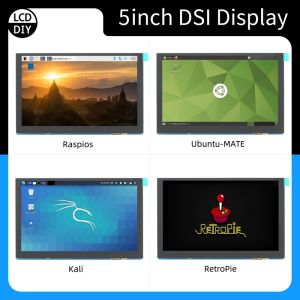
4.3 inch/ 5 inch/7 inch 800*480 MIPI IPS TFT DSI Multi-Touch Capacitive Touch Panel LCD Display Monitor Screen for Raspberry Pi
00:12
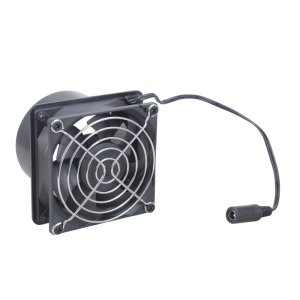
ABS Plastic Inline Blower 12V 80mm Fan With Two Air Ducts For Hydroponic Systems Kitchen Exhaust And Electronics Cooling
00:57
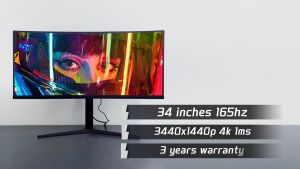
SANGUANG 34 Inch Curved Monitor: A Comprehensive Guide

02:56

















