


XTUGA XU3 Audio Interface Recording Sound Card Support Stereo Mono Music Recording Bluetooth Built-in Monitor Jack 4DS
XTUGA XU3 Professional Split Track Audio Recording Interface Sound Card with Monitoring 4DSP Effects 48V Power Reference Lighting for Studio Recording PC Computer Live Broadcast Streaming● XTUGA XU3 is a multifunctional 3 channel mixing console with sound card. It can meet many user requirements, such as us, media, home theater, computer audio int-erface, telephone live broadcast, live show and so on. ● XTUGA XU3 Mixer with input gain, high and low volume control. 48V bu-ilt phantom power is suitable for powering a condenser microphone directly. High definition headset output port, mp3 player, with sound card, can connect to PC directly. And the most outstanding new feature has track recording and OTG function.● 1 mono MIC input + 1 stereo input● Channel 1 + 48V selection● Choice of 4 DSP effects● Input channel sensitivity:-Microphone: -60dB- Stereo channel input: -40dB-EFX Send: -20dB- Effect and return: -20db● Outputs: 4 V Max.● Signal-to-noise ratio: -80db● Parametric equalizer:-Hi: +-15dB/12kHz-Low: +-15dB/60kHz【OTG Function】 OTG functionis a new USB transmission technology that is used to directly connect mobile devices such as mobile phones and tablets to external devices such as USB flash drives, card readers, keyboards, mice, digital cameras, etc. Without a computer as a data transfer, output or charging station.【PROFESSION AUDIO Mixer】XTUGA XU3 3 channel audio mixer includes 1 MK for daily use as input + 1 stereo input. Only the first channel y +48V selection allows the mixer to be used with condenser microphones and wired microphones.【Track recording function】1. Dry CH1-2: audio signal input to channel 1, adjustable gain control (no audio signal), directly sent to the computer. Channel 2/3 is controlled by volume 2/3 (no beep) and sent directly to the computer. The sound transmitted by channel 1 will not be affected by the adjustment of the horizontal knob. Channel 1 and channel 2/3 audio signals (guitar, vocals, etc.) can be input to the computer separately, channel 1 is input to the left channel, and channel 2/3 is input to the right channel to realize the track recording function. Audio signals from the computer will not be sent back to the computer.2. MI input: stereo input from channel 2/3 to the mixer will be the mixer into mono and then sent to the computer. Audio signals from the computer will not be sent back to the computer.3. LOOPBACK: The signal from the mixer and the signal played on the computer will be mixed in stereo and sent to the computer. This setting is mainly used for network broadcasting.*Note: To prevent audio feedback when using DAW software, use a "Dry CH1-2" or "Input Mix"#Audio Interface#Xtuga#Stage Tuning Audio #Recording Device

VMI Direct

Review

You May Also Like
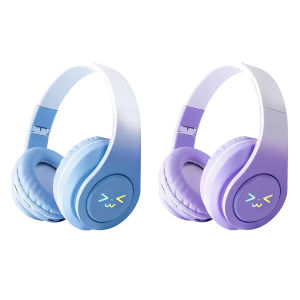
[Auto Vodool] Light-Up Wireless BT Headphones Rechargeable HiFi Stereo Gaming Earphones Smile Face Over-Ear Headsets for Home Office School Outdoor Travel
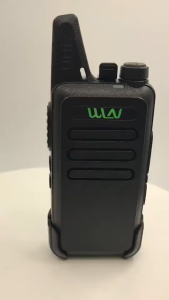
WLN KD-C1 5W 16 Channel UHF 400-470MHz Two-Way Walkie Talkie Radio- SET OF 2 Portable Two Way Radio Type-C Chargering

100% Original FT STAR MP-800PRO KTV Model Professional MIC With Heavy Duty 10M Wire And MIc Foam

2.1 Channel Bluetooth Digital Amplifier Board Module 12V Car Modification Household Passive Extra Bass

Baseus Bowie D05 Headphones Wireless Earphone Bluetooth 5.3 Headset HiFI Stereo Fones Foldable Wireless Wired Dual Use Headphone
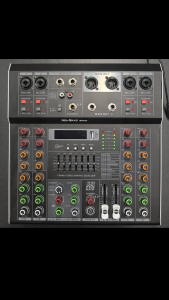
NEW BAXS MR400 MR600 4/6 Channel Studio Audio Mixer with 99 DSP Effects +48V Phantom Power for KTV Karaoke USB MP3 Party

Crown PD 662 Portable speaker Baffle with Bluetooth and usb port

WOMINGTE | Bluetooth Noise-Cancelling Headset with Microphone
T&G TG-445 Mini TWS RGB LED Lights IPX4 Waterproof Portable Wireless Stereo Music Speaker Multi Function
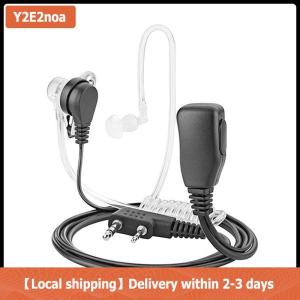
【Local shipping】 Radio Earpiece Earphone Headset Mic For Kenwood BF-888s Two-way Radio

RownFusny USB Headset for PC Computer Headset Noise Canceling Mic for Laptop Call Center Wired Headset for Work Zoom Skype Teams