


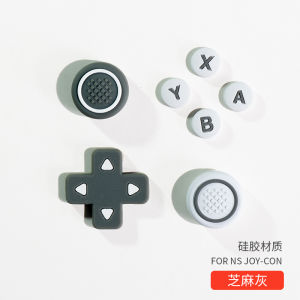
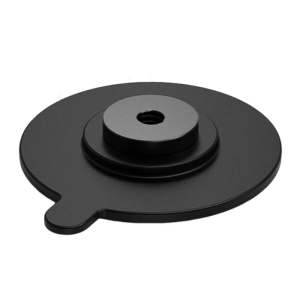
Ajitomo SwitchOLED Silicone Cap for Joystick Direction Key Cross Button Cover Key Holder DS 3DS Accessories Gaming

Ajitomo SwitchOLED Silicone Cap for Joystick Direction Key Cross Button Cover Key Holder DS 3DS Accessories Gaming
Ajitomo SwitchOLED Silicone Cap for Joystick Direction Key Cross Button Cover Key Holder DS 3DS Accessories Gaming

TB EL SHOP
Seller ratings 95%
Review

Oops
This video has no reviews.
You May Also Like

00:11
Makapal 50 micron Cap Seal big cap/faucet/coverall/small cap/round seal for 5gallon round and slim container

00:08
Cartoon Kuroko Phone Case Compatible with Huawei Nova13 12 11se New Model 6pro Full Screen Melody Anti-Fall Protection Bracelet Cover
![[COD] Bsuimki Dryer Door Lock Button Door Switch TH100NH06WY TH100VH88WY Dryer Latch Spare Parts](https://img.lazcdn.com/g/p/1df626154778b959681527fef8b68461.jpg_300x300q80.jpg)
00:07
[COD] Bsuimki Dryer Door Lock Button Door Switch TH100NH06WY TH100VH88WY Dryer Latch Spare Parts

00:25
Melulo HD Webcam 1080P: A High-Quality Plug & Play Auto Focus USB Web Camera
00:43
Plated Silicone Phone Case for Apple 17 Women Full Cover Retro Style Simple Design Mirror Plating Process Compatible with iPhone 15 pro Max

00:28
Oppo K10 Vitality Edition Full Screen Tempered Glass Privacy Screen Protector Anti Blue Light Protection Mobile Phone Film

01:10
1U Cable Manager for Server Cabinet: A Comprehensive Guide for Cable Management

00:47
✅100% Original Smilee Mini Fan Ultra Lightweight Handheld Fan Portable Fan Air Cooler Pocket Fan

00:09
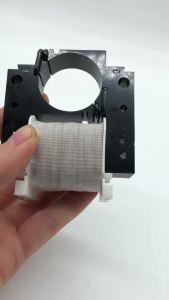
FS40-6DR Electric Fan Circuit Board with New Remote Control\\n\\nWelcome to our blog! Today, we'll discuss the FS40-6DR electric fan circuit board with a new remote control. This article aims to provide a comprehensive understanding of the product, its features, installation process, compatibility, and ordering information.\\n\\n What is the FS40-6DR Electric Fan Circuit Board?\\n\\nThe FS40-6DR electric fan circuit board is a high-quality replacement circuit board designed specifically for electric fans. It offers improved performance, reliability, and energy efficiency compared to older models. This circuit board is perfect for those looking to upgrade their existing electric fan or repair one with a faulty circuit board.\\n\\n How does the FS40-6DR circuit board work?\\n\\nThe FS40-6DR circuit board works by controlling the motor speed and direction of the electric fan. It receives signals from the remote control or manual switches and adjusts the fan's speed accordingly. The circuit board also includes safety features such as overheat protection and short-circuit prevention, ensuring the longevity and reliability of your electric fan.\\n\\n What are the features of the FS40-6DR circuit board?\\n\\nSome notable features of the FS40-6DR circuit board include:\\n\\n- High-quality components for reliable performance\\n- Energy-efficient design for reduced power consumption\\n- Overheat protection and short-circuit prevention\\n- Compatible with various electric fans\\n\\n How to Use the New Remote Control with the FS40-6DR Circuit Board\\n\\nThe FS40-6DR electric fan circuit board comes with a new remote control, allowing you to adjust fan settings without physically interacting with the device. Follow these steps to use the remote control with your FS40-6DR circuit board:\\n\\n How to pair the remote control with the FS40-6DR circuit board\\n\\n1. Turn off the electric fan and remove the old circuit board.\\n2. Install the FS40-6DR circuit board in your electric fan.\\n3. Turn on the electric fan and press the 'Pair' button on the remote control.\\n4. Press the 'Power' button on the remote control within 5 seconds to complete the pairing process.\\n\\n How to operate the remote control to adjust fan settings\\n\\nOnce paired, you can use the remote control to adjust the fan's speed, direction, and other settings. Here's how:\\n\\n- Press the 'Speed' button to increase or decrease the fan's speed.\\n- Press the 'Direction' button to change the fan's rotation direction.\\n- Press the 'Timer' button to set a timer for automatic shutdown.\\n\\n Replacing Your Old Electric Fan Circuit Board with the FS40-6DR\\n\\nIf your electric fan has become unreliable or inefficient, it might be time to replace the circuit board. Here's how to identify if your electric fan needs a new circuit board and how to install the FS40-6DR circuit board:\\n\\n How to identify if your electric fan needs a new circuit board\\n\\nLook out for these signs that your electric fan may require a new circuit board:\\n\\n- Unstable or inconsistent performance\\n- Overheating issues\\n- Frequent tripping of circuit breakers\\n- Inability to maintain desired speed or direction\\n\\n How to install the FS40-6DR circuit board in your electric fan\\n\\nFollow these steps to install the FS40-6DR circuit board in your electric fan:\\n\\n1. Turn off the electric fan and unplug it from the power source.\\n2. Remove the old circuit board from your electric fan.\\n3. Install the FS40-6DR circuit board in the same location.\\n4. Connect all necessary wires and secure the circuit board in place.\\n5. Test the electric fan to ensure proper operation.\\n\\n Compatibility of the FS40-6DR Electric Fan Circuit Board\\n\\nThe FS40-6DR electric fan circuit board is compatible with various electric fans, making it a versatile solution for upgrading or repairing your device. Here's what you need to know about compatibility:\\n\\n Which electric fans are compatible with the FS40-6DR circuit board?\\n\\nThe FS40-6DR circuit board is compatible with most electric fans that use a similar circuit board design. Check your electric fan's manual or consult with a professional to determine compatibility.\\n\\n How to determine if your electric fan is compatible with the FS40-6DR circuit board\\n\\nTo determine if your electric fan is compatible with the FS40-6DR circuit board, consider these factors:\\n\\n- Check the dimensions and mounting holes of your existing circuit board\\n- Verify the voltage and current requirements of your electric fan\\n- Consult the manufacturer's specifications for compatibility information\\n\\n Ordering the FS40-6DR Electric Fan Circuit Board with New Remote Control\\n\\nReady to upgrade or repair your electric fan? Here's how to order the FS40-6DR electric fan circuit board with a new remote control:\\n\\n How to order the FS40-6DR circuit board and remote control\\n\\nYou can purchase the FS40-6DR electric fan circuit board with a new remote control directly from our website or by contacting us via email or phone.\\n\\n Contact information for large quantity orders\\n\\nFor large quantity orders, please contact us at W923336976@163.com or +8615200231096 for the best price and shipping options.\\n\\nThank you for considering the FS40-6DR electric fan circuit board with a new remote control. We're confident this product will provide reliable performance and energy efficiency for your electric fan. If you have any questions or concerns, don't hesitate to reach out to us. Happy shopping!\"
00:18
YJF7118 8.5w Motor Separate Stator: A Comprehensive Guide
00:10
Case for iphone x s iphone xr iphone xs max phone casing hard case TPU Protector shockproof Cover new design aesthetic with holder and Lanyard for girl CYSTCBZJ01
00:14
Aluminum Alloy Female 1/4 Screw Adhesive Suction Cup Mount for Action Cameras with Secure Grip On Metal Glass Surfaces
Hot Search
Spreadable cream cheese Philippinespang liha machinelotus pressure washerfolding bed frame3 in 1 Bottle Cleaning Brush Set6 core 12 thread processornmax v2 v beltSequin skirtblack army polo shirt for menmdl bracket rs 125 fihershey zero sugarwheelchair tablesbody bag for men leatherinfinix hot 60 pro plus hydrogelelf bar 5000 puffs cartridge

















