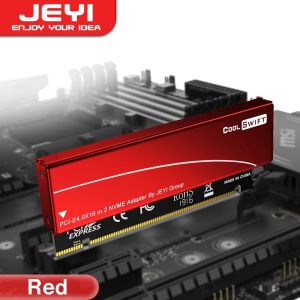
JEYI | JEYI M.2 NVMe to PCIe 4.0 X16 Adapter with Heatsink - for Samsung 980 PRO/970 EVO SSD Aluminum Adapter with Heatsink
• PCI Express Interface :The adapter comes with a PCI Express interface, which ensures fast data transfer rates and improved system performance.• Aluminum Heatsink Case :The adapter is designed with an aluminum heatsink case, which helps to dissipate heat effectively and prevent overheating.• Samsung 980 PRO, 970 EVO Compatibility :The adapter is compatible with Samsung 980 PRO and 970 EVO, making it an ideal choice for users who need to upgrade their system's storage capacity.• X16 Gen4 Expansion Card :The adapter comes with a X16 Gen4 expansion card, which provides additional slots for other expansion cards, making it a versatile option for system upgrades.JEYI M.2 M Key Nvme SSD to PCI-e Adapter, PCI Express X16 Card with Aluminum Case, Supports Windows 7/8/ 10, Supports 2230, 2242, 2260, 2280M.2 NVME (M Key) SSD to PCIe X16 adapter with aluminun caseJEYI M.2 PCIE NVMe Adapter card converts M.2 (M Key) SSD to PCIe 4.0x16 Interface (64Gbps speed at Max). Supports PCIe 1.0, PCIe 2.0, PCIe 3.0 and PCIe 4.0 motherboard.It comes with aluminum case and thermal compound pads which helps to Quick Heat-dissipation and boost the transmission speedEasy to installation and Plug&Paly, no driver requiredPackage: 1. adapter case × 1.2. PCI-e Adapter × 13. Screw Nut × 14. SSD screw × 15. Screws × 56. 0.6mm Silicone thermal pad × 17. 1.7mm Silicone thermal pad × 28. Screw Driver ×1PCIe 4.0 x16 Full Speed TechnologyPerfect solution for PC upgraded. Up to 5000+ MB/s random Read and 4500+ MB/s Write, blazing faster than USB-A or USB-C interface.Enjoy NVME M.2 SSD with our adapter, experiencing new generation Data transfer speed in professional soft or AAA games.Supports Different Type of SSDFull speed support multiple NVMe models:(PCIe M.2 SSDs (NVMe and AHCI): 2242, 2260, 2280, and 22110 drives)Cooling Through a Double-sided Copper HolesFast Heat Dissipation extension card with vented design on immersion gold PCB enhances heat dissipation of SSD, Full-Al case help reduce or eliminate EMI/RFI noise, and X16 PCIe slot design is more stable fos installation.1. Unscrew the 4 fixing screws and open the adapter housing 2. Insert the SSD card and press down3. Fix the SSD with a screw4. Paste 1 silicone thermal pad on top of the SSD5. Place the housing over the adapter and secure it with screwsSupport Multiple OSSupports Windows 10/8、Windows Server 2012 R2、Linux、Fedora、SUSE、Ubuntu、Red Hat(no driver required)Additional NVMe driver required for Win7 and Windows Server 2008 R2Plug & Play If Native Support NVMeIf the bios support NVMe, it could recognize the NVMe directly, no need for any operation.You could raid your drives, boot OS on it, make it a storage drive, the fast read/write speed will bring you a super cool experience.Update via USB Drive for Earlier MotherboardsSearch the latest bios driver which could support NVMe and use a USB drive to update it.Normally, the motherboard will recognize the SSD after you updated the latest biosNote: This product cannot be connected to the PCl interface, otherwise it will damage your express card, SSD and motherboard! ! !Package content:1. adapter case × 12. PCI-e Adapter × 13. Screw Nut × 14. SSD screw × 15. Screws × 56. 0.6mm Silicone thermal pad × 17. 1.7mm Silicone thermal pad × 28. Screw Driver ×1Features:1. Compliant with PCIE 4.0 X16 64Gbps full speed support2. Movable M.2 NVMe stand-off and multiple plated-holes supports type 2280, 2260 2242 and 2230 SSD3. Supports dual-sided SSD module 1.5mm component height on the top and bottom side4. This adapter is only for NVME M.2 PCIe SSD, doesn't support SATA connection5. operating temperature range: -40 - 85 C / M.2 PCIe SSD power from PCIe bus slot 3.3V6. Led indicators for power and access7. Input Interface: M.2 NVME M-Key / Output Interface: PCIE X168. Support System: Windows 7 / 8 / 10 /11/ Linux. Don't support Windows XP.

Prime Supply_Play Life
You May Also Like
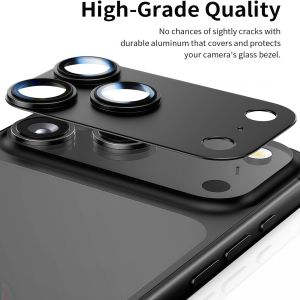
For IPhone 17Pro Max Camera Lens Protector Metal Aluminum Alloy Tempered Glass Camera Screen ProtectorBlackTitanium

1 Set Charger Protector Set Charger Case Cable Protector for 20W Charger for 11 12 13 14 15 Pro Max
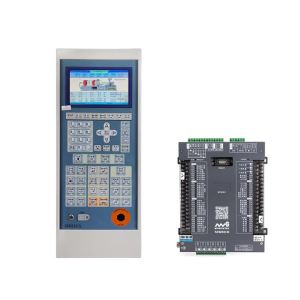
Cornerr Aubalasti Injection Molding Machine Control System MS500+MS210A 7inch Color Screen 6B2Z9
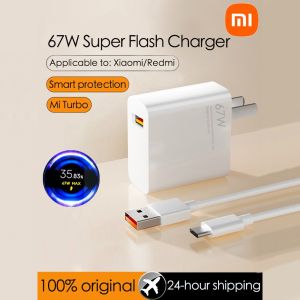
100%Original Xiaomi Mi 67W Turbo Charger Fast Charger 6A USB Type-C Charging Cable Set For Xiaomi 11 Pro & Xiaomi 11 Ultra 36 Minutes Fully Charged For
TELESKY | Stereo Bluetooth Audio Module with Charging DIY Speaker Modification 5W+5W

FLYING Anti-Scratch Silicone Case Full Protection Dustproof Protective Cover Portable Anti-slip Base Screen Lens Cap for DJI Osmo Pocket 4P Gimbal Camera Accessories

1.2meter Stage Led Par Light Power Cable Plug Moving Head Light Power Connector Euro Standard Plug

Case for Samsung Galaxy A27 A37 A57 Textile Leather Fashion Soft TPU Hard PC 3 in1 material for Samsung Galaxy A27 Case funda
FLORI All-Round Protection Silicone Gimbal Camera Case Anti-Scratch Shockproof Protective Shell High Quality Colorful Skin for DJI OSMO Pocket3 Outdoor

Lenovo | Wireless Bluetooth Game Controller for Multi-Platforms

Sup&LV | Ultra Thin Protective Case with Lens Protection Huawei Pura70Pro