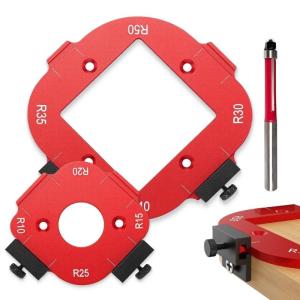
Router Templates for Woodworking Router Corner Radius Template Set (R10/15/20/25/R30/R35/R40/R50)
Multiple size aluminum router templates with precisions edges profilings for R10-R50, featurings adjustable jigs for perfect shaping. High strength construction ensures durability across 8 standardized, with ergonomic design for slip resistant control during detailed edges treatments. Tailored for woodworking professional and DIYers requiring repeatable in cabinetry, furniture restoration, and millwork projects. Router Templates for Woodworking Router Corner Radius Template Set R10/15/20/25/R30/R35/R40/R50 Features: Multiple size aluminum router templates with precisions edges profilings for R10-R50, featurings adjustable jigs for perfect shaping. High strength construction ensures durability across 8 standardized, with ergonomic design for slip resistant control during detailed edges treatments. Tailored for woodworking professional and DIYers requiring repeatable in cabinetry, furniture restoration, and millwork projects. Achieve rounded edges on tabletops, door trim, or craft piece

Living Luxe1
Review

You May Also Like
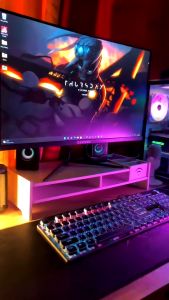
KAMPEON Gaming Monitor for PC: 24 Inch Curved & 27 Inch Laptop Monitor Review\\n\\n What is the KAMPEON Gaming Monitor?\\n\\nThe KAMPEON Gaming Monitor is a high-performance computer monitor designed specifically for gaming enthusiasts. It comes in two sizes: a 24-inch curved gaming monitor and a 27-inch laptop monitor, both offering impressive features and specifications.\\n\\n Key Features & Specifications\\n\\nBoth models feature stunning 4K resolution and fast refresh rates, with the 24-inch model offering 144Hz and the 27-inch model providing 165Hz. This ensures smooth gameplay and seamless visuals for any gamer. Additionally, the curved design of the 24-inch model enhances immersion and reduces eye strain during extended gaming sessions.\\n\\n How Does It Compare to Other Monitors?\\n\\nCompared to other monitors on the market, the KAMPEON Gaming Monitor stands out due to its combination of high resolution, fast refresh rates, and curved design. It offers superior performance and visual quality, making it an excellent choice for serious gamers.\\n\\n How to Choose the Right KAMPEON Gaming Monitor\\n\\nWhen selecting the right KAMPEON Gaming Monitor, consider the following factors:\\n\\n Curved vs. Flat Display\\n\\nThe 24-inch model features a curved display, which provides a more immersive gaming experience and reduces eye strain. On the other hand, the 27-inch model has a flat display, offering a larger screen area for multitasking and productivity tasks alongside gaming.\\n\\n 24 Inch & 27 Inch Options\\n\\nBoth models come in two sizes, catering to different preferences and needs. The 24-inch monitor is ideal for those who prioritize immersion and eye comfort, while the 27-inch model offers a larger screen area for multitasking and productivity tasks alongside gaming.\\n\\n 144Hz & 165Hz Refresh Rates\\n\\nThe refresh rate determines how many frames per second the monitor can display. The 24-inch model features a 144Hz refresh rate, while the 27-inch model boasts a 165Hz refresh rate. Higher refresh rates result in smoother gameplay and more responsive visuals, enhancing the overall gaming experience.\\n\\n Setting Up Your KAMPEON Gaming Monitor\\n\\nSetting up your KAMPEON Gaming Monitor is straightforward and easy. Follow these steps:\\n\\n Connecting Your Monitor\\n\\nConnect your monitor to your PC using the included HDMI or DisplayPort cables. Make sure to select the correct input source on your monitor and adjust the resolution and refresh rate settings in your PC's display settings.\\n\\n Adjusting Display Settings\\n\\nOnce connected, adjust the display settings on your monitor to optimize its performance. You can customize brightness, contrast, color temperature, and other settings to suit your preferences and gaming needs.\\n\\n Optimizing Performance for Gaming\\n\\nTo get the most out of your KAMPEON Gaming Monitor, ensure that your PC meets the minimum system requirements for the selected refresh rate. This includes having a powerful graphics card and sufficient RAM. Additionally, consider enabling adaptive sync technologies like FreeSync or G-Sync to eliminate screen tearing and stuttering.\\n\\n Enhancing Your Gaming Experience with KAMPEON\\n\\nMaximize your gaming experience by taking advantage of the KAMPEON Gaming Monitor's advanced features:\\n\\n Customizing Visual Settings\\n\\nCustomize your monitor's visual settings to enhance your gaming experience. Experiment with different color profiles, contrast ratios, and sharpness levels to achieve the perfect balance of detail and clarity.\\n\\n Using Advanced Features\\n\\nTake advantage of the KAMPEON Gaming Monitor's advanced features, such as game modes, crosshair overlays, and black stabilizer. These features can help you stay focused, improve accuracy, and enjoy a more immersive gaming experience.\\n\\n Maintaining Optimal Performance\\n\\nTo maintain optimal performance, keep your monitor clean and free from dust. Regularly update your graphics drivers and firmware to ensure compatibility and access to the latest features. Additionally, avoid placing heavy objects on top of your monitor to prevent damage and maintain its longevity.\\n\\nIn conclusion, the KAMPEON Gaming Monitor is an excellent choice for PC gamers looking for high-resolution visuals, fast refresh rates, and advanced features. Whether you prefer a curved or flat display, the 24-inch or 27-inch size, or the 144Hz or 165Hz refresh rate, there's a KAMPEON Gaming Monitor that's perfect for you. So why wait? Upgrade your gaming setup today and experience the ultimate gaming experience with KAMPEON!\"
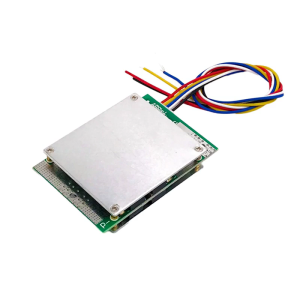
Advanced 4 Cell BMSs With Voltages Equalization 200A Continuous Current Support Optimized For High Power Applications
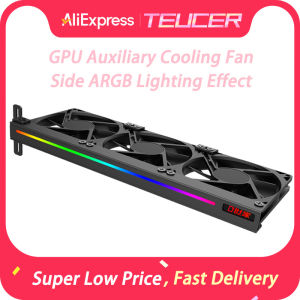
TEUCER VC-C270H ARGB GPU Bracket with 3Pin 5V Addressable Headers & Silent Cooling Fan for Most Graphics Cards
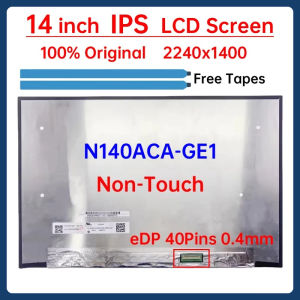
14 Inch Laptop LCD Screen N140ACA GE1 N140ACA-GE1 Display Matrix Panel Replacement 2240x1400 IPS 100% sRGB eDP 40 Pins Non-Touch

Xiaomi Redmi Gaming Monitor G24 23.8 inch 165Hz Fast IPS Full HD HDR10 120%sRGB 8 bit Low Blue Light
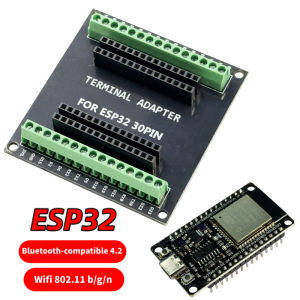
ESP32 WROOM-32 Development Board TYPE-C Micro USB WiFi Bluetooth Ultra-Low Power Consumption Dual Core Wireless BT Module 30 pin
LPO Laptop LCD 14.0" 30 Pins Borderless WUXGA 1920 x 1200 (Non-Touch Screen) N140JCA-ELK Rev. C2
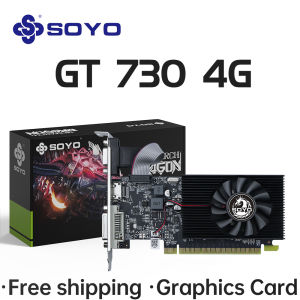
SOYO Graphics Cards NVIDIA GT730 4G GDDR3 128bit Video Card HDMI+DP+DVI For Desktop Gaming Computer Components GPU GT 730
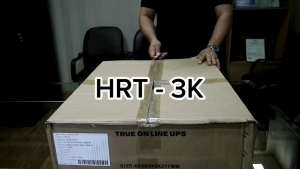
Rack Mount Online UPS - HRT 3K
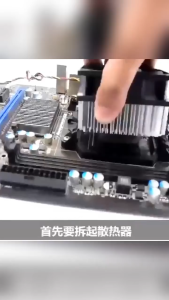
HY510 Grey Thermal Paste CPU GPU Thermal Conductivity Composite Silicone Cooling Heatsink Paste 5g High durability CPU GPU Cooler For PC Chipset
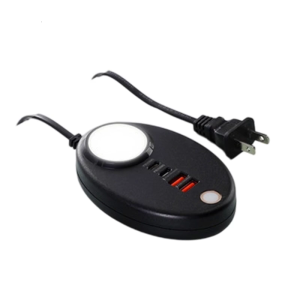
Double USB and 2xType C Port Power Outlet Touchable Night Light for Safe and Fast Charging Across Various Devices