


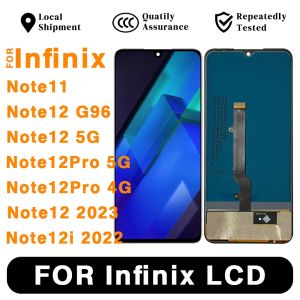
for Infinix Note11 Note12 G96 Note12 Note12Pro 12i 2022 LCD Touch Screen Display Assembly Parts

for Infinix Note11 Note12 G96 Note12 Note12Pro 12i 2022 LCD Touch Screen Display Assembly Parts
for Infinix Note11 Note12 G96 Note12 Note12Pro 12i2022 LCD Touch Screen Display Assembly Parts

ibXTGWEt
Seller ratings 0%
Review

Oops
This video has no reviews.
You May Also Like
00:55
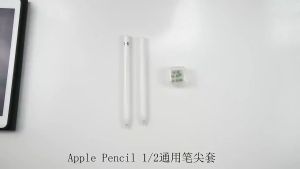
8pcs For Apple Pencil Tip Silicone Case Replacement Tips Case For Apple Pencil 1st 2nd Nib Protector Cover Stylus Pen Tip Non-Slip Silicone Fiber Nib Cap Case

00:26
Limited Edition Silicone Phone Case for Honor X20/X20SE Anti-Fall Full Cover Protection Men Women New Model Creative Design
00:43
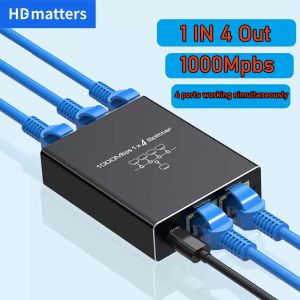
Network Splitter for Ethernet: A Comprehensive Guide\\n\\n Introduction to Network Splitters\\n\\n What is a Network Splitter?\\n\\nA network splitter is a device that allows you to distribute a single Ethernet connection to multiple devices. This is particularly useful if you have limited ports available on your router or switch and want to extend your network coverage. In this comprehensive guide, we will explore the different types of network splitters, how they work, and how to choose the right one for your needs.\\n\\n How Does a Network Splitter Work?\\n\\nNetwork splitters function by taking a single Ethernet connection and splitting it into multiple outputs. This allows you to connect several devices to a single network port, effectively extending your network coverage. There are two main types of network splitters: passive and active. Passive splitters rely solely on the signal strength of the incoming connection, while active splitters amplify the signal to maintain optimal performance across all connected devices.\\n\\n Types of Network Splitters\\n\\nThere are several types of network splitters available, including:\\n\\n- **RJ45 Splitter 1 in 4:** This type of splitter takes a single Ethernet connection and splits it into four outputs, allowing you to connect up to four devices to a single network port.\\n- **Gigabit Ethernet Splitter:** These splitters support speeds up to 1 Gbps, making them ideal for high-speed internet connections and demanding applications such as gaming or video streaming.\\n- **100M 1000M Splitter:** This type of splitter supports both 100 Mbps and 1 Gbps connections, providing flexibility for various network environments.\\n\\n Choosing the Right Network Splitter\\n\\n Key Features to Consider\\n\\nWhen selecting a network splitter, consider the following key features:\\n\\n- **Number of Outputs:** Determine how many devices you want to connect to a single network port.\\n- **Speed:** Choose a splitter that supports the desired speed of your internet connection.\\n- **Compatibility:** Ensure the splitter is compatible with your existing network setup and devices.\\n\\n Differences Between 100M & 1000M Splitter\\n\\nThe main difference between a 100M and a 1000M splitter lies in their supported speeds. A 100M splitter supports connections up to 100 Mbps, while a 1000M splitter supports connections up to 1 Gbps. If you have a high-speed internet connection, a 1000M splitter would be the better choice to ensure optimal performance.\\n\\n Gigabit Ethernet Splitter vs. RJ45 Splitter 1 in 4\\n\\nA Gigabit Ethernet splitter and an RJ45 splitter 1 in 4 differ primarily in their supported speeds and number of outputs. A Gigabit Ethernet splitter supports connections up to 1 Gbps and can have varying numbers of outputs depending on the model. An RJ45 splitter 1 in 4, on the other hand, splits a single Ethernet connection into four outputs and typically supports speeds up to 100 Mbps or 1 Gbps, depending on the model.\\n\\n How to Use a Network Splitter\\n\\n Connecting a Network Splitter to Your PC or Laptop\\n\\nTo connect a network splitter to your PC or laptop, follow these steps:\\n\\n1. Connect one end of an Ethernet cable to the input port of the network splitter.\\n2. Connect the other end of the Ethernet cable to a network port on your router or switch.\\n3. Connect the output ports of the network splitter to your desired devices using Ethernet cables.\\n\\n Setting Up a Network Splitter for Multiple Devices\\n\\nTo set up a network splitter for multiple devices, follow these steps:\\n\\n1. Connect one end of an Ethernet cable to the input port of the network splitter.\\n2. Connect the other end of the Ethernet cable to a network port on your router or switch.\\n3. Connect the output ports of the network splitter to your desired devices using Ethernet cables.\\n\\n Troubleshooting Common Issues with Network Splitters\\n\\nIf you encounter issues with your network splitter, try the following troubleshooting steps:\\n\\n- **Check Connections:** Ensure all Ethernet cables are securely connected to the network splitter and devices.\\n- **Restart Devices:** Restart your router, switch, and connected devices to refresh their network connections.\\n- **Check Network Settings:** Verify that the network settings on your devices are configured correctly.\\n\\n Conclusion\\n\\n Recap of Key Points\\n\\nIn this comprehensive guide, we explored the different types of network splitters, how they work, and how to choose the right one for your needs. We discussed key features to consider when selecting a network splitter, differences between 100M and 1000M splitters, and the distinctions between Gigabit Ethernet splitters and RJ45 splitters 1 in 4. We also provided step-by-step instructions for connecting a network splitter to your PC or laptop, setting up a network splitter for multiple devices, and troubleshooting common issues.\\n\\n Final Thoughts on Network Splitters\\n\\nNetwork splitters are a valuable tool for extending your network coverage and connecting multiple devices to a single network port. By understanding the different types of network splitters and their capabilities, you can choose the right one for your needs and enjoy a seamless networking experience.\n}

00:10
HISENSE REMOTE CONTROL Replacement - 50K303/ 55K303V2(183 UP)/ 43A5605/ 39A5605/ 32A5605/ 32E5600/ 43E5600/ 40E5600/49E5600 Remote Control for Hisense TV

00:25
Lucky Grass Magnetic Leather Wallet Card Slot Flip Case for Samsung, OPPO, and Vivo Phones

00:15
ESR iPhone 16 charger 18W USB-C fast wall charger with foldable prong USB C charger for iPhone 16/15/14 Galaxy S20/S20/S20 ultra/S10/note10 iPad Pro//air and more
01:00
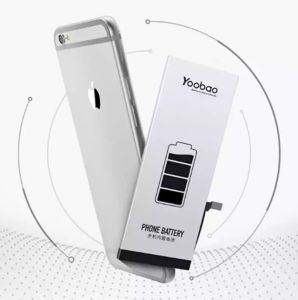
Yoobao IP7 Plus 2910MAh STANDARD High Quality Phone Battery Replacement
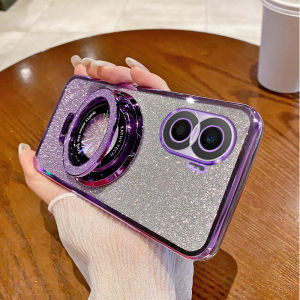
00:27
Honor X40i Magnetic Absorption Phone Case Gradient Sparkling Powder Electroplated Transparent Protective Cover Full Protection Anti-Fall Luxury Creative Fashion Womens Shell Trendy
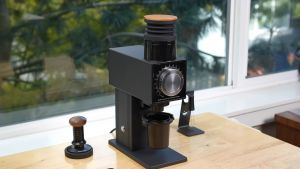
00:54
Koryaiko CF64V Variable Speed Single Dose Coffee Grinder 64mm DLC Burrs
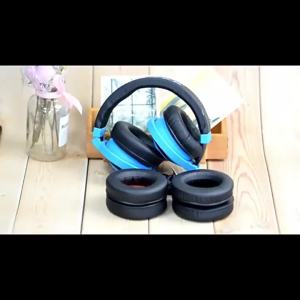
00:53
Earpads Headband for TUNE 700BT 710BT 750BTNC 760NC Headphone Cover Earmuffs Protein Leather Ear Pads Cushion
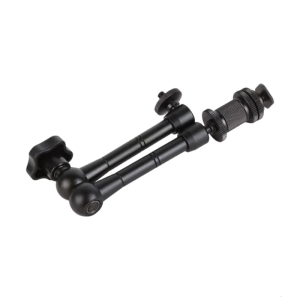
00:20
7inch/11inch Metal Clamp Articulating Friction Arm Metal Clamp for Photography and Video
00:15
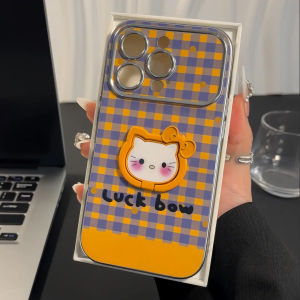
Kitty Cat Pattern Phone Case for OPPORENO12PRO with Stand Cute Female Style Electroplated View Window Protective Cover
Hot Search
Maay Poolserving dish food warmerfrozen costumegames for pc installer usbIpanema Philippineslalagyan ng rafflepulley set honda beat fijava green coffeeunder chassis painthp printer head moh50acat jersey nbaandroid head unit mitsubishi pajerocorolla side mirror lensbohemian throw pillow casebrembo rotor honda city


















