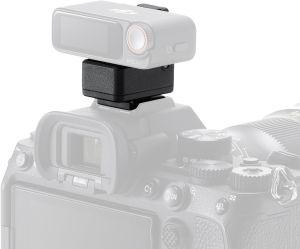
DJI Mic 2 Camera Adapter
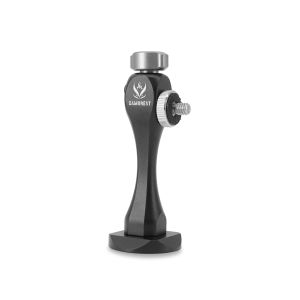
The DJI Mic 2 Camera Adapter can connect the DJI Mic 2 receiver to a Sony camera's MI shoe. It enables audio recording without the need for a 3.5mm TRS cable and supports digital audio recording. A Sony camera can also supply power to the DJI Mic 2 receiver through the adapter. It is only compatible with Sony cameras. For more information on compatible camera models, check the compatibility list on the website. Compatibility: DJI Mic 2. The DJI Mic 2 Camera Adapter can connect the DJI Mic 2 receiver to a Sony camera's MI shoe. It enables audio recording without the need for a 3.5mm TRS cable and supports digital audio recording. A Sony camera can also supply power to the DJI Mic 2 receiver through the adapter. It is only compatible with Sony cameras. For more information on compatible camera models, check the compatibility list on the website. Compatibility: DJI Mic 2

MOUI SHOP
Review

You May Also Like

TTArtisan Tilt 50mm F1.4 Full Frame Manual Portrait Lens Compatible With Sony A7S A7R Panasonic S1 Sigma FP Mirrorless Camera

3 inch 4K HD Digital Telescope Eyepiece Portable Low Light Night Vision Camera for Monocular Binocular Telescope Spotting Scope

Hikvision CCTV IP Camera HD 2MP/4MP Full-Color With Audio Network Camera Outdoor IP67 Waterproof Security Camera

SVBONY SV505C Color Planetary Camera USB3.0 IMX464 Guide Camera for Astronomy telescope monocular guiding camera

Camera Lens Support Collar Tripod Mount Adapter For EF Series Including 80-200mm F2.8L

TTartisan 50mm F1.2 Mirrorless Camera Lens For Sony E Canon EOS-M Fujifilm X Nikon Z Leica L Micro 4/3 Photography Photo Studio

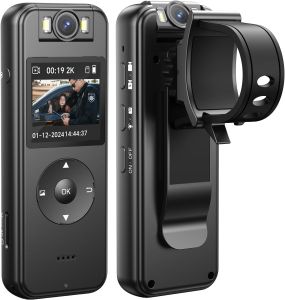
Kasoul 4K UHD Bodycam: A Comprehensive Guide

Dahua Dome Full Color Mic 2mp DH-HAC-HDW1239TLQN-A-LED: A Comprehensive Guide

Cinematic Lens Accessories ND CPL Filters Water Proof Coating Multifunctional For GO3S Sports Photography

Endura Video & Power Transceiver with Pigtail (CAT5e)

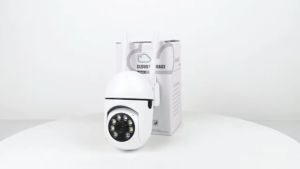
Buy 1 Take 1: Wireless CCTV Camera & Smart Wi-Fi Camera\\n\\n Introduction to Wireless CCTV Camera & Smart Wi-Fi Camera\\n\\nIn today's world, security is a top priority for homeowners and businesses alike. With the increasing demand for reliable surveillance systems, wireless CCTV cameras and smart Wi-Fi cameras have become popular choices. These devices offer a wide range of features and benefits, making them ideal for indoor and outdoor surveillance.\\n\\n What is a Wireless CCTV Camera?\\n\\nA wireless CCTV camera is a security device that transmits video footage wirelessly to a receiver or recording device. It eliminates the need for cables, making installation quick and easy. Wireless CCTV cameras are perfect for monitoring areas where running wires is impractical or impossible.\\n\\n What is a Smart Wi-Fi Camera?\\n\\nA smart Wi-Fi camera is a wireless camera that connects to your home network via Wi-Fi. It allows you to monitor your property remotely through a smartphone app or web interface. Smart Wi-Fi cameras often include advanced features like motion detection, two-way audio, and cloud storage.\\n\\n Features of Wireless CCTV Camera & Smart Wi-Fi Camera\\n\\n Maximum Resolution & Video Encoding Standard\\n\\nThe camera we're discussing has a maximum resolution of VGA (640x480) and uses the MJPEG video encoding standard. This ensures clear and crisp video footage for monitoring purposes.\\n\\n Audio Coding Standard & Video Frame Rate\\n\\nThe camera supports the G711.A audio coding standard and has a video frame rate of 20 frames per second at VGA resolution. This allows for smooth and continuous video playback.\\n\\n Storage Capacity & Connection Method\\n\\nThe camera can store up to 128GB of video footage on a microSD card. It connects to your home network via 2.4GHz Wi-Fi, providing a stable and secure connection.\\n\\n How to Install & Use Wireless CCTV Camera & Smart Wi-Fi Camera\\n\\n Connecting to Your Smartphone\\n\\nTo connect the camera to your smartphone, download the app from the App Store or Google Play Store. Follow the on-screen instructions to pair the camera with your device.\\n\\n Setting Up the Camera\\n\\nOnce connected, set up the camera by adjusting the settings according to your preferences. You can customize the video resolution, frame rate, and other parameters to suit your needs.\\n\\n Configuring Alerts & Notifications\\n\\nConfigure alerts and notifications to receive real-time updates when motion is detected. You can choose to receive push notifications, email alerts, or both.\\n\\n Buy 1 Take 1 Offer: Get Two Cameras for the Price of One\\n\\n Benefits of the Offer\\n\\nBy taking advantage of this offer, you'll get two cameras for the price of one. This means you can expand your surveillance system without breaking the bank. Plus, you'll enjoy the peace of mind that comes with having multiple cameras covering different areas of your property.\\n\\n How to Claim the Offer\\n\\nTo claim the offer, simply visit our website and add the camera to your cart. During checkout, enter the code BUY1TAKE1 to receive the discount. This offer is valid for a limited time, so don't miss out!\\n\\n Conclusion\\n\\nInvesting in a wireless CCTV camera or smart Wi-Fi camera is a wise decision for anyone looking to enhance their home or business security. With the Buy 1 Take 1 offer, you can get two cameras for the price of one, giving you more coverage and peace of mind. Don't wait any longer—start protecting your property today!\"