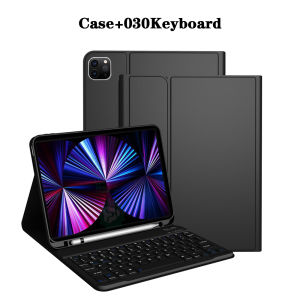
Keyboard Case for iPad Pro 11 Inch 4th/3rd /2nd/1st Gen (2022/2021/2020/2018) Detachable Bluetooth Keyboard with Pencil Holder
The tablet case in this link is only compatible with models:iPad Pro 1st Generation 11-inch(2018 Model:A1934/A1979/A1980/A2013)iPad Pro 2nd Generation 11-inch(2020 Model:A2228/A2231/A2068/A2230)iPad Pro 3rd Generation 11-inch(2021 Model:A2377/A2459/A2301/A2460)iPad Pro 4th Generation 11-inch(2022 Model:A2759/A2435/A2761/A2762)How to verify tablet model1. Go to the back and find your specific model.2. Find "Settings" - Click "About" - Find "Model"3. Please purchase the correct compatible model case according to the tablet after viewing.Note:The digital tablet and stylus are not included in the package. The detailed description is for reference only. Please refer to the actual product for the color of the product.How to connect keyboard and mouse?1. Connect the mouse first, then the keyboard.2. Mouse: Push the switch to the "Bluetooth" icon and find the Bluetooth connection with the "mouse" in the device Bluetooth list.3. Keyboard: Push the switch in the upper right corner to "ON", press "Connect", and find the Bluetooth connection with "Keyboard" in the device Bluetooth list.4. Touchpad keyboard: Open the keyboard, press Fn+C, and then find the Bluetooth connection with "Keyboard" in the device Bluetooth list.FAQQ:What should I pay attention to when connecting the mouse for the first time?A:When the mouse is connected for the first time, you need to press the left button, the right button and the scroll wheel at the same time for about 3-5 seconds.Q: Is the scroll direction of the mouse USB connector and Bluetooth connection the same?A: No, they are different. When using the USB connector, the scroll wheel slides in the same direction as the computer mouse. Bluetooth connection is the opposite.Q: How to switch between different systems?A: Fn+Q=Android, Fn+W=Windows, Fn+E=IOS.Please note that please switch the system before connecting the tablet.Q:The bluetooth keyboard letters are messy?A: Please check the settings according to the prompts,a. Check whether the keyboard language set on the device is English.b. Disconnect the keyboard Bluetooth, click Ignore the connected device, reopen the Bluetooth keyboard, select system, Fn+E (IOS system).Note: Fn+Q=Android, Fn+W=Windows, Fn+E=IOSc. Press the L S Z buttons at the same time to reset the keyboardQ:How to configure the input method for different languages keyboard?A:Take the samsung tablet as example,open "Settings--"ystem"--"Language & input"--"Add New Keyboard". (For other systems, please set them in the system settings according to the tips of the iPad example.)Q:How does the mouse change teh scroll wheel sliding direction on the device?A: The mouse is connected, open "General" - "Trackpad & Mouse" - close "Natural Scrolling".

GlobalLifestyle
You May Also Like
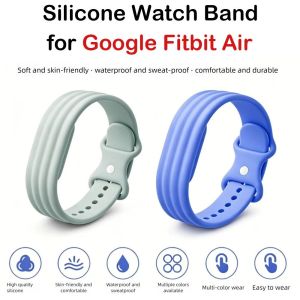
NEXTYOO Silicone Watch Band Rubber Bracelet Breathable Replacement Wristband High Quality Adjustable Sport Strap for Google Fitbit Air for Men Women
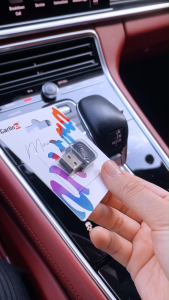
CarlinKit Wireless CarPlay Adapter Ultra Wired to Wireless Apple CarPlay and Android Auto 2 in 1 Support 5G WifI & Bluetooth 5.0 No Latency For Factory CarPlay Android Auto
AAAAAAA+High Quality New LCD Screen For iPad 7/ 8 /9 IPad7 IPad8 IPad9 Digitizer Replacement Parts
FLOVEME Candy Color Large Window Clear Phone Case For iphone 14 13 12 Pro Max 14 Plus Macaron Solid Color Full Protection Transparent Soft Silicone Shockproof Back Cover For iphone 14 13 12
【24H Ship】360 Degree Rotating Case For iPad 10th gen 10.9 Pro11 10.2 9th Air4/5 Smart Auto Sleep Wake Case
USB PC Data SYNC + AV A/V TV Video Cable Cord Lead for Nikon DSLR D3200 D5100 Camera
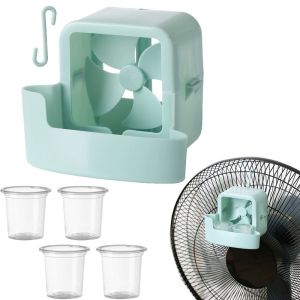
LIUJIR With Hanging Hook Electric Fans Ice Cube Holder 4 Ice Cups Quickly Cooling Electric Fans Cooler Simple Easy to use Small Fans Home
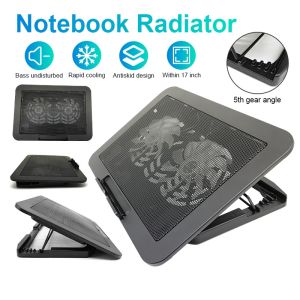
Laptop Cooler 14-15.6 inch 2 Fans Adjustable Foldable Silent Radiator Bracket Cooling Pad Notebook Stand
AMOLED screen has defects suitable for Samsung S9 G960 G960F G960F/DS Screen AMOLED touch screen replacement component display
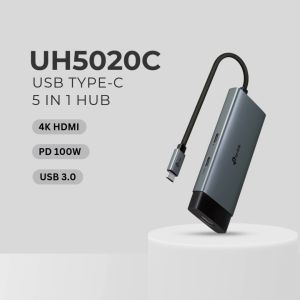
TP-Link Official Store | UH3020C/UH5020C/UH6120C/UH7020C/UH9120C | USB Type-C 100W Fast Charging Multiple USB Multi Port Adapter Docking Station Hub
Redmi LCD Redmi Note 14 4G 5G LCD Touch Screen Display Frame Assembly for Replacement