Elegant Handmade Beaded Keychain Pendant Mobile Phone Chain Strap Fashion Cellphone Rope Women Telephone Lanyard
Stylish charm with beads and tassels offer a secure wrist strap design, functioning as both phone lanyard and bag charm for various daily accessorizing. Crafted from soft yet durability materials, this accessory features secure attachment point and easy to adjust connectors to prevent accidental drop. Hand strung acrylic beads showcases meticulously craftsmanship, featuring smooth surfaced durability flower themed pendants for lastingly appeal. Elegant Handmade Beaded Keychain Pendant Mobile Phone Chain Strap Fashion Cellphone Rope Women Telephone Lanyard Features Stylish charm with beads and tassels offer a secure wrist strap design, functioning as both phone lanyard and bag charm for various daily accessorizing. Crafted from soft yet durability materials, this accessory features secure attachment point and easy to adjust connectors to prevent accidental drop. Hand strung acrylic beads showcases meticulously craftsmanship, featuring smooth surfaced durability flower themed pendants fo

Runrun123

Review

You May Also Like
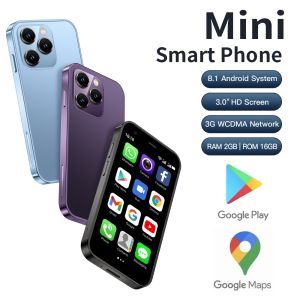
2025 SERVO Small Smartphone 3.0" Display Dual SIM 3G WCDMA Android 8.1 OS 2GB+16GB GPS WIFI Portable Mini Mobile Phone Low Price
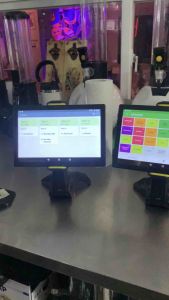
POS Kitchen Display for Loyverse POS 10\\\" (Tablet only w/stand)\\n\\nLoyverse POS Tablet is a powerful and versatile point-of-sale system designed to streamline operations in various retail and restaurant environments. This comprehensive guide will provide you with essential information about the Loyverse POS Tablet, its key features, benefits, and how to set up and use the POS Kitchen Display system effectively.\\n\\n What is Loyverse POS Tablet?\\n\\nLoyverse POS Tablet is a tablet-based point-of-sale system that combines a sleek design with advanced features to help businesses manage their sales, inventory, and customer data efficiently. With a 10-inch screen and a sturdy stand, this tablet is perfect for countertop or tabletop use, providing a convenient and intuitive interface for employees and customers alike.\\n\\n Key Features\\n\\nThe Loyverse POS Tablet offers a range of features that make it a valuable asset for any business:\\n\\n* **User-friendly interface**: The tablet's intuitive design allows even non-technical staff to operate the system with ease.\\n* **Mobile payments**: Accept credit cards, debit cards, and mobile payments such as Apple Pay and Google Pay.\\n* **Inventory management**: Track stock levels, set reorder points, and generate reports to help optimize inventory levels.\\n* **Customer management**: Store customer data, manage loyalty programs, and send targeted promotions to increase sales.\\n* **Reporting and analytics**: Generate real-time reports and insights to make informed business decisions.\\n\\n Benefits of Using Loyverse POS Tablet\\n\\nLoyverse POS Tablet offers several benefits that can help businesses improve their operations and increase profitability:\\n\\n* **Increased efficiency**: Streamline sales processes, reduce errors, and save time with automated features.\\n* **Improved customer experience**: Provide a seamless checkout experience with fast and secure mobile payments.\\n* **Enhanced inventory management**: Reduce stockouts and overstock situations by monitoring inventory levels in real-time.\\n* **Better decision-making**: Access valuable data and insights to make informed business decisions.\\n\\n Setting Up Your Loyverse POS Tablet\\n\\nTo get started with Loyverse POS Tablet, follow these steps:\\n\\n Installing Loyverse POS App\\n\\n1. Download the Loyverse POS app from the App Store or Google Play Store.\\n2. Follow the on-screen instructions to set up your account and configure the system settings.\\n3. Customize the app according to your business needs.\\n\\n Connecting Your Tablet to Loyverse POS\\n\\n1. Connect your tablet to the internet using Wi-Fi or cellular data.\\n2. Sign in to your Loyverse POS account.\\n3. Configure the system settings, including payment gateways, inventory management, and customer management.\\n\\n Using the POS Kitchen Display\\n\\nThe POS Kitchen Display system is an essential component of Loyverse POS Tablet, providing real-time order updates and streamlining kitchen operations.\\n\\n Setting Up the Kitchen Display System\\n\\n1. Connect the Kitchen Display to your network using Wi-Fi or Ethernet.\\n2. Install the Loyverse POS app on the Kitchen Display.\\n3. Configure the Kitchen Display settings, including order display preferences and layout.\\n\\n Customizing the Kitchen Display Layout\\n\\nCustomize the Kitchen Display layout to suit your kitchen's workflow and preferences. This may include adjusting font size, color scheme, and order display order.\\n\\n Best Practices for Using Loyverse POS Tablet & Kitchen Display\\n\\nTo maximize the benefits of Loyverse POS Tablet and Kitchen Display, follow these best practices:\\n\\n Optimizing Your Workflow\\n\\n* Train staff on how to use the system effectively.\\n* Customize the app and Kitchen Display settings to fit your business needs.\\n* Regularly update the system to ensure optimal performance.\\n\\n Maximizing Efficiency with Loyverse POS Tablet & Kitchen Display\\n\\n* Monitor inventory levels and adjust reorder points to avoid stockouts and overstock situations.\\n* Utilize reporting and analytics features to make informed business decisions.\\n* Provide fast and secure mobile payments to enhance the customer experience.\\n\\nIn conclusion, Loyverse POS Tablet and Kitchen Display offer a powerful combination of features and benefits that can help businesses streamline their operations and increase profitability. By following these best practices and customizing the system to fit your business needs, you can optimize your workflow and maximize efficiency.\n}
Sony Ericsson T707 3G Flip 2.2inches 3.15MP Unlocked Mobile Phones
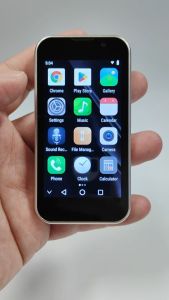
SOYES XS18 Pro 3.0" Mini Smartphone 3G Network 2GB RAM 16GB ROM Android 9.0 Quad Core 900mAh Face recognition Supports Bluetooth FM WIFI Type-C Small Phone

SEJUE4373 BM10 Low Radiation BM10 Mobile Phone Mini Dual Card Dual Standby Dual Standby Mini Mobile Phone Small Cellphone Pocket Tiny Keypad BM10 Mini Mobile Phone Kids Children Gifts

NEW 2024 Infinix Smart 8: 90Hz Punch-Hole Display & Local Warranty Smartphone
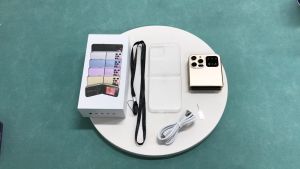
i15 PRO Push Button Mobile Phone: A Comprehensive Guide

Global Version Android Tablet Original 10-inch 5G Camon Pro Android 13 8GB+256GB 6000mAh Dual Camera Dual SIM Bluetooth WiFi Tablet

Unlocking the Potential of the Original Nokia E52 Mobile Phone
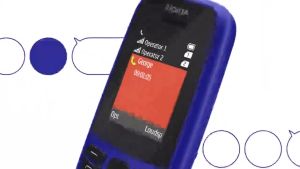
Original Brandnew N105/N106 Dual Sim Keypad Phone: A Comprehensive Guide

Decorative Phone Case Charm Beaded Mobile Phone Chain Anti-Lost String Chain for Women Girls Phone Decoration Pendant